Analytics and insights
Know what changed this week and what to fix first.
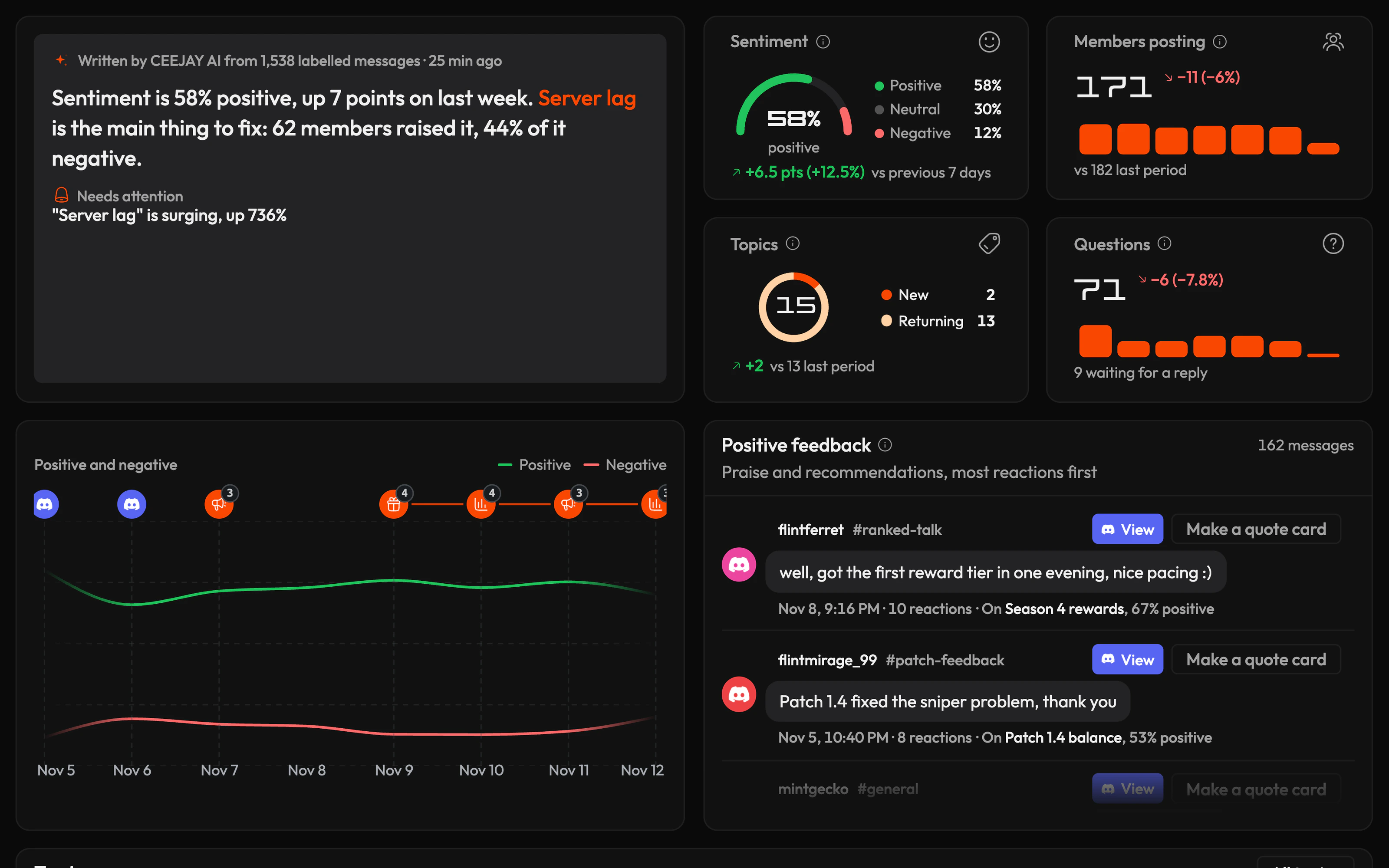


Dashboards
Give every team its own view of the community, from support to leadership.
- Follow a launch or campaign day by day
- Start from a template, like Event night
- Have CEEJAY draft one
- Turn a dashboard into a report
Server Analytics
Dig into growth, engagement, announcements, roles and channels, regions, activity and ROI.
Growth & Activation
See where new members come from and whether they stay past their first week.
- Check whether a launch brought in members who stayed
- See who left, and who was banned or kicked
- Find how long new members take to post
- Track new-member retention week by week
Engagement
See which channels and moments get members talking.
- Find your busiest hours and days
- See who keeps chat alive
- Check whether an event or patch lifted activity
- See your most reacted messages
Announcements
See which announcements get the most response, and post more of what works.
- Compare patch notes with event news
- Check if reactions are up on last month
- Spot the posts members ignore
- See which channel gets the most reactions
Roles & Channels
See which roles are active and which channels have gone quiet.
- Find channels to merge or archive
- Check your supporter roles stay active
- See where voice time goes
- Export the data for your team
Demographics
Know where your members are, so events and posts land in their time zone.
- Pick event times that suit most regions
- Plan mod shifts around quiet hours
- See how international channels compare
- Decide when a region needs its own channel
Activity
Plan events around the games and music your community loves.
- Find the other games your players love
- See the artists members listen to
- Compare two games side by side
- Find your most dedicated players
ROI
Show how the community moves the numbers your studio cares about.
- Show your publisher the community's health
- Read the 30-day forecast and its risks
- Act on the suggested next steps
- Find channels that need attention
Voice of Community
Catch problems as the first complaints come in, and know what to fix first.
- Track each topic's growth and sentiment
- Get an alert when a topic surges
- Reply to questions nobody has answered
- See what members think of your last update
Reports
Send leadership a weekly report on what the community is worth.
- Email a weekly PDF to your publisher
- Start from a template like Executive Overview
- Report on one campaign or category
- Compare with the previous period
Yes. Hide team and bot channels once, and every chart and report leaves them out.
Yes. Email a report on a schedule or share a link to it, and leadership reads it without a CEEJAY account.
Yes. My Communities shows every community you run side by side, and an organisation counts each member once and gives one team access to all of them.


Ready to build your Discord community?
Book a demo of CEEJAY, or get a free launch plan for your server from our team.