Manage multiple Discord communities from one dashboard
Game publishers, labels, agencies and investors see how every community is doing, compare each launch with the last one and give one team access to all of them.
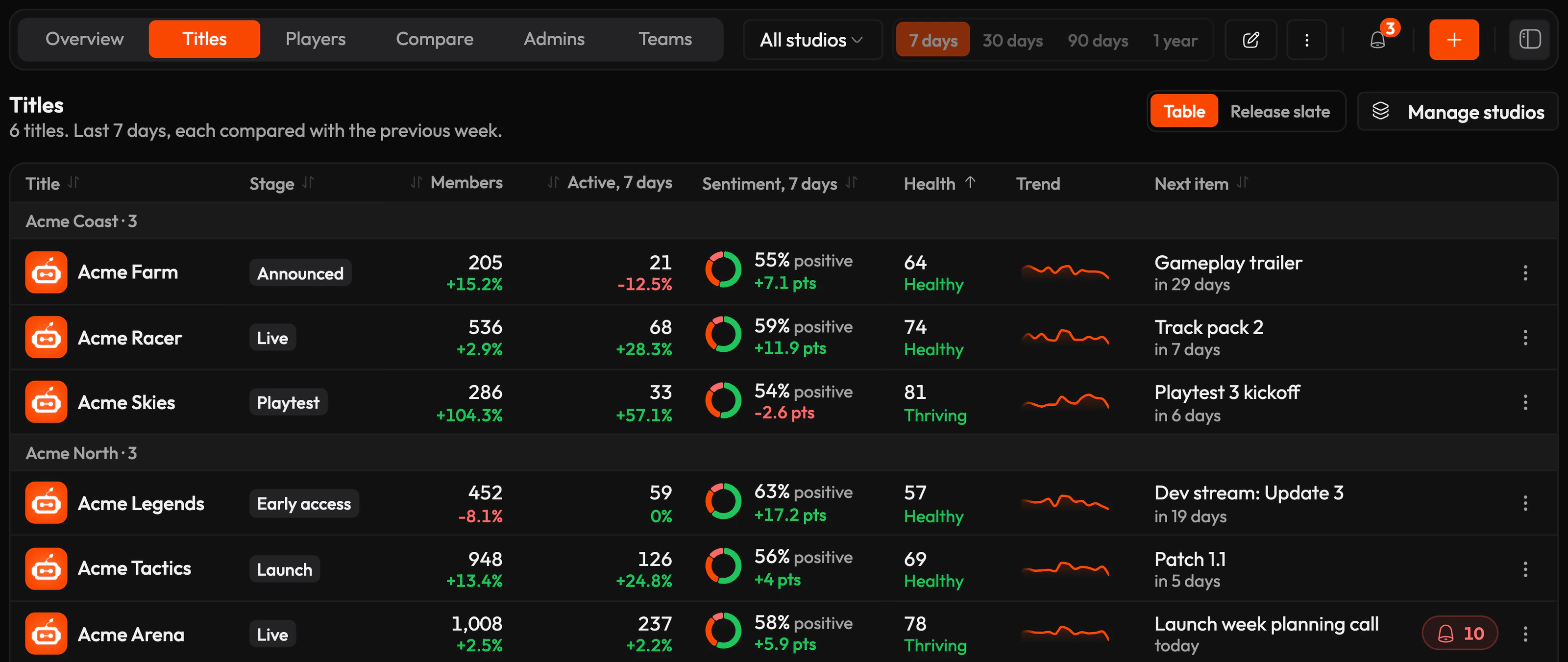


Every community, side by side
This week across every community
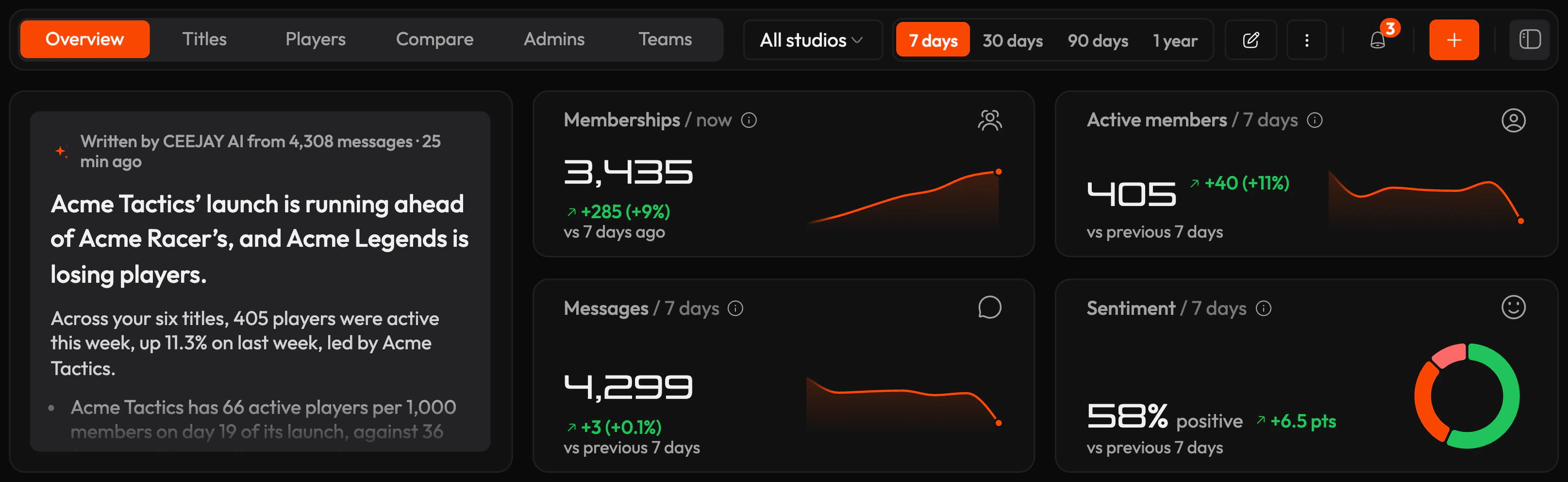
Start the week with one summary of what changed across your communities, which community drove it and what to do next. See alerts from every community in the same place.
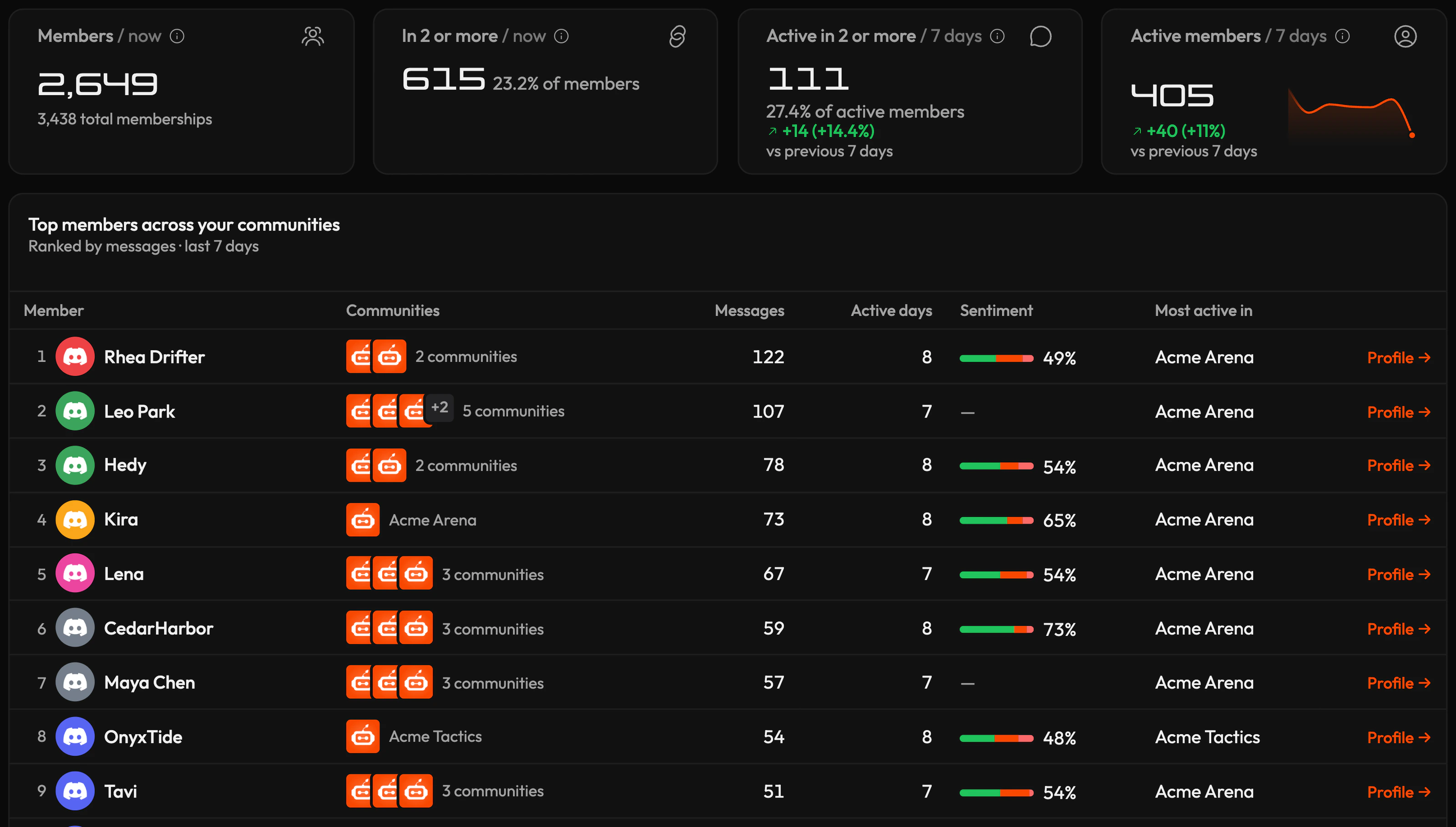
Count each member once
A fan who belongs to three of your communities counts once. See how many members you have in total, how many are active in more than one community and who your most active members are across all of them.
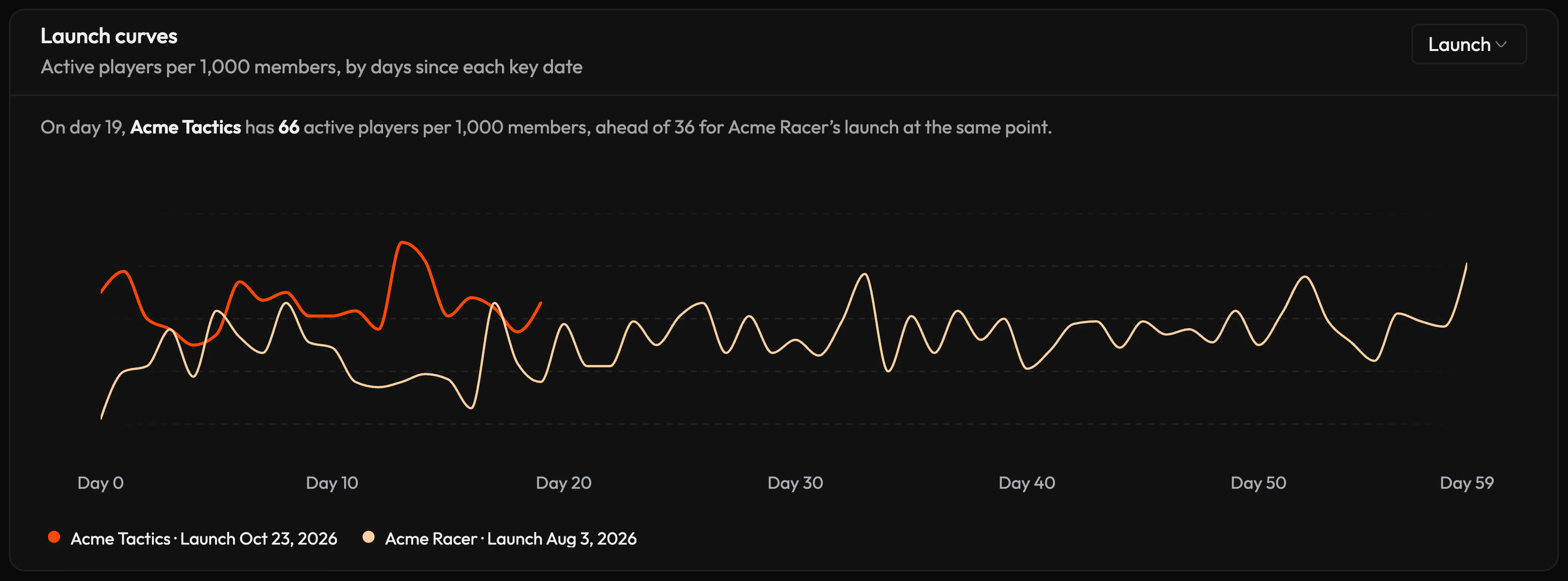
Compare each launch with the last one
Compare each new title with your earlier launches from day one, and see in launch week whether it is ahead or behind. Labels compare singles, EPs and albums the same way.
Spot problems shared across communities
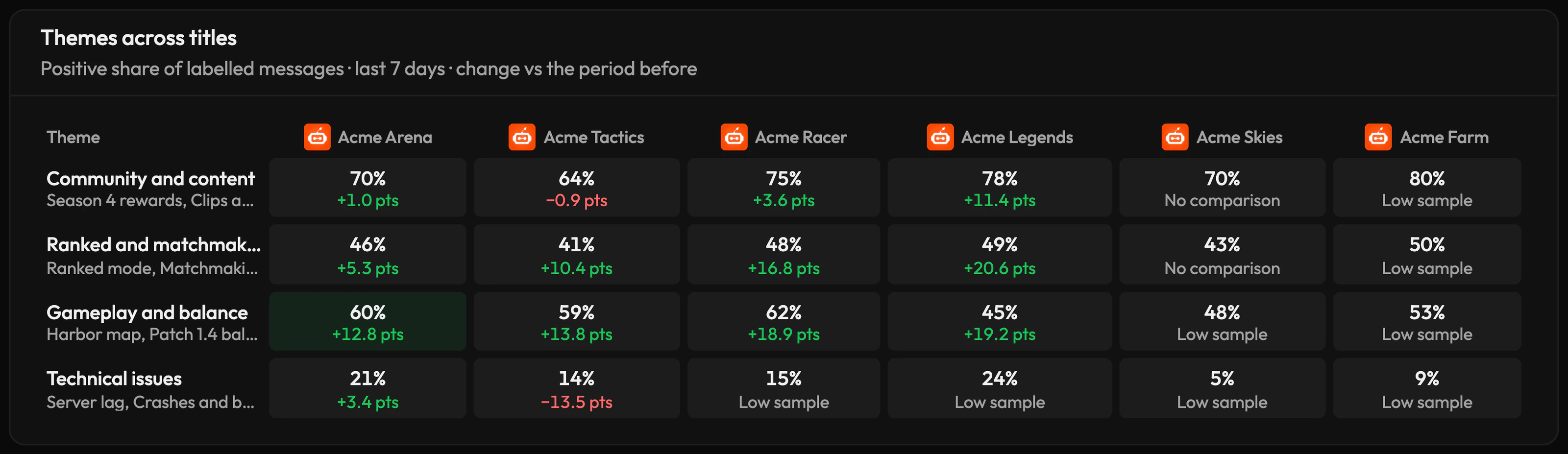
See how members feel about each theme in every community side by side, from server lag to pricing, so you know which problems come up in several communities and which belong to one game.
Every launch on one calendar
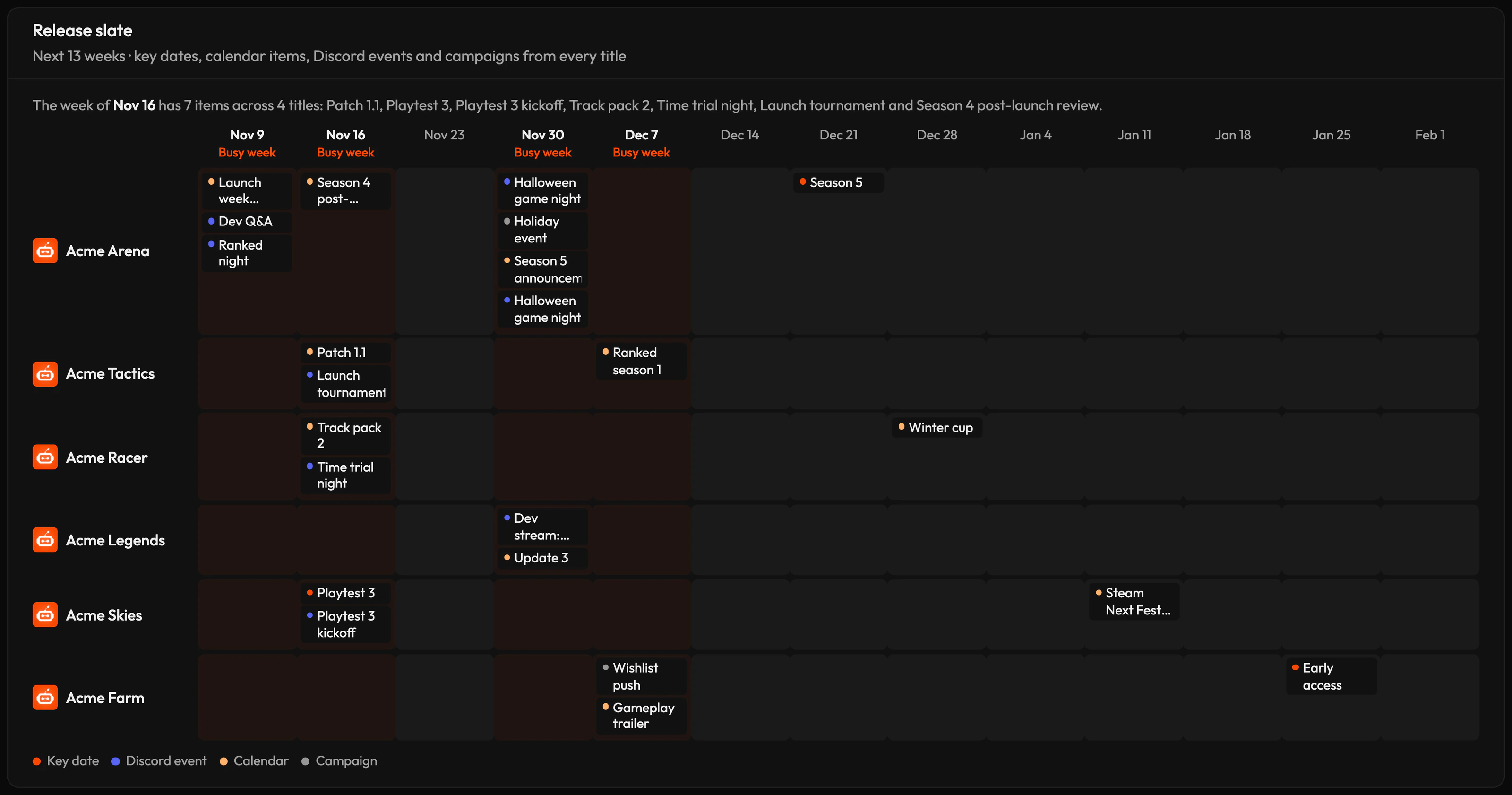
See the next 13 weeks of launches, playtests, events and campaigns across all your communities, and spot the weeks where they overlap.
Grow one community from another
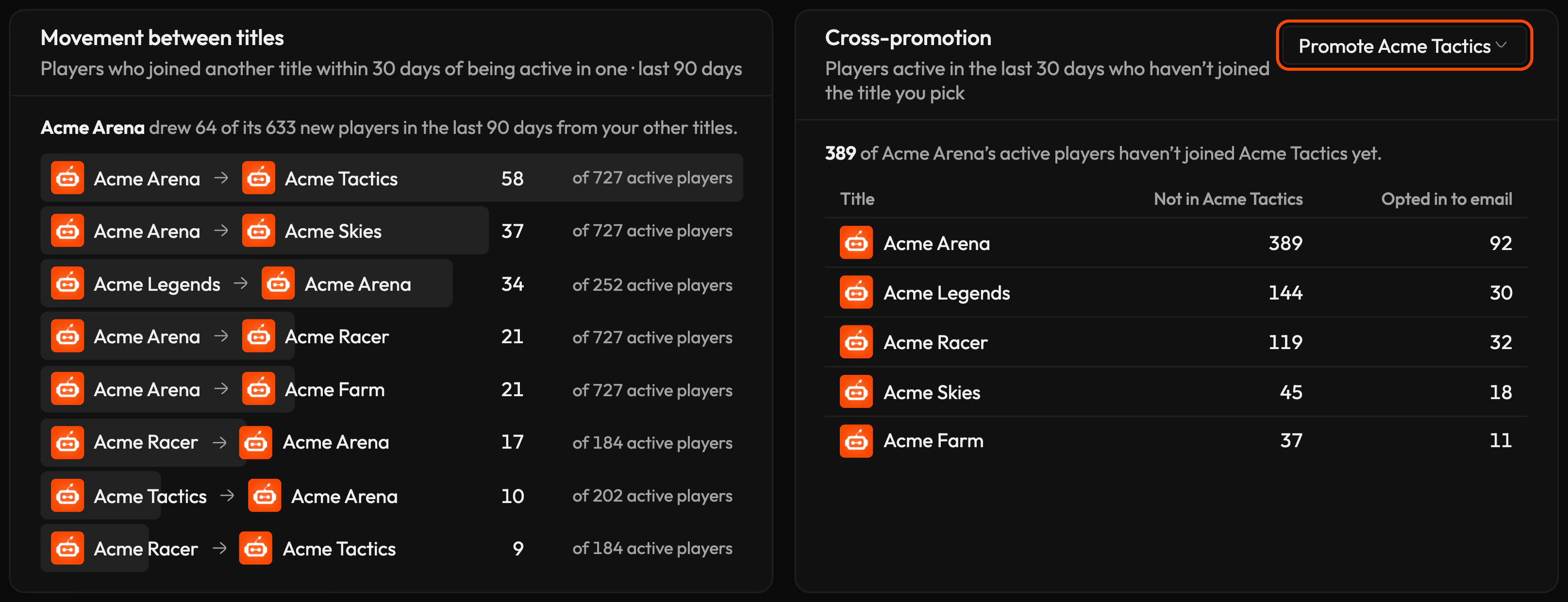
See which communities bring members to your new launches, and how many active members in each haven't joined the community you're promoting yet, including how many have opted in to email.
One team across every community
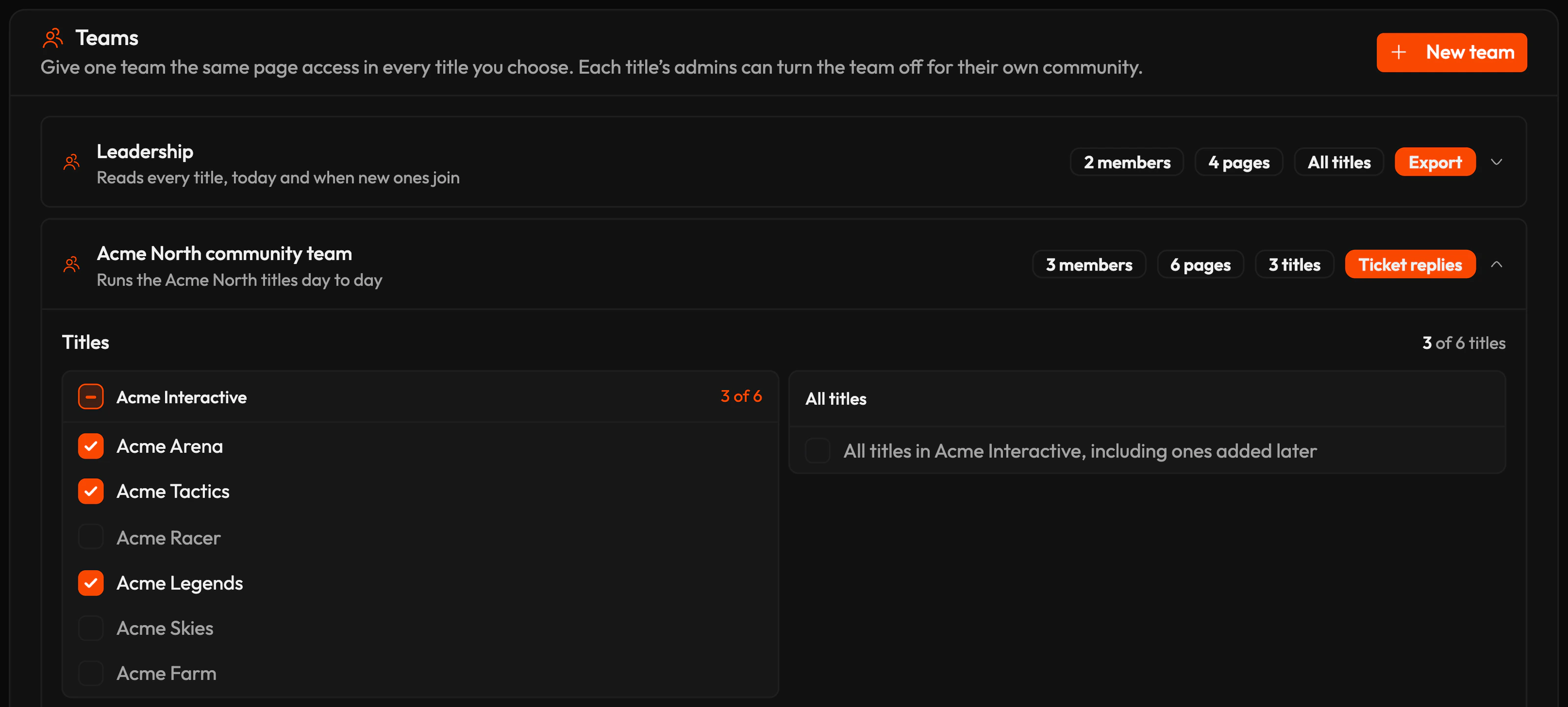
Give one team the same access in the communities you choose, or in all of them, including ones you add later. Each community's admins can turn off the team's access to their own community.
In the words your team uses
Choose your organisation type, and CEEJAY labels your communities as titles, artists, clients or portfolio companies, with stages that match how you work.
Game publisher
Titles, players and studios
- Announced
- Playtest
- Early access
- Launch
- Live
- Sunset
Label
Roster, fans and imprints
- New signing
- Pre-release
- Release week
- Touring
- Catalogue
Agency
Clients and their members
- Onboarding
- Active
- Campaign live
- Paused
- Ended
Investor
Portfolio companies and funds
- Pre-launch
- Launched
- Growing
- Established
- Winding down
Community group
Communities, members and groups
- New
- Growing
- Established
- Winding down
What's included
- 01My Communities, with every community's health and alerts
- 02Analytics across communities, from 7 days to a year
- 03Members counted once across every community
- 04Every community ranked by health, grouped by studio, imprint or fund
- 05An AI summary of the week across your communities
- 06Key dates, launch curves and a 13-week release slate
- 07Teams with access to the communities you choose
No. The Members total counts each member once across your communities. Memberships adds up each community's member count, so a member of two communities counts in both.
Yes. Give a team access to the communities you choose, or to all of them, including ones you add later. Each community's admins can turn off the team's access to their own community.
Yes. Every community keeps its own dashboard, settings and team, and the organisation adds one view across all of them.
Yes. Compare any two communities in totals or per 1,000 members. Launch curves always compare active members per 1,000 members.


Ready to build your Discord community?
Book a demo of CEEJAY, or get a free launch plan for your server from our team.