Community commerce: a store for your Discord members
Sell in-game items, roles and perks in a store inside Discord.


What studios get from a store
Open a store inside Discord
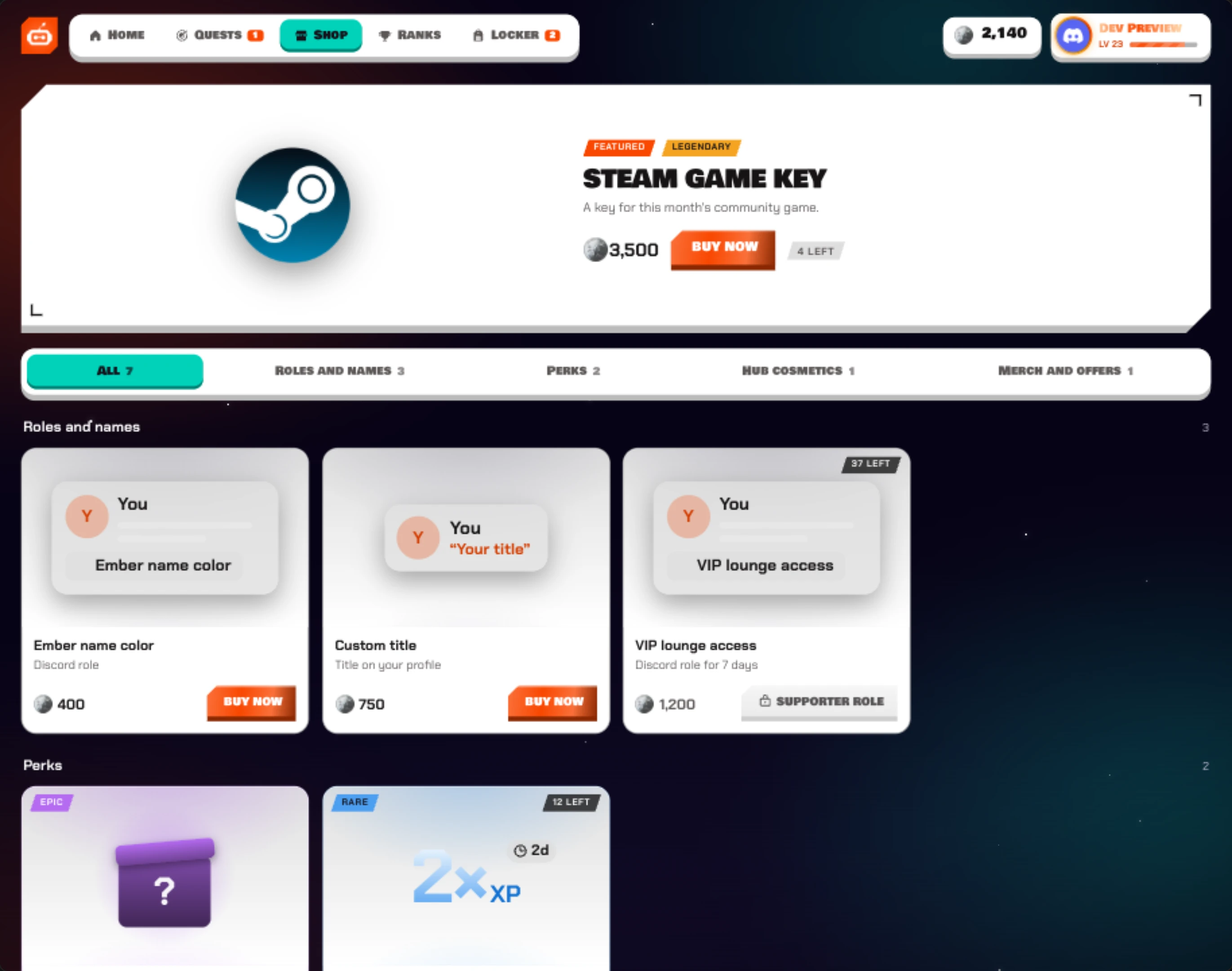
Members browse your store in the Member Hub, with a featured item, roles, custom nicknames, perks and merch, and pay with the coins they earn. The Hub uses your colours, logo and currency, so it matches your game.

Sell roles, perks and game items for coins
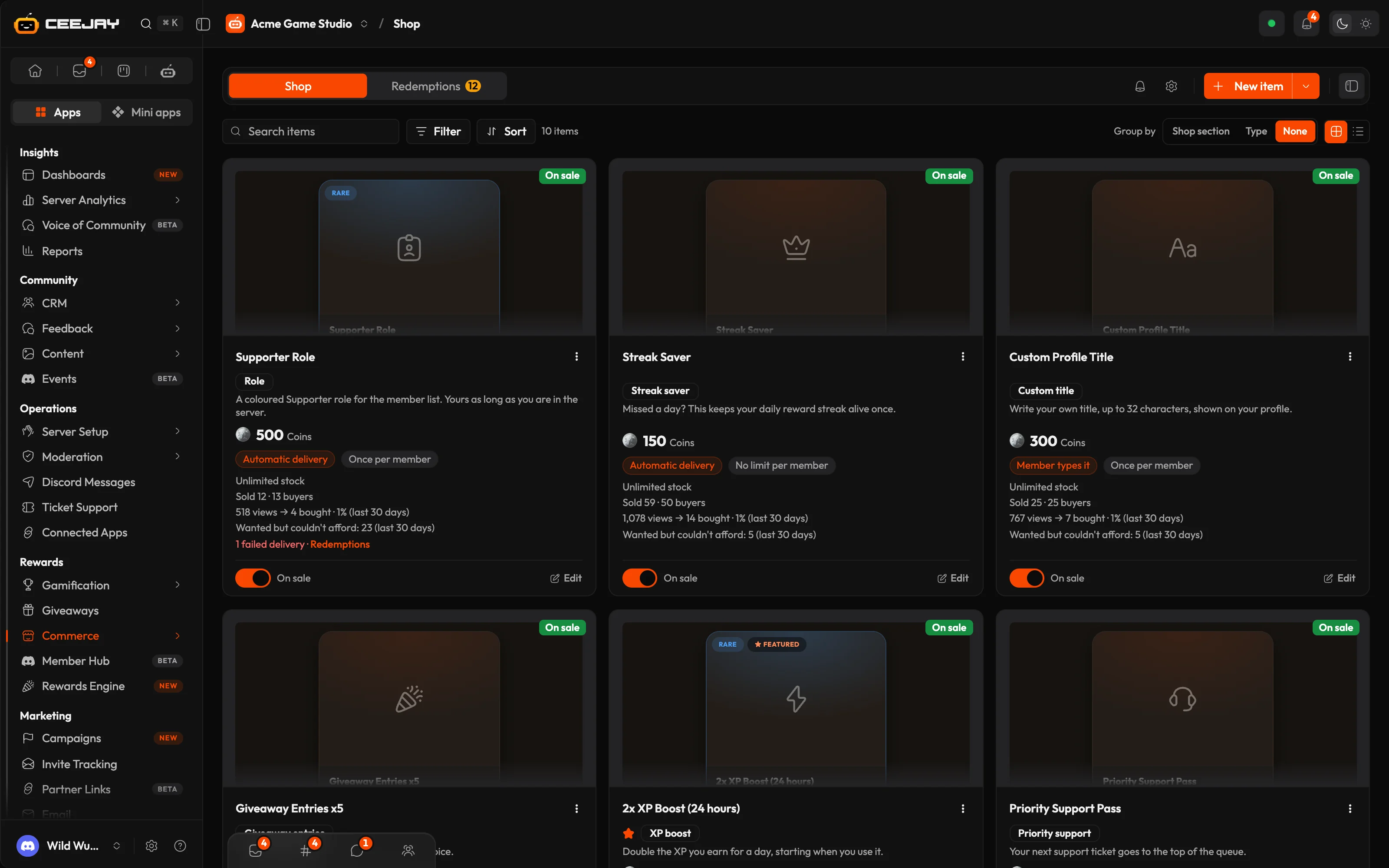
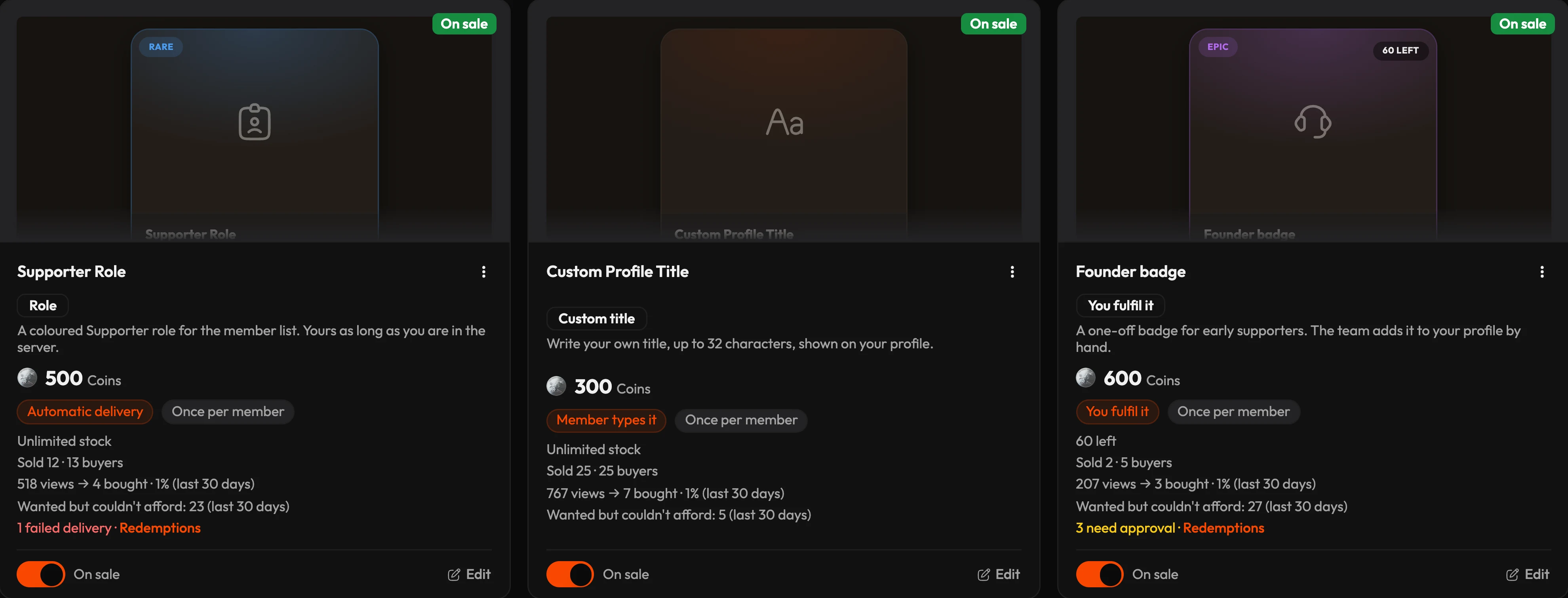
Members spend the coins they earn on roles, custom titles, nicknames, XP boosts, giveaway entries and items from your game. Each item shows how many members viewed it, bought it, and wanted it but could not afford it.


Open your store inside your game
Players browse your store and buy with their coins from inside your game. CEEJAY delivers the item through your game server, a Steam inventory item, a Roblox data store or a command on your game server.
const shop = await connect.hub.listShop()
const item = shop.data[0]

if (item?.memberState.canBuy) {
  const bought = await connect.hub.buy(item.id, item.price)
  console.log(bought.itemName, bought.status, bought.waitingFor, 'balance', bought.balance)
  if (bought.claimNeeded) console.log('Claim it with purchase', bought.purchaseId)
}Fulfil prizes that need your team
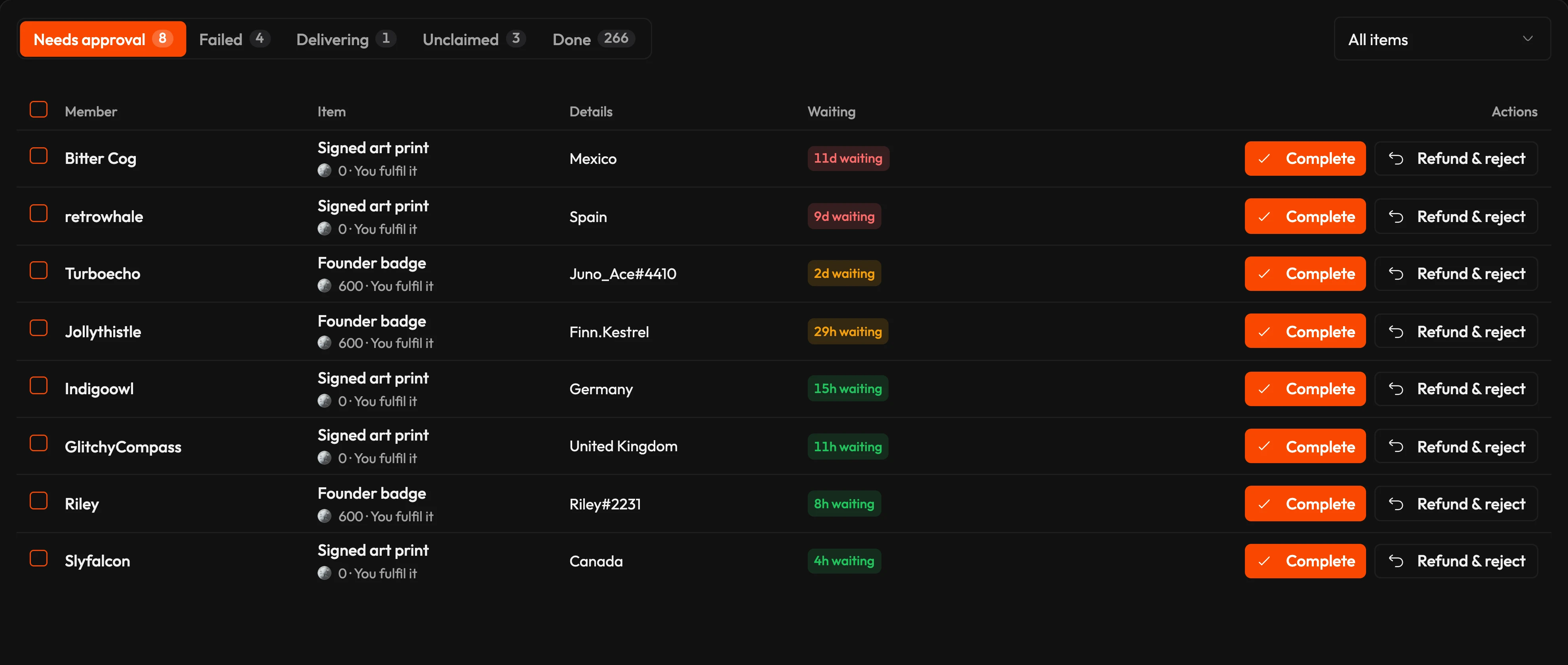
Merch, signed prints and shout-outs go into a queue with the member's details. Complete the order once it ships, or refund the coins and reject it.
20 kinds of items, from roles to game skins
Sell what members want in Discord, give them perks, fulfil prizes yourself, or deliver items into your game.
Discord
- Role
- Pick a role
- Custom role
- Nickname change
- Custom title
CEEJAY perks
- Giveaway entries
- Badge
- XP boost
- Streak saver
- Quest task skip
- Priority support
- Mystery box
- Hub cosmetic
Items you fulfil by hand
- You fulfil it
- Code from a pool
Games and integrations
- Delivered by your API
- Game server command
- Steam inventory item
- Roblox item
- Discount code

In the Member Hub, an app inside Discord, and in Discord with the /buy command. Your game can show the same store through our API.
Yes. An item can be delivered through your server by API, as a Steam inventory item, in a Roblox data store or as a command on your game server. If a delivery fails, the member is refunded.
Yes. Set a stock level, such as 60 left, and limit an item to one purchase per member.
Yes. Merch, signed prints and shout-outs go to a redemptions queue, where your team completes the order or refunds the coins and rejects it.
Yes. Every plan includes every app. Plans differ by community size, editor seats and AI use.




Get started with CEEJAY
Book a demo of CEEJAY, or get a free launch plan for your server from our team.