A Discord CRM is a customer relationship management system built for the members of a Discord server. It gives your team one profile for every member, with their activity, roles, linked accounts and support history, so everyone knows who a member is before they reply.
Features of a Discord CRM
Discord gives you a member list with names and roles. A CRM adds what your team needs to act on it:
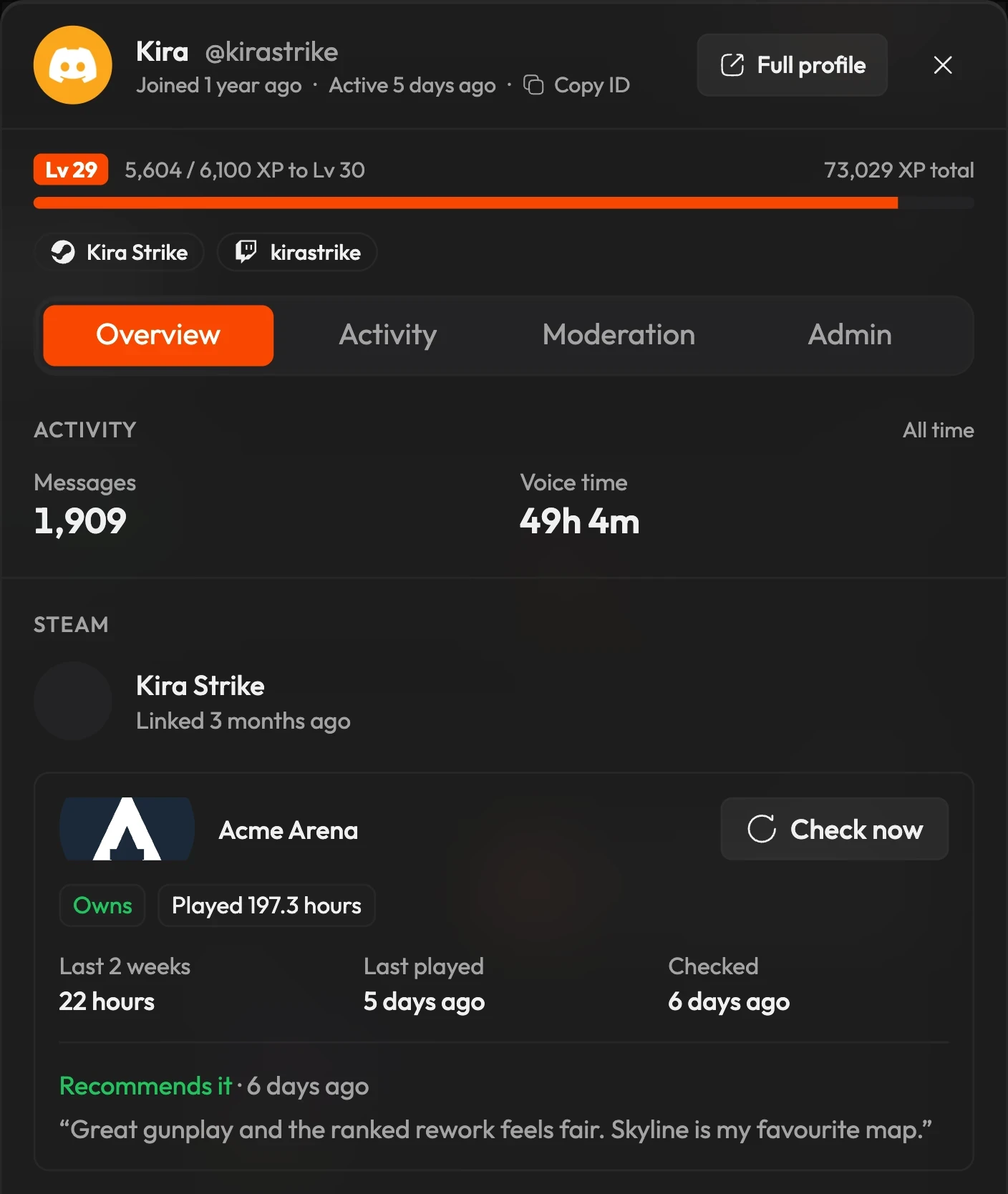
- Member profiles with each member's messages, voice time, roles, tags and your team's notes.
- Segments such as your top fans, new members or regulars going quiet, which update as members change.
- Linked accounts on Steam, Twitch, X and your own game, which members choose to link and can unlink at any time.
- History of each member's tickets, poll answers, quests and rewards.
Signs your team needs one
You need a Discord CRM when your server is too big for your team to remember everyone. The common signs are members asking questions your team has already answered, contributors going unthanked and leadership asking what the community is worth.
Game studios often need one at launch, when thousands of new members can join in a week and the team has to find testers, creators and superfans among them.
Say your studio needs 200 testers for a closed playtest. With a CRM, your team filters for members who have linked a Steam account that owns the game, joined before launch and posted feedback this month, then gives them the playtest role in one step. Without one, someone builds that list by hand.
Get a plan for your Discord server
Tell us about your community and our team will send you a free plan.
Discord CRM vs a general CRM
General CRMs such as HubSpot and Salesforce are built around sales contacts. You can connect them to Discord with automation tools, so each new member is added as a contact. Out of the box they don't read Discord activity, so showing which members are active or which channels went quiet means building and maintaining that sync yourself.
A Discord CRM starts a profile the moment a member joins and keeps it up to date as they take part, so your team only adds notes and tags.
Choosing a Discord CRM
Start with profiles that fill in from Discord activity. Then check that you can use segments in polls, giveaways, emails and automations, that members can link the platforms they use, such as Steam, Twitch and X, and that the analytics are clear enough for both your team and leadership.
CEEJAY is the all-in-one Discord CRM we develop, and the one our team uses to run communities for game studios and brands. Book a demo to see it on a community like yours.



