Player and member CRM for Discord
Everyone on your team can see who a member is before they reply.
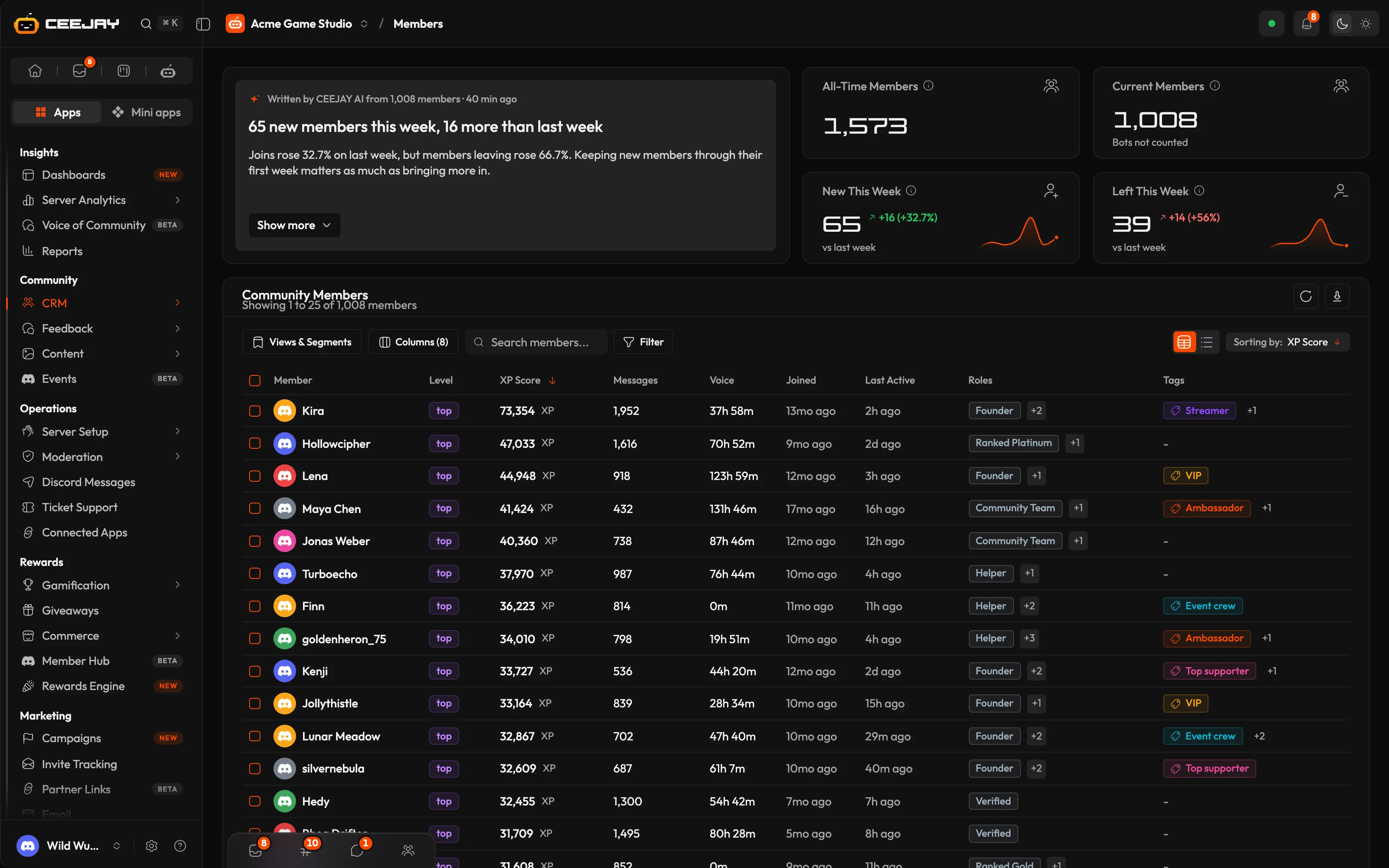


What studios get from the member CRM
Know every member before you reply
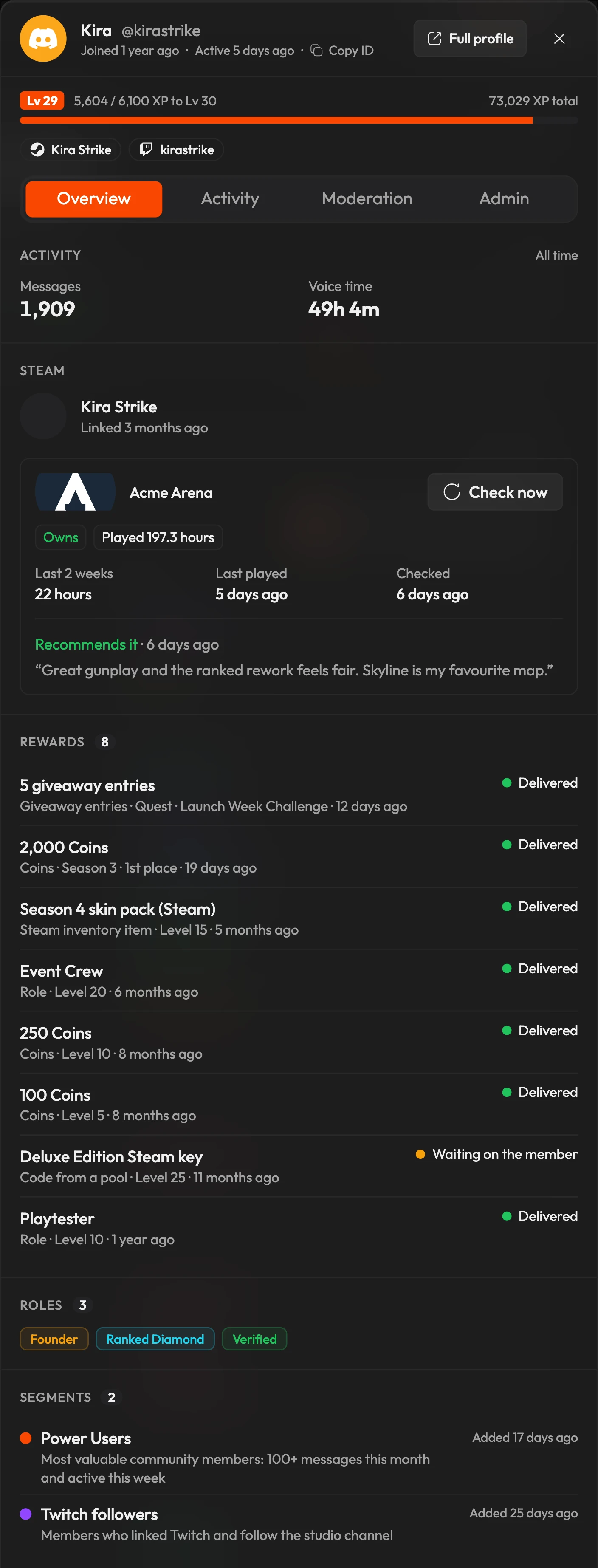
Open any member to see their level, messages, voice time, roles and segments, plus the accounts they have linked. If they own your game on Steam, you see how many hours they have played and their review.

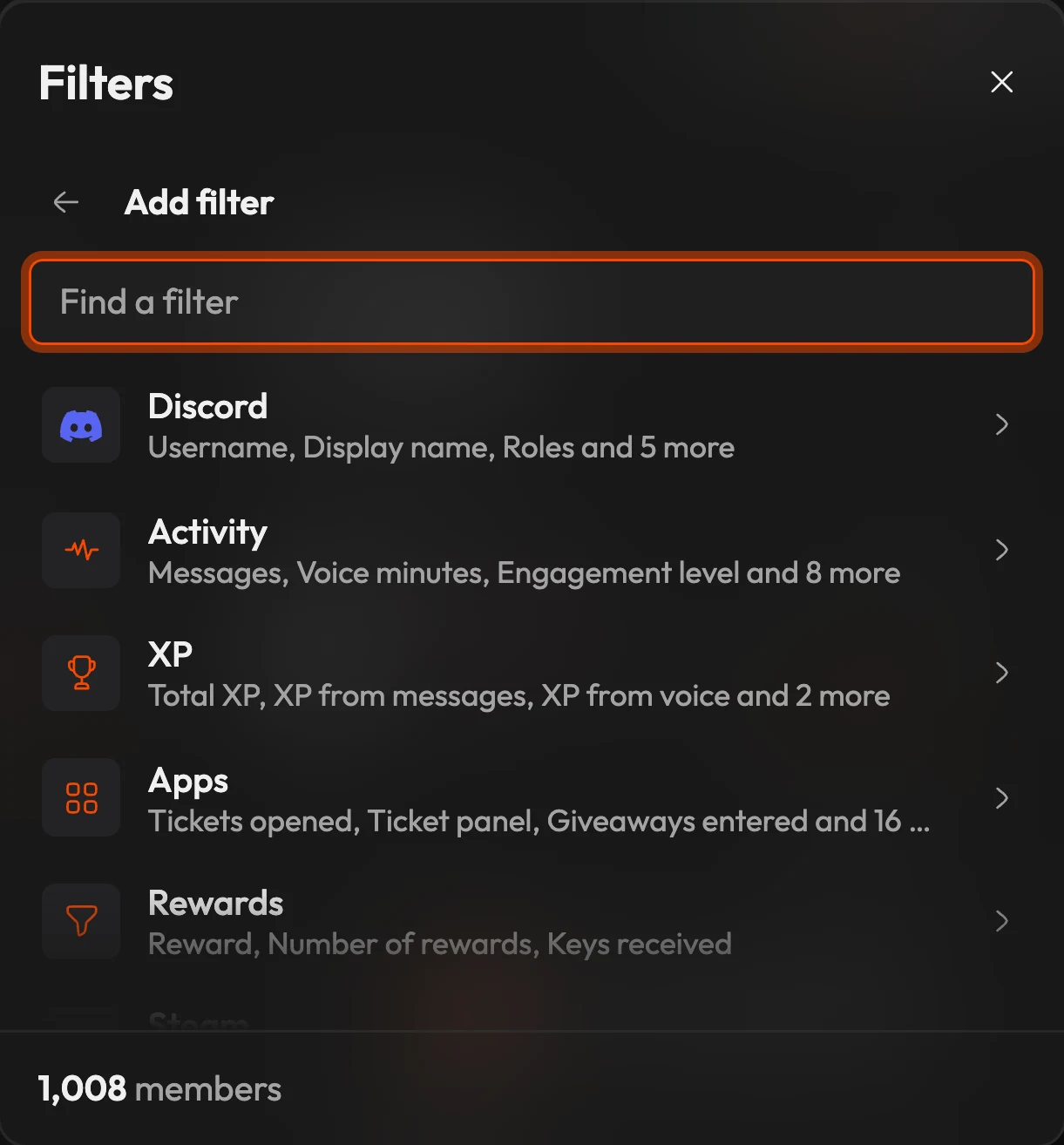
Find the right members for a beta test in seconds
Filter by Discord details, activity, XP, app activity, rewards, linked accounts and your own member fields. Save the result as a view or a segment, such as a list of closed beta testers.


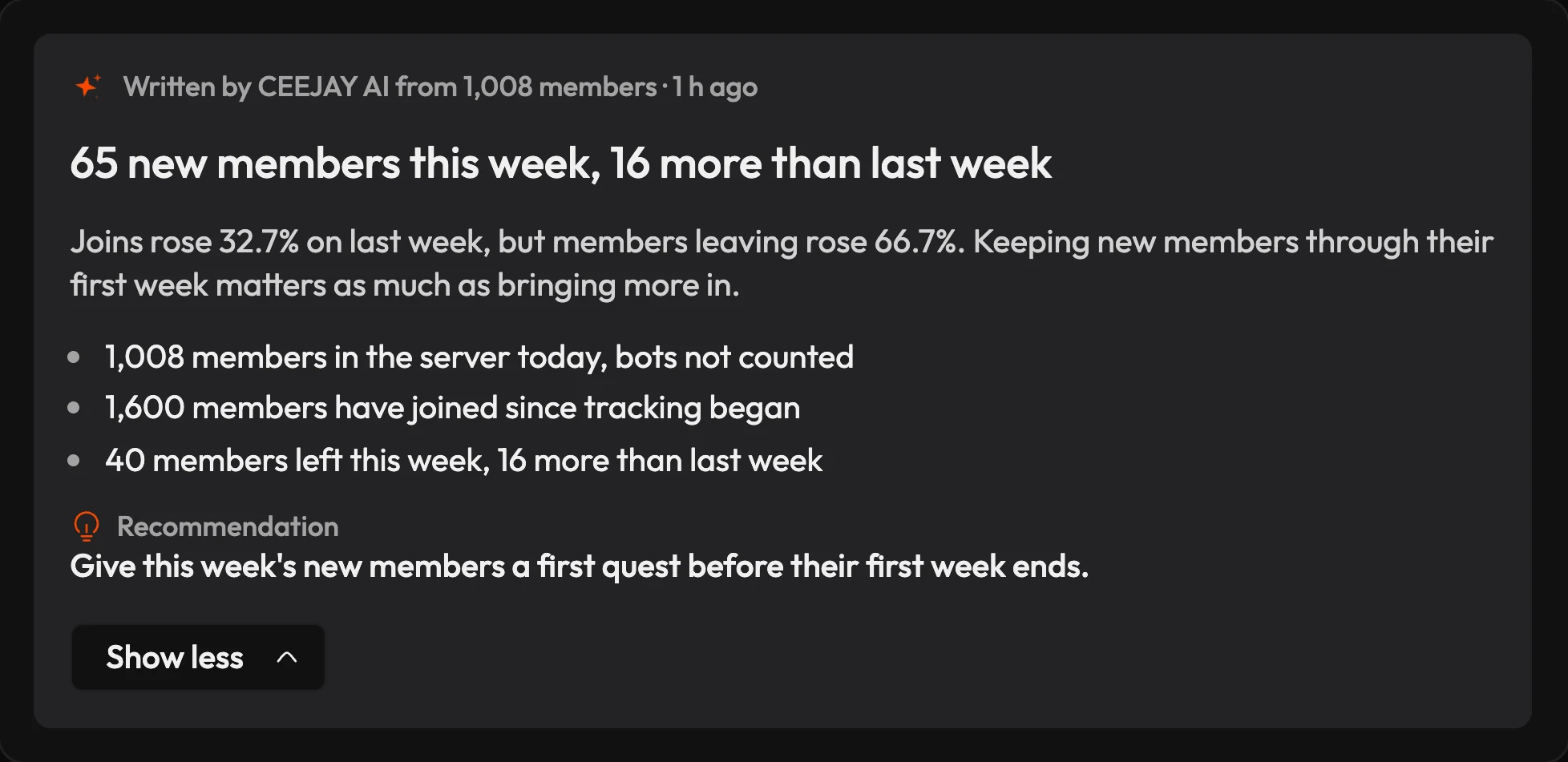
See who joined and who left each week
CEEJAY AI writes a short summary of how your membership changed this week, with a recommendation on what to do about it. It shows how many members it covers and when it was written.


Yes. When members link Steam, their profile shows whether they own your game, their hours played and their review.
Yes. You can export the member list as a CSV from the Members page.
Yes. Select members in the table and add a tag or give a role to all of them at once.
CEEJAY AI. The summary shows how many members it covers and when it was written.
Yes. Every plan includes every app. Plans differ by community size, editor seats and AI use.




Get started with CEEJAY
Book a demo of CEEJAY, or get a free launch plan for your server from our team.