Discord account linking
Thank the members who support you on Steam, Twitch, YouTube and X.
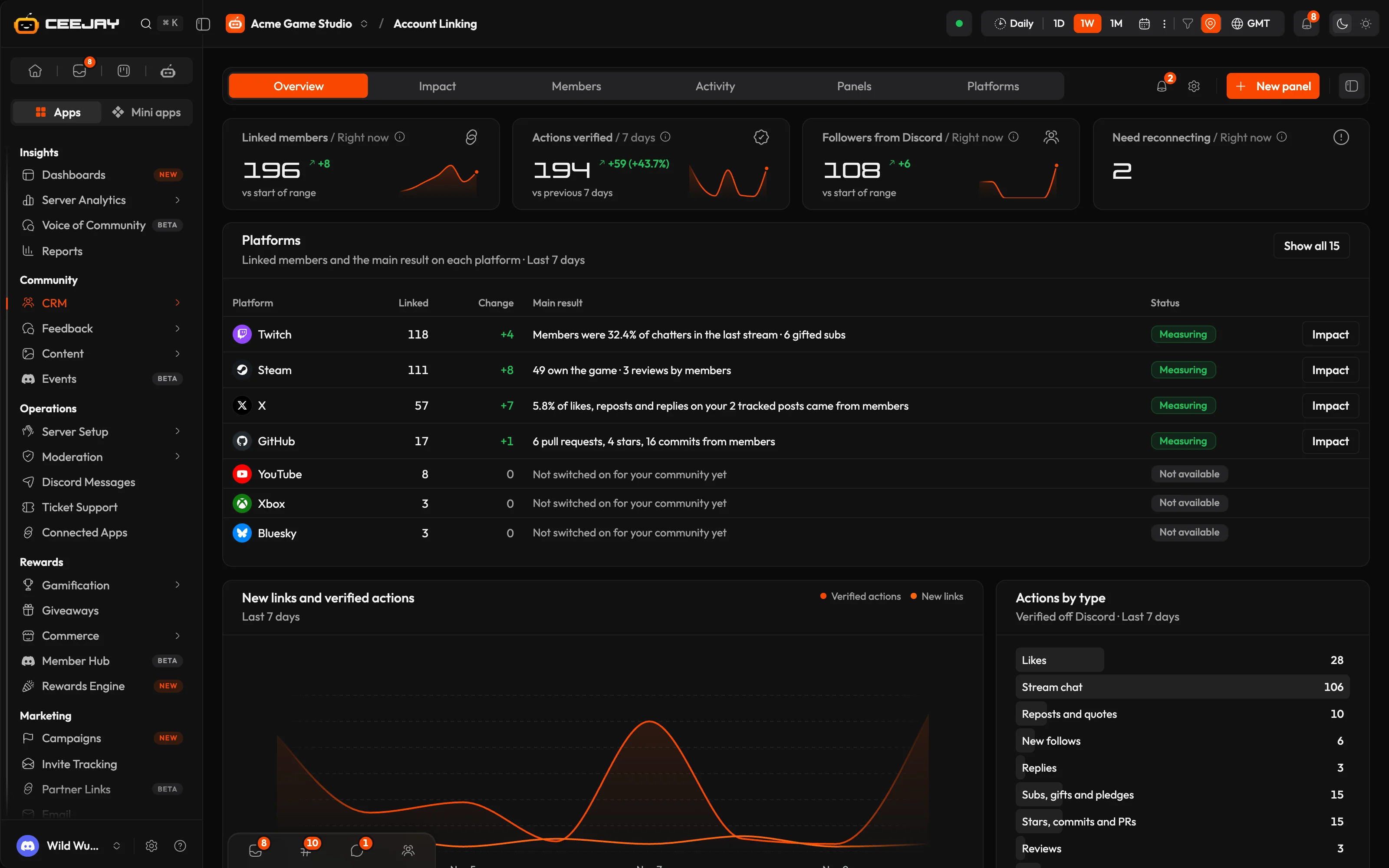


What studios get from account linking
See who owns your game
When members link Steam, you see how many own the game, who played it in the last two weeks and who have stopped playing but are still active in Discord.
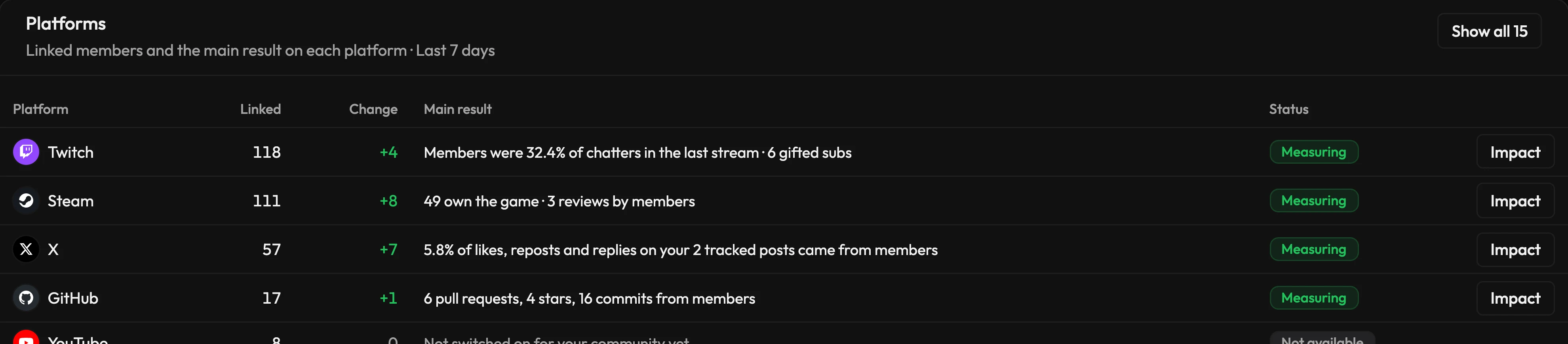

Reward members for what they do on other platforms
CEEJAY verifies follows, likes, reposts, stream chat and subscriptions through each member's linked account, so quests and rewards only go to members who completed them.
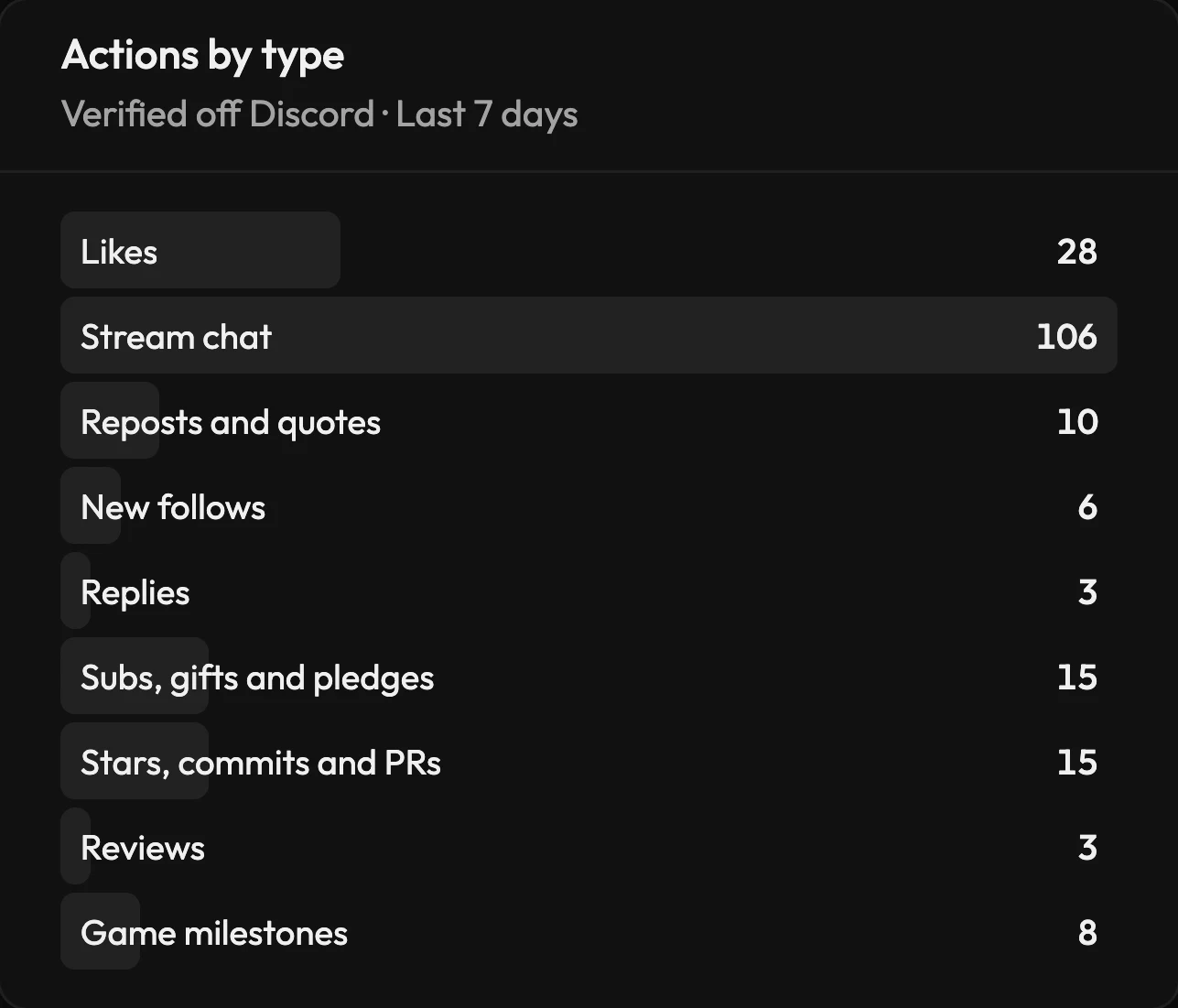
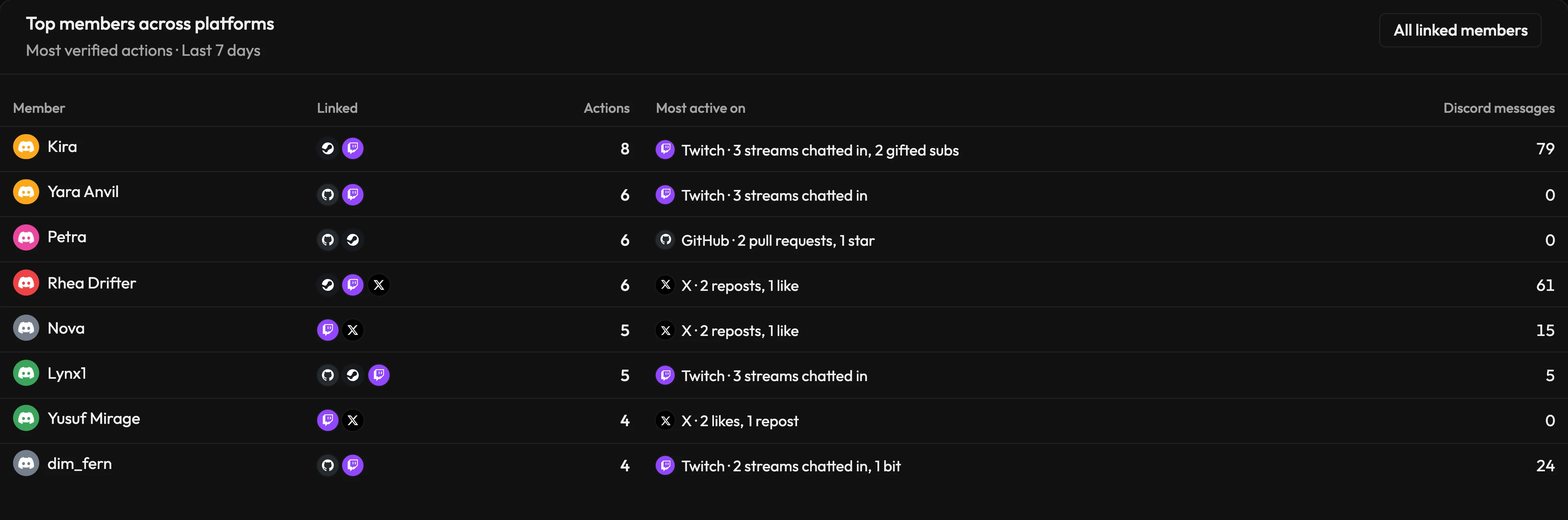
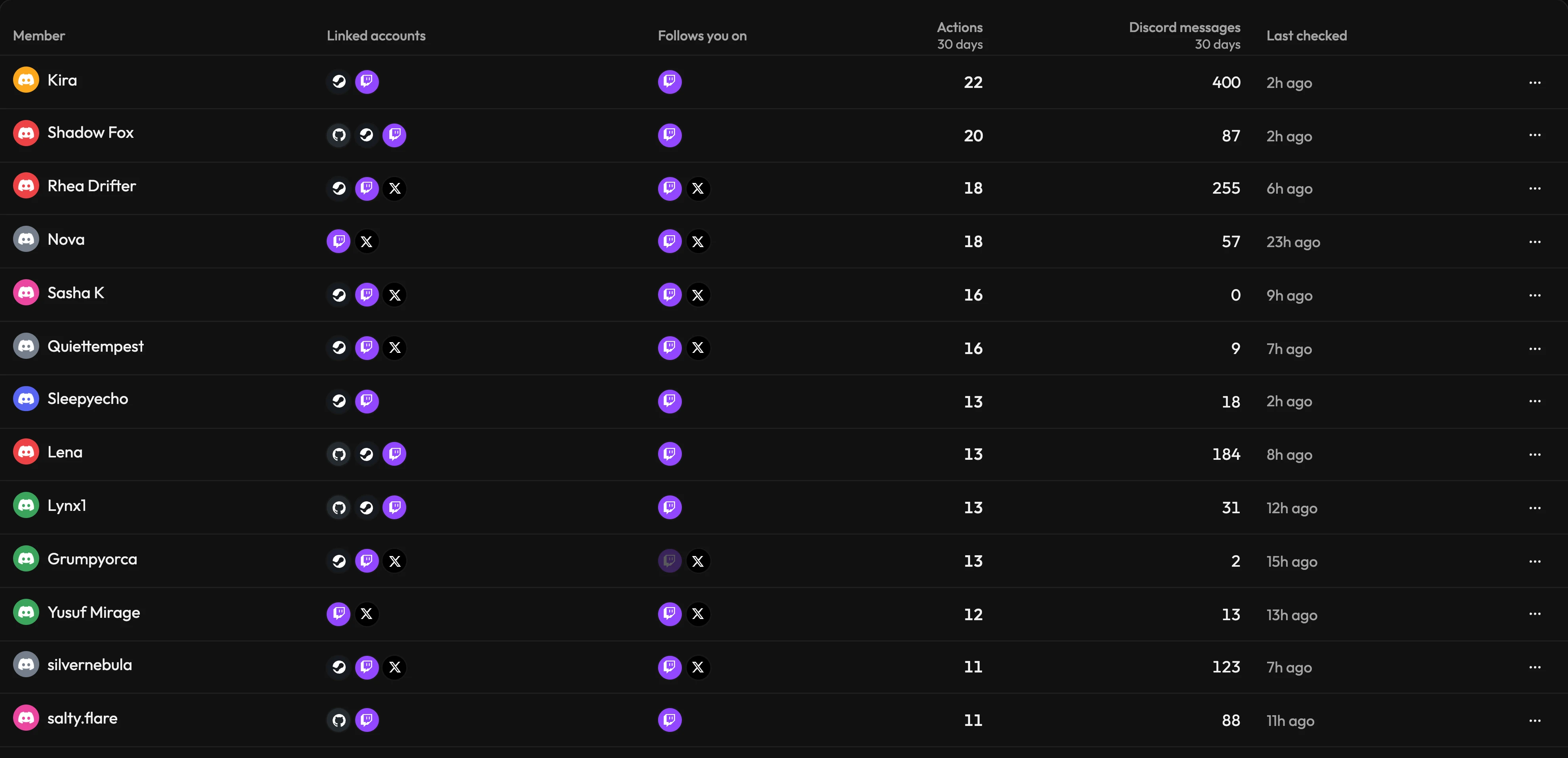
See which of your followers are Discord members
See which members follow your X, Twitch and YouTube accounts, and their share of your engagement and stream chat.

Connect your players to their Discord accounts
A player presses a button in your game and approves the connection with their Discord account, and your game gets their name, level and coins to show. Your game can then complete quest tasks for linked members by their player ID.
import { CeejayConnect } from '@communitystudios/ceejay/connect'

const connect = new CeejayConnect({ publicKey: 'ceejay_pk_5f5f5f5f5f5f5f5f5f5f5f5f5f5f5f5f5f5f5f5f5f5f5f5f' })

async function connectDiscord(playerId: string): Promise<void> {
  const session = await connect.start({ playerId })
  showWaiting(session.url, session.code, session.qrUrl)

  const result = await connect.waitForResult(null, {
    onConfirm: (member) => askThePlayer(member.displayName),
  })

  if (result.status === 'approved') {
    console.log(`Connected to ${result.member.displayName}`)
  } else {
    console.log(`Not connected: ${result.status}`, result.reason)
  }
}
Members can link 17 platforms
Enable the platforms you need. Each adds its own metrics, from owners on Steam to subscribers on Twitch.
Gaming
- Steam
- Xbox
- Epic Games
- Riot Games
- Battle.net
- Roblox
Streaming and video
- Twitch
- YouTube
- Kick
Social
- X
- TikTok
- Bluesky
Creators, music and code
- GitHub
- Patreon
- Last.fm
Web3
- Web3 wallet


No. Members link an account when they choose to, by pressing a platform's button in Discord, and they can unlink it at any time.
Steam, Xbox, Epic Games, Riot Games, Battle.net, Roblox, Twitch, YouTube, Kick, X, Reddit, TikTok, Bluesky, GitHub, Patreon, Last.fm and Web3 wallets.
Yes, for X, YouTube, Twitch, Bluesky and Kick. The Members tab shows which of your accounts each linked member follows.
Quest tasks such as wishlisting on Steam, following on X or subscribing on Twitch are checked through the member's linked account, so a reward goes only to a member who did the task.
Yes. Every plan includes every app. Plans differ by community size, editor seats and AI use.




Get started with CEEJAY
Book a demo of CEEJAY, or get a free launch plan for your server from our team.