A giveaway brings members into your server and rewards the ones already there. A fair one needs a clear prize, rules members can read before they enter, and a way to keep alt accounts from taking the prize.
Pick the prize
Choose something your members want: game keys, in-game items, merch, early access or a call with your team. A prize tied to your game or brand attracts members who'll stay, and a generic prize such as a gift card tends to attract entrants who only want the prize.
Post the rules
Post the rules with the giveaway, so everyone knows them before they enter. A template:
How to enter: react to this message / press Enter / complete the quest
Who can enter: members of this server aged [minimum age] or over, in [countries]
Closes: [date and time, with time zone]
Prize: [prize], [number] winners
How winners are picked: at random from valid entries
Claiming: winners are contacted in this channel and have 48 hours to claim
No purchase is necessary to enter or to win.
This giveaway is not sponsored by or affiliated with Discord.
Giveaway law varies by country, and in many places you can't make entrants pay or buy something to enter. If the prize is valuable or the giveaway is large, check the rules where your entrants live. This guide isn't legal advice.
Get a plan for your Discord server
Tell us about your community and our team will send you a free plan.
Keep it fair
- Require a minimum account age or a verification step, so new alt accounts can't enter.
- Require membership for a set time, such as a week, for bigger prizes.
- Check winners before you announce them. Look for accounts created the same day or entries from accounts that left straight after.
- Never ask winners to pay anything or share passwords. Say so in the rules, as scammers copy giveaway messages.
Run it
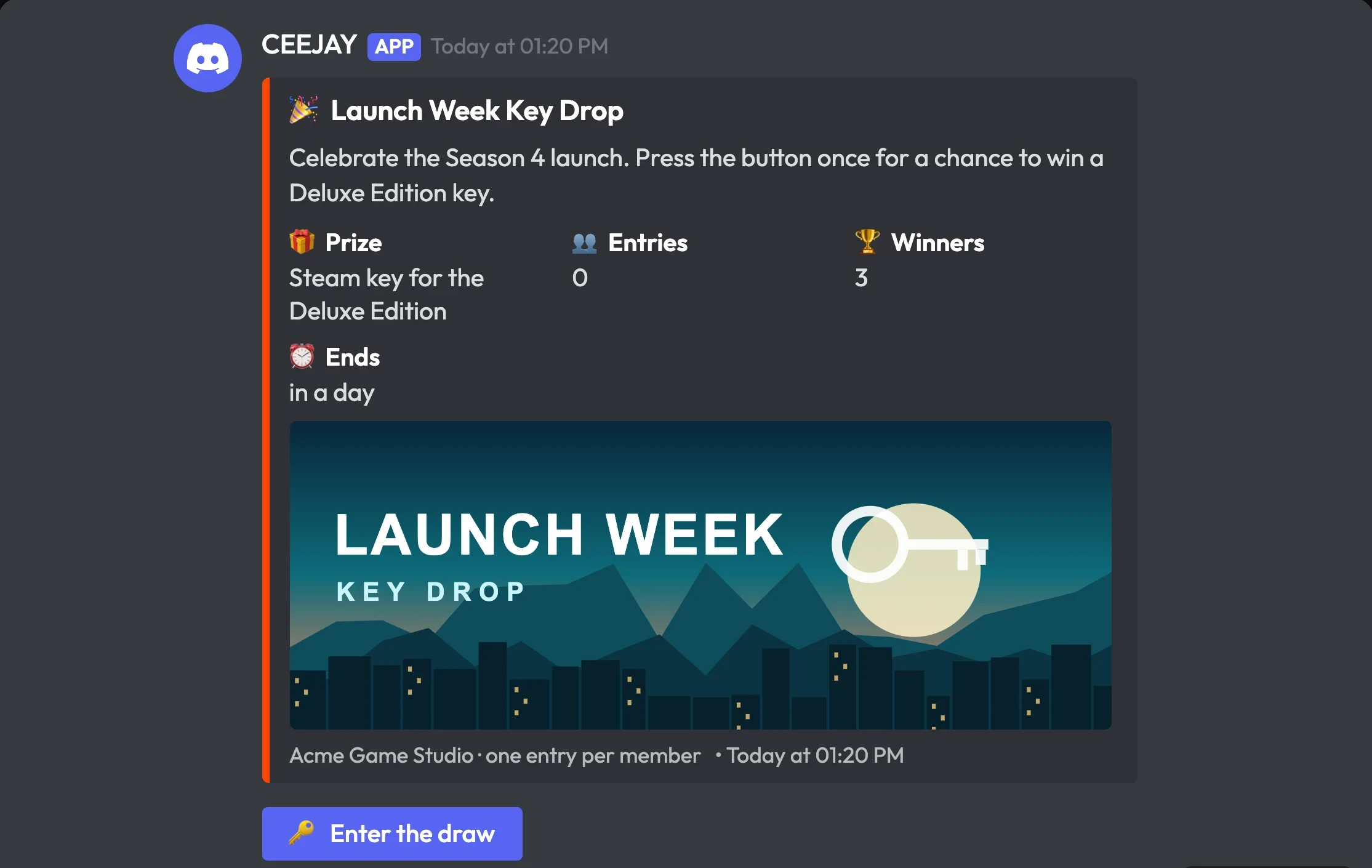
Discord doesn't have a giveaway tool built in, so you'll need an app that adds an entry button, picks winners at random and announces them. For a small giveaway, a reaction on a message and a random pick work too.
Deliver the prize
Send game keys or codes privately, never in a public channel. Note who received which key, so you can help a winner whose key doesn't work. Announce the winners in the channel when they've claimed.
Giveaways in CEEJAY
Giveaways in CEEJAY can require a minimum account age, so prizes reach real members, and partner invite links run them in partner and creator servers to bring their members into yours.



