Discord has polls built in, but no dedicated survey tool. For one quick question, a poll is enough. For feedback after a playtest, an update or an event, you need a form, either linked from Discord or answered inside it.
Four ways to run a survey
1. A Discord poll
Best for one question with up to 10 answers, such as which feature to build next. Polls are built into Discord, so members answer without leaving the channel. Our guide on how to make a poll on Discord covers the steps.
2. A link to an external form
Google Forms or Typeform handle long surveys with ratings and written answers. The drawback is that the form doesn't know which Discord member answered. If you need to follow up or reward members for taking part, add a question that asks for their Discord username, and expect some answers to be missing or misspelled.
3. A form inside Discord
An app added to your server can open a form inside Discord when a member presses a button, so you know which member gave each answer without asking for their username. This is the best option when you want to follow up, reward the members who answered or compare answers by role.
4. Server member applications
If the survey is an application, such as for a closed playtest or a moderator role, Discord's server member applications let you ask questions before someone joins, and your admins approve or reject each one.
Get a plan for your Discord server
Tell us about your community and our team will send you a free plan.
Get more members to answer
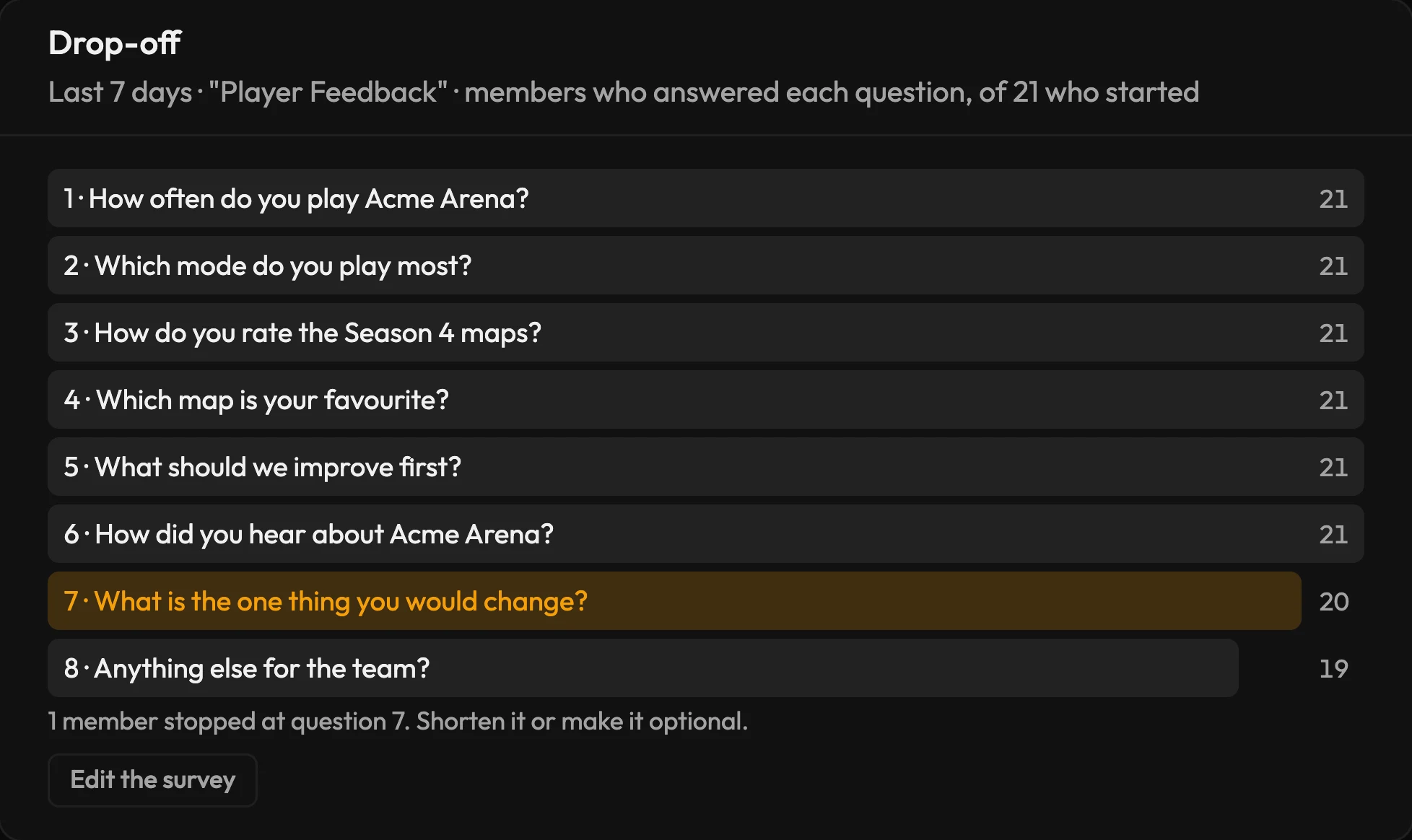
- Keep it short. Shorter surveys get more answers.
- Say why you're asking and what you'll do with the answers.
- Give a closing date, and post a reminder the day before.
- Thank members who answer, with a role, an entry into a giveaway or early access.
- Share what you learned. Members are more willing to answer the next survey when they can see what the last one changed.
A playtest survey template
1. How many hours did you play this week? (number)
2. How would you rate the playtest overall? (1 to 5)
3. What was the best part? (written answer)
4. What was the most frustrating part? (written answer)
5. Did you find any bugs? Tell us what happened and on which platform. (written answer)
6. How likely are you to recommend the game to a friend? (0 to 10)
Surveys in CEEJAY
Forms in CEEJAY collect feedback, applications and sign-ups inside Discord, so you know which member gave each answer, and you can reward the members who complete one. For ideas members can vote on, there's the suggestions board.



