Announcement analytics
See which announcements get the most response, and post more of what works.


What you learn from announcements
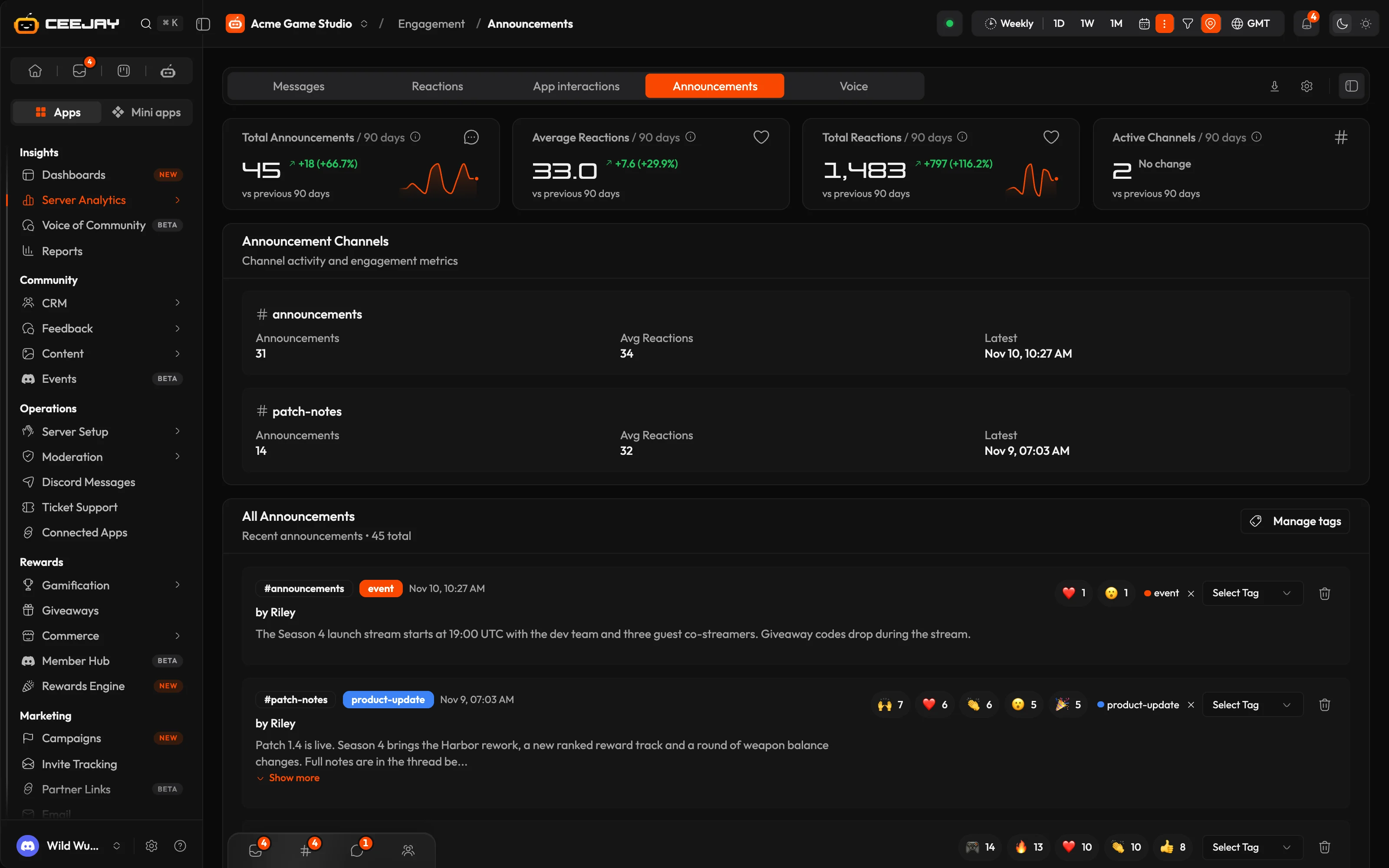
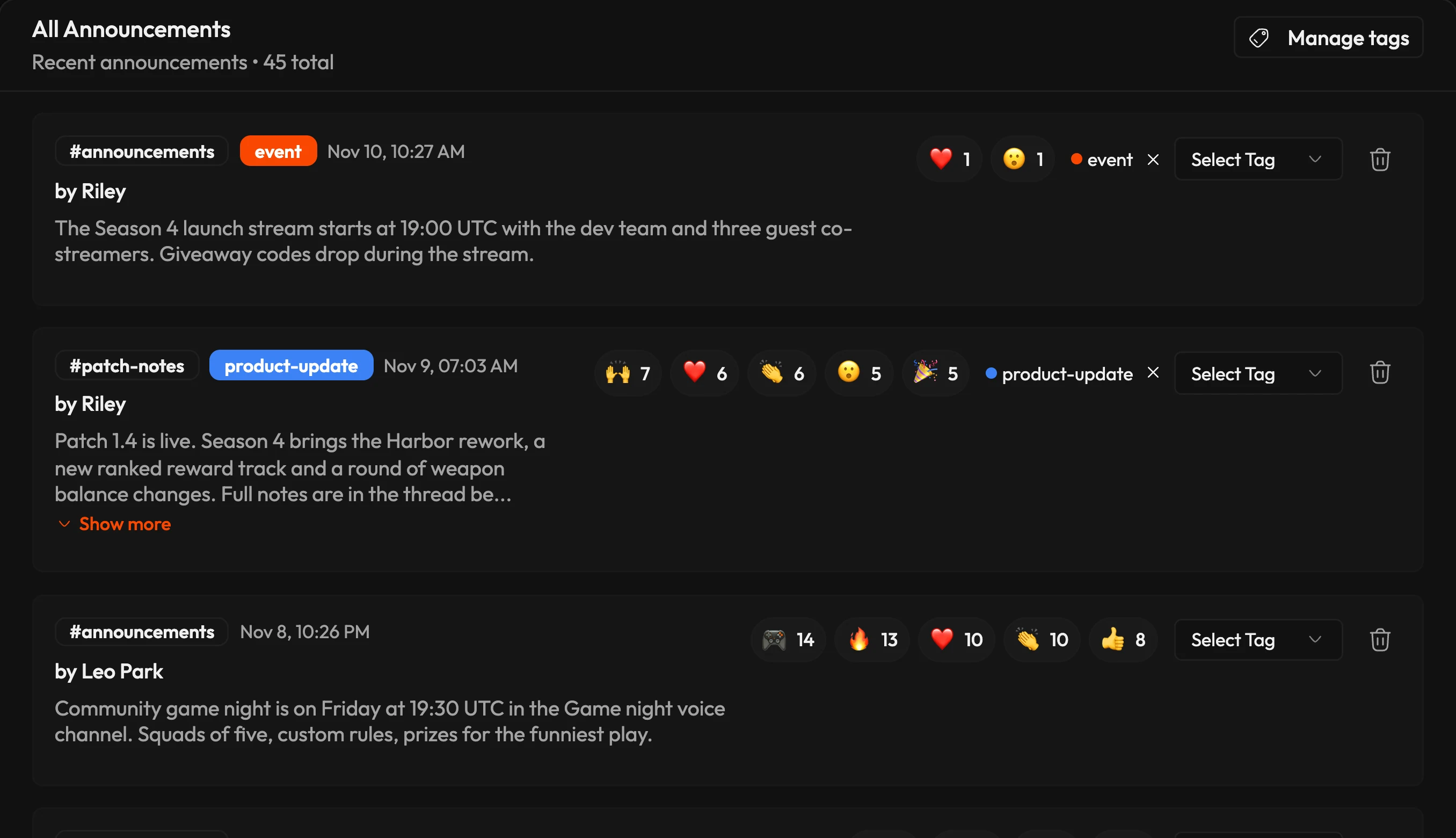
Spot the posts members ignore
See which announcements members react to and which they skip, so you know what to post more of. CEEJAY also writes a short summary of how your announcements did.

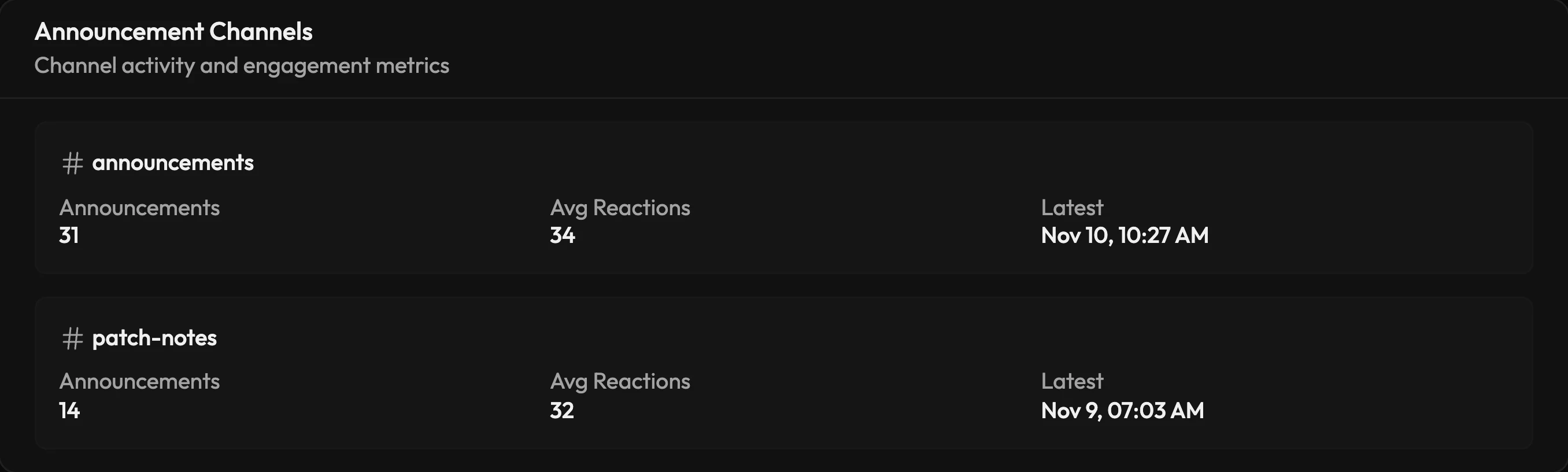
Compare your announcement channels
See how many posts each announcement channel has had and how many reactions each one gets on average.


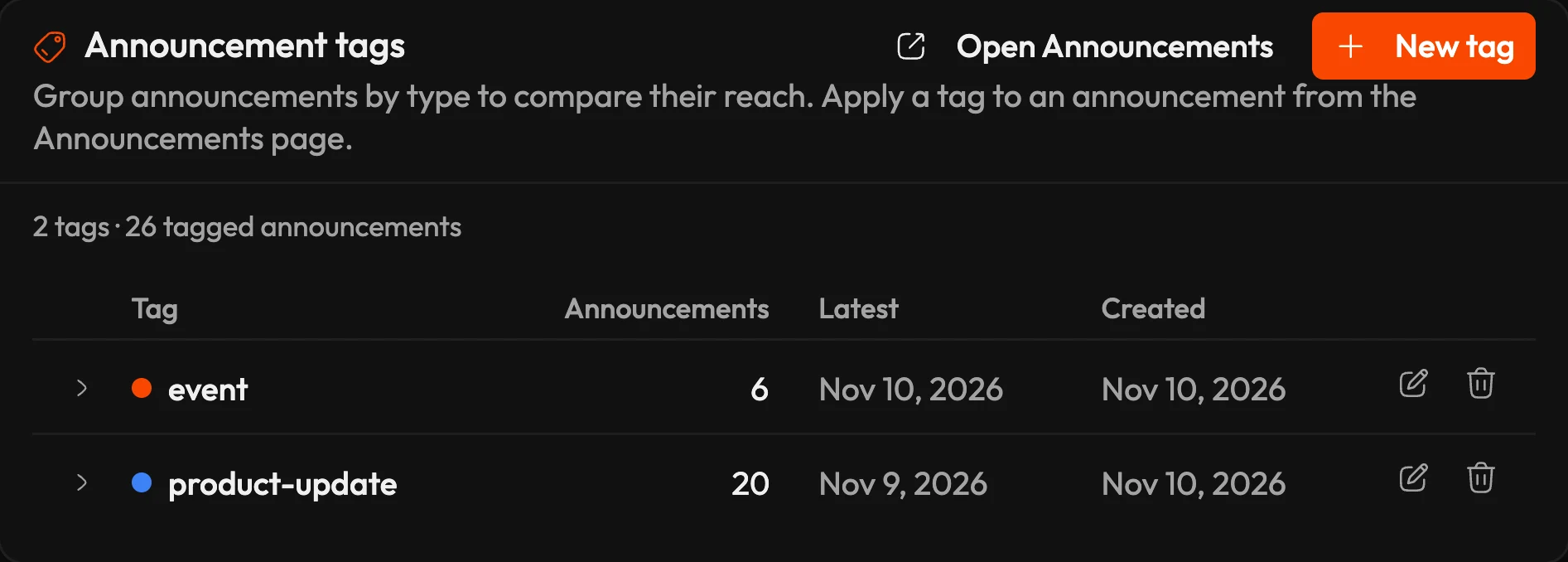
Compare patch notes with event news
Tag announcements by type, such as event or product update, and compare their reactions to find the news members respond to.
More in Insights
Growth & Activation
See where new members come from and whether they stay past their first week.

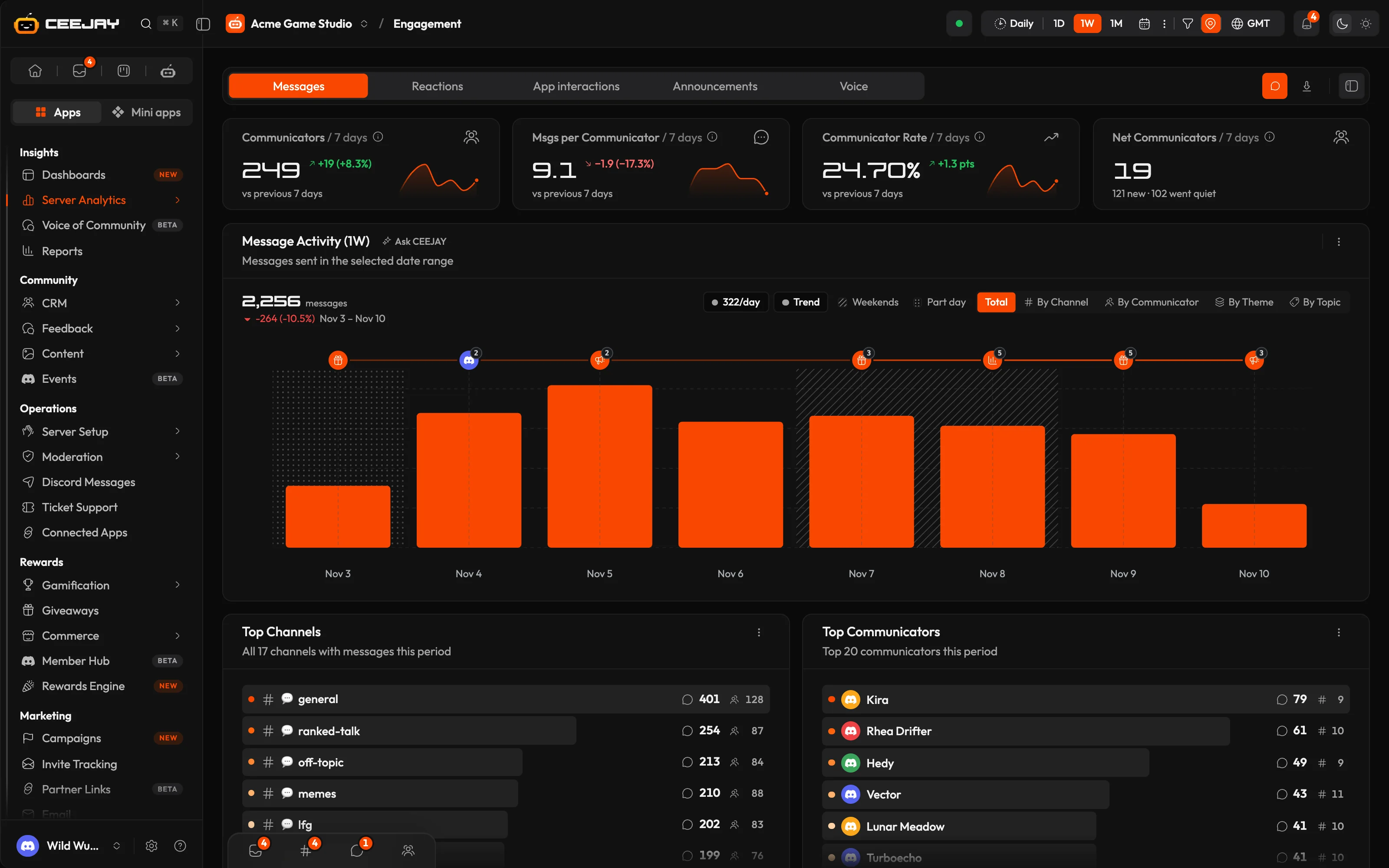
Engagement
See which channels and moments get members talking.
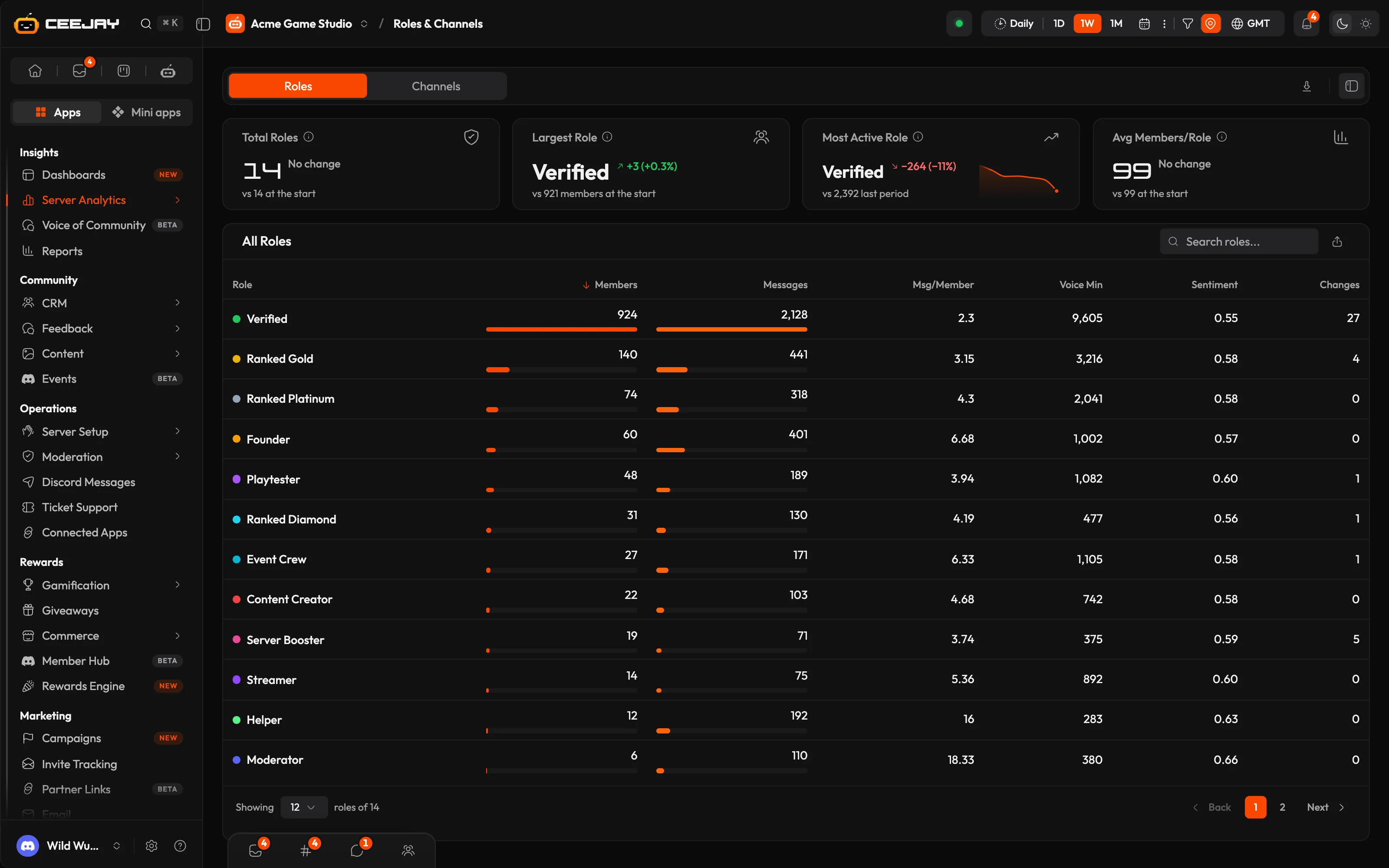
Roles & Channels
See which roles are active and which channels have gone quiet.
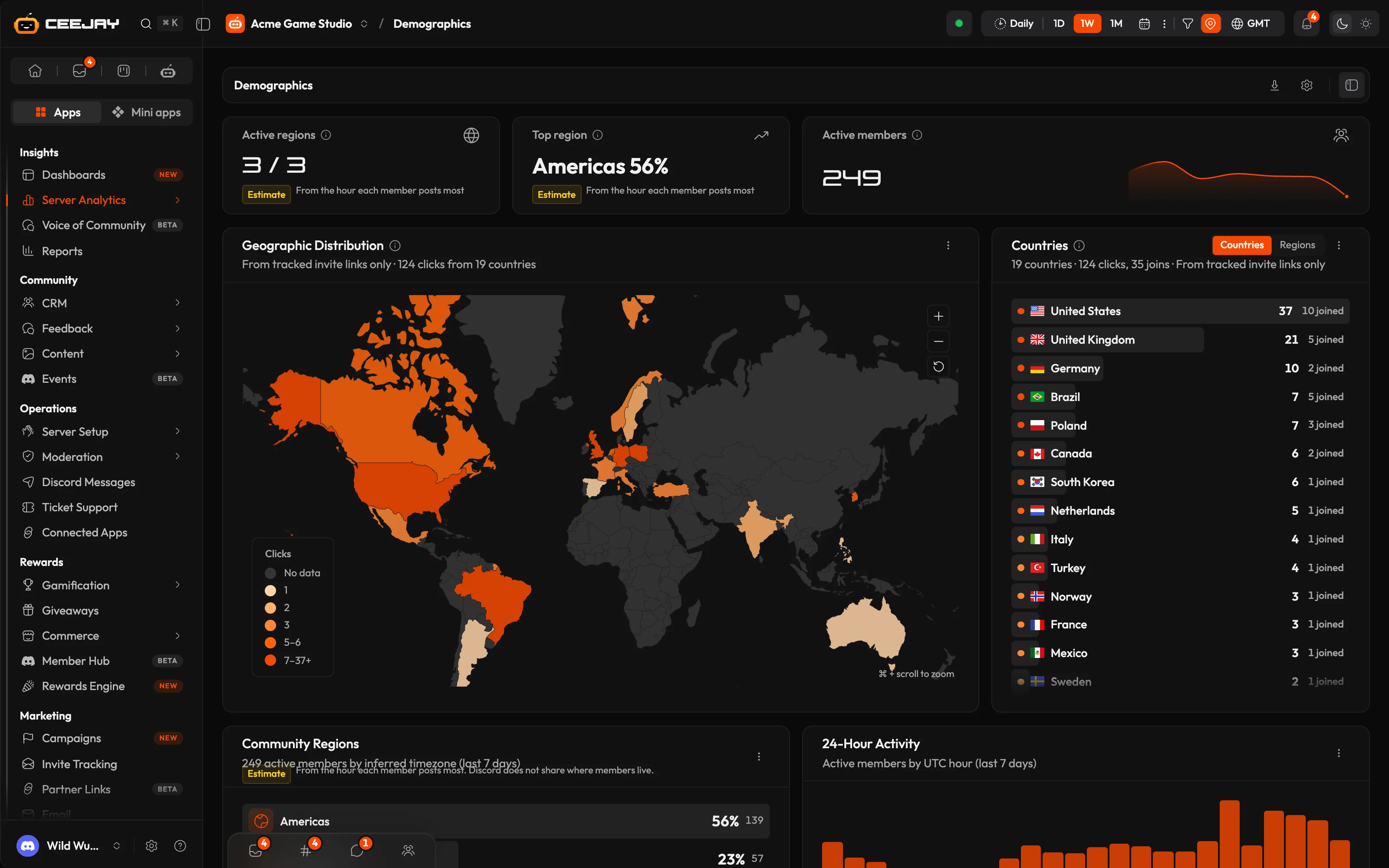
Demographics
Know where your members are, so events and posts land in their time zone.
It lists each post in your announcement channels with its reactions, and shows the number of posts and the average reactions for each channel.
Yes. Create tags such as event or product update in Settings, then apply one to each announcement from the page.
Yes. The page follows the date range in the header, so you can compare announcements over 90 days.
Yes. The page opens with a short summary written by CEEJAY AI. It compares your announcements and their reactions with the period before, names what changed and recommends a next step. It shows how many posts it read and when it was written.
Yes. Every plan includes every app. Plans differ by community size, editor seats and AI use.




Get started with CEEJAY
Book a demo of CEEJAY, or get a free launch plan for your server from our team.