Discord verification with captcha
Keep bots out and let real members straight in.


What studios get from verification
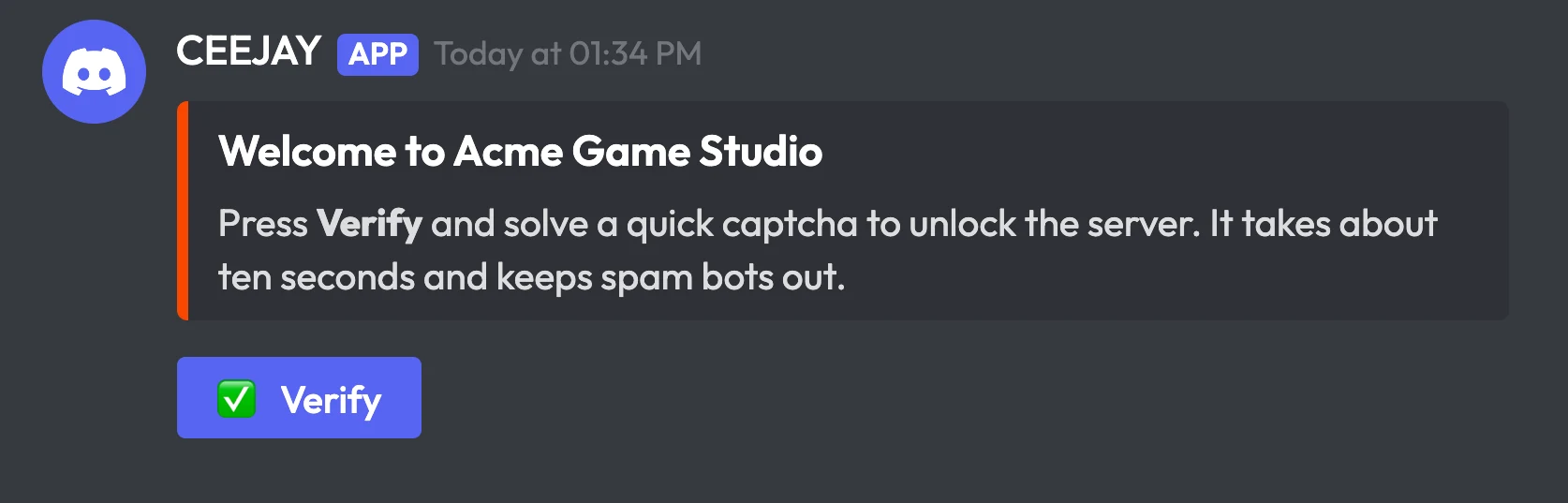
Stop bots and raiders at the door
New members solve a captcha before they can see your server. Choose from four challenges, including image text, emoji picks and maths, and write the verification message in your own words.

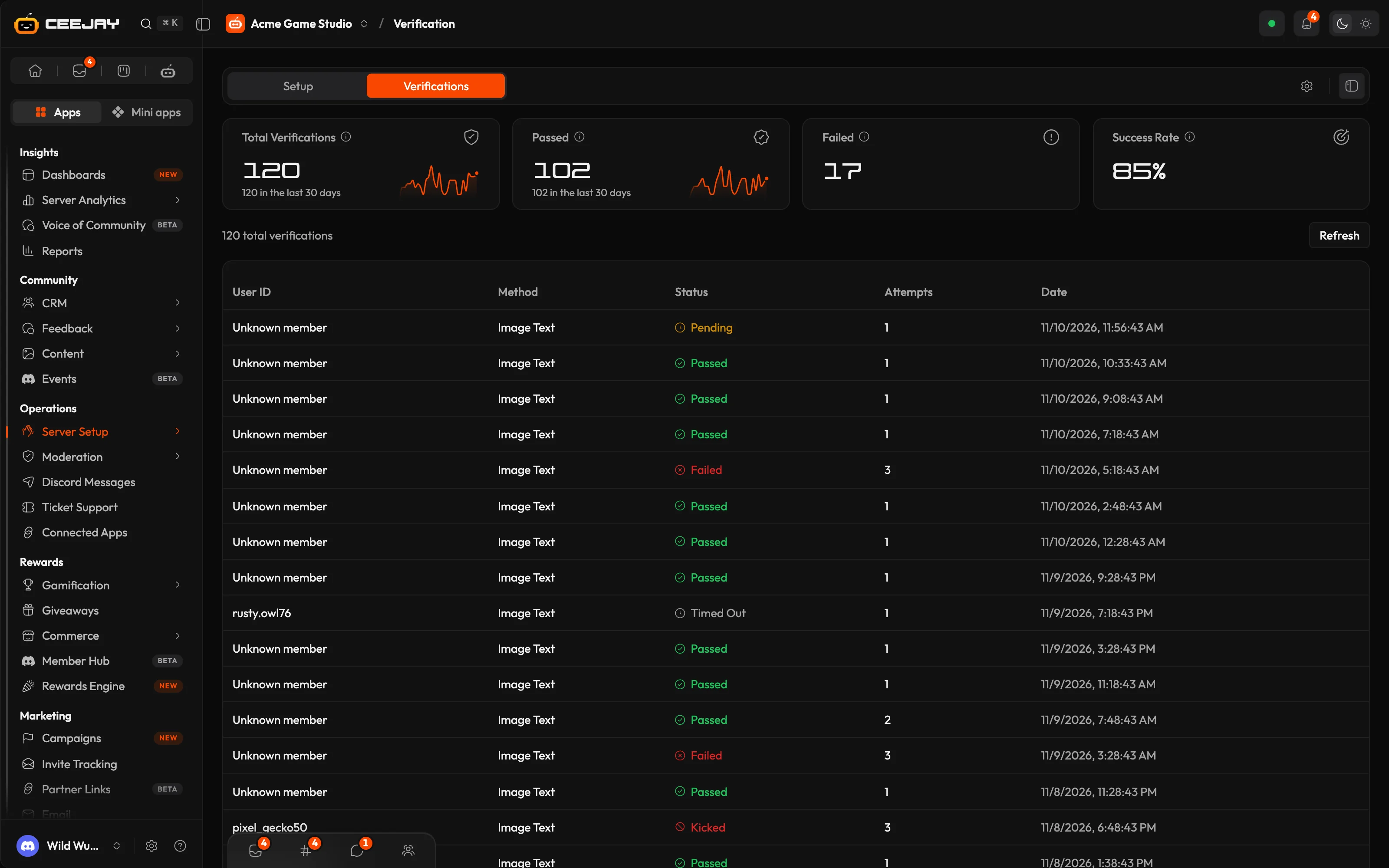
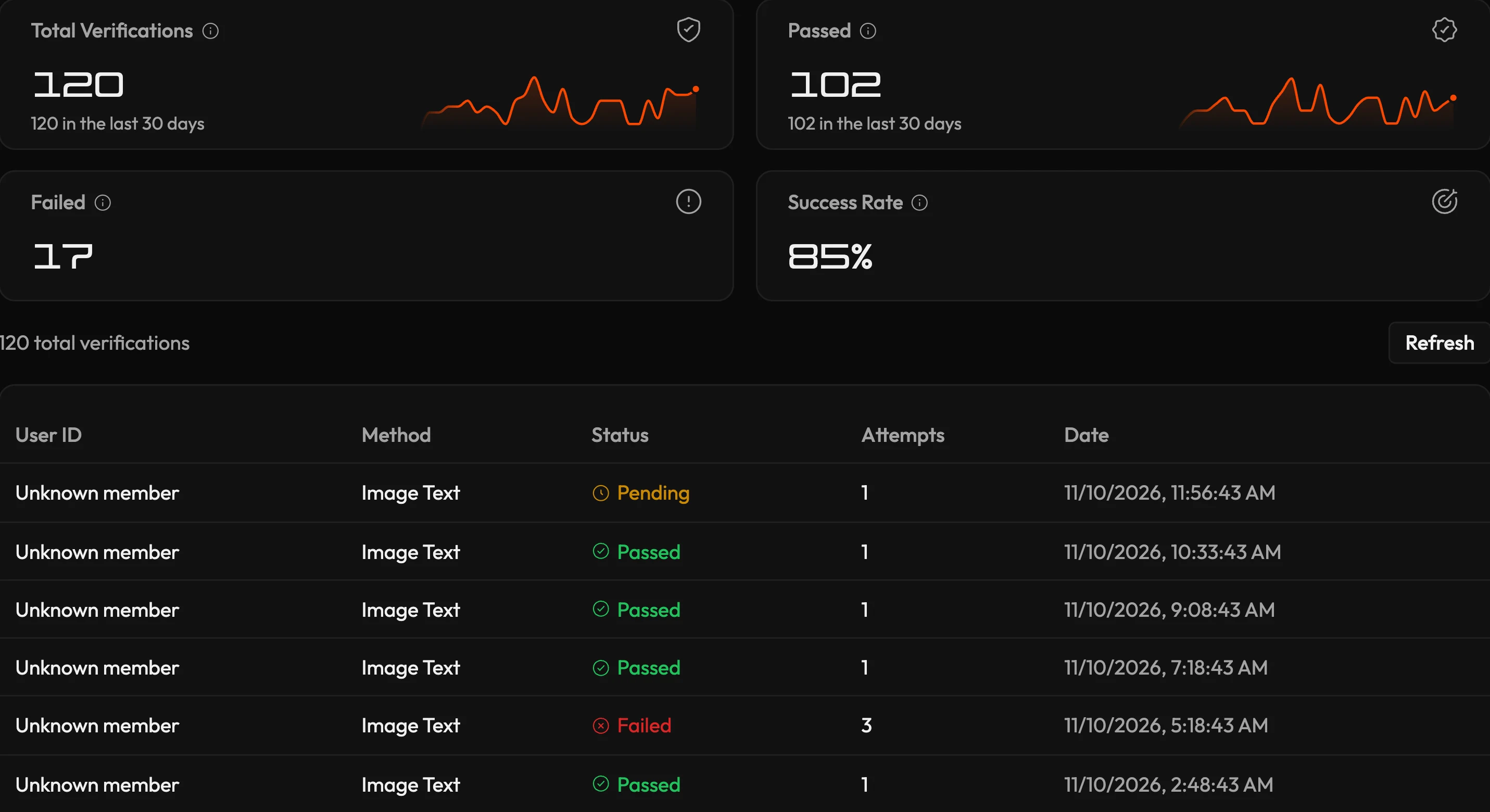
See how many members pass and fail
Check how many members passed, failed or timed out and your success rate over the last 30 days, so you notice a raid as it starts.


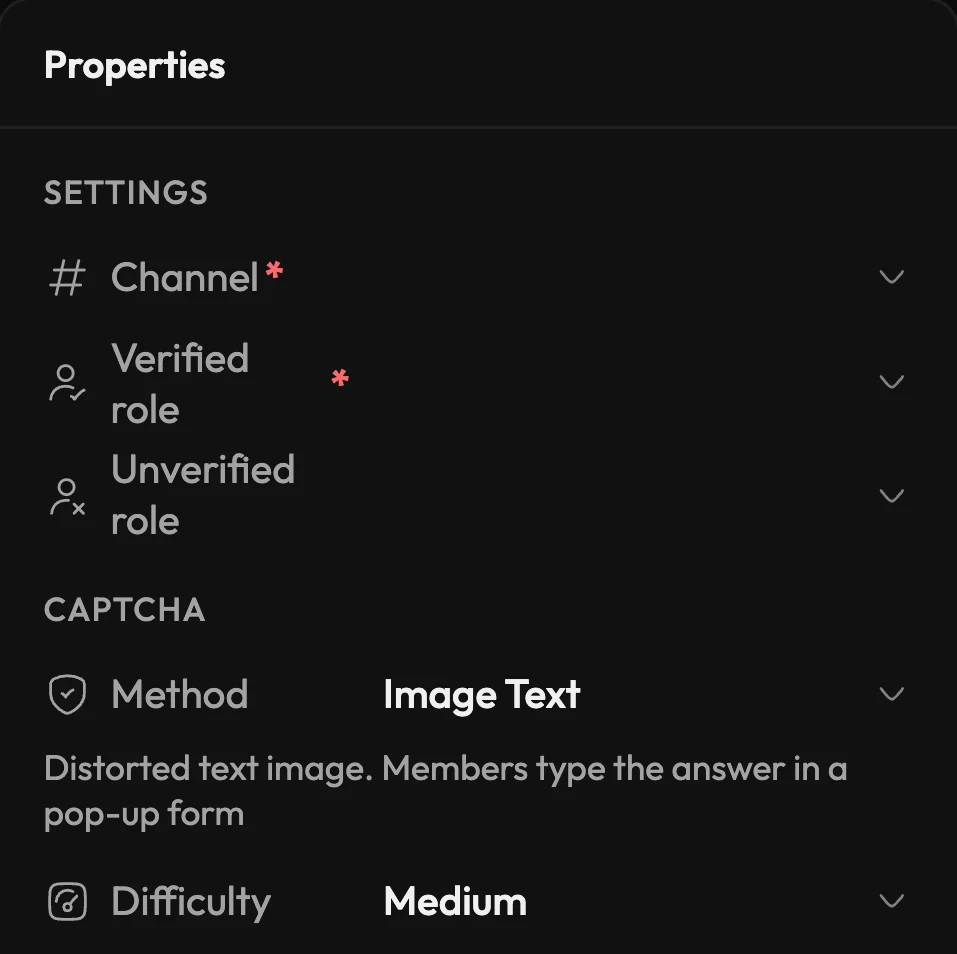
Match the captcha to your community
Choose the captcha type and difficulty, and pick the role members get when they pass. Set the attempt limit and the action when it is reached: no action, timeout or kick.
More in Operations


Image text, image pick, emoji pick and a maths challenge, each with a difficulty setting.
You choose: do nothing, time the member out or kick them once they run out of the attempts you set.
The Verifications tab lists every attempt with its method, result and number of attempts, and you can post a log of each verification to a channel.
Yes. Every plan includes every app. Plans differ by community size, editor seats and AI use.




Get started with CEEJAY
Book a demo of CEEJAY, or get a free launch plan for your server from our team.