A honeypot channel is a channel no real member should ever post in. Spam bots post the same message in every channel they can see, so they post there too, and an app bans, kicks or times out any account that does. It stops a spam wave in its first message, often before most members see it.
How a honeypot channel works
- You create a channel near the top of your server, such as #do-not-post.
- You pin a message in it telling members not to post there.
- An app watches the channel. When any account posts in it, the app bans, kicks or times out the account, and a ban can also delete its recent messages across the server.
Discord doesn't have a honeypot built in, so you need an app to watch the channel. Discord's own AutoMod filters words and mentions, and a honeypot catches the accounts AutoMod's lists don't.
Set up a honeypot channel
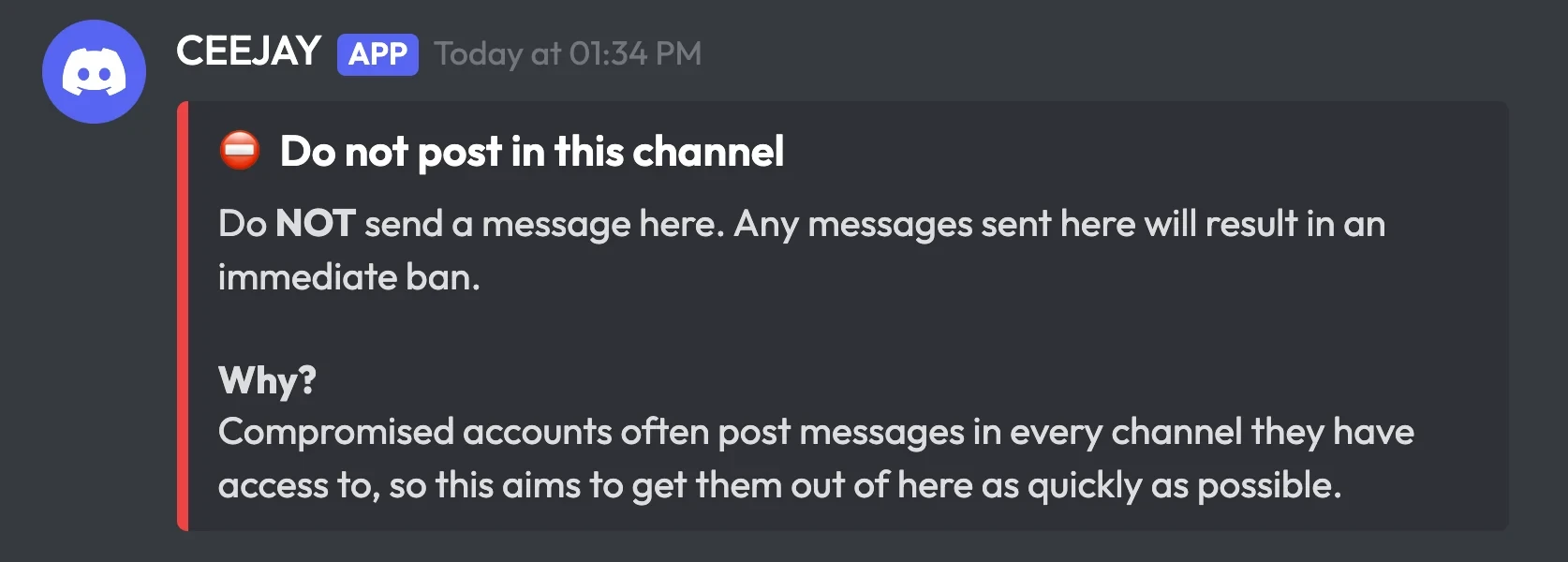
- Name it clearly, such as #do-not-post or #honeypot, so members understand it's not a chat.
- Put it near the top of your channel list, where spam bots reach it first.
- Let @everyone see it and send messages. If spam bots can't post there, the honeypot can't catch them.
- Pin a short warning: "Don't post in this channel. Anything posted here is treated as spam and the account is removed."
- Exempt your team so a moderator testing the channel isn't removed.
Get a plan for your Discord server
Tell us about your community and our team will send you a free plan.
Choose what happens to an account that posts
- Ban removes the account and stops it from rejoining. Best for servers that see repeated spam waves.
- Kick removes it but lets it rejoin. Good if you'd rather not ban a member who posted by mistake.
- Time out stops the account from posting for a set time while a moderator takes a look.
With a ban, you can also delete the account's recent messages, so the spam disappears from every channel it hit.
Keep real members from getting caught
- Keep the warning visible and short.
- Leave the channel out of onboarding, so new members don't land in it.
- Send an alert to your moderators each time the honeypot acts, so someone can undo a mistake quickly.
Honeypot channels in CEEJAY
A honeypot channel in CEEJAY bans, kicks or times out spam bots as soon as they post in it, and a ban also deletes their messages from the past week. The moderation log shows every ban, kick and timeout and who made it. Our Discord rules template covers the rules to post alongside it.



