Discord honeypot channel
Catch spammers before they reach your members.


What studios get from the honeypot
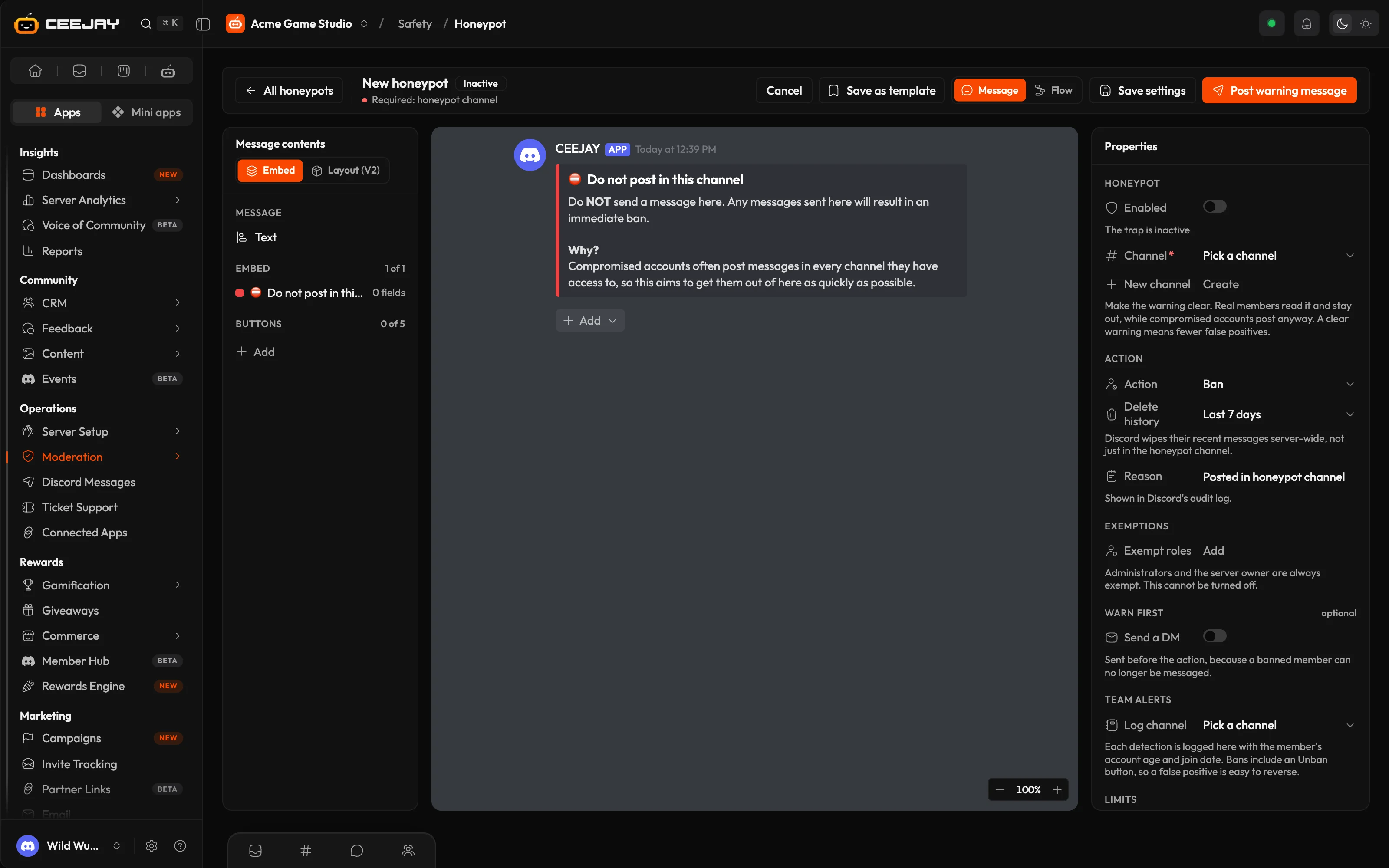
Ban spam bots with no mod online
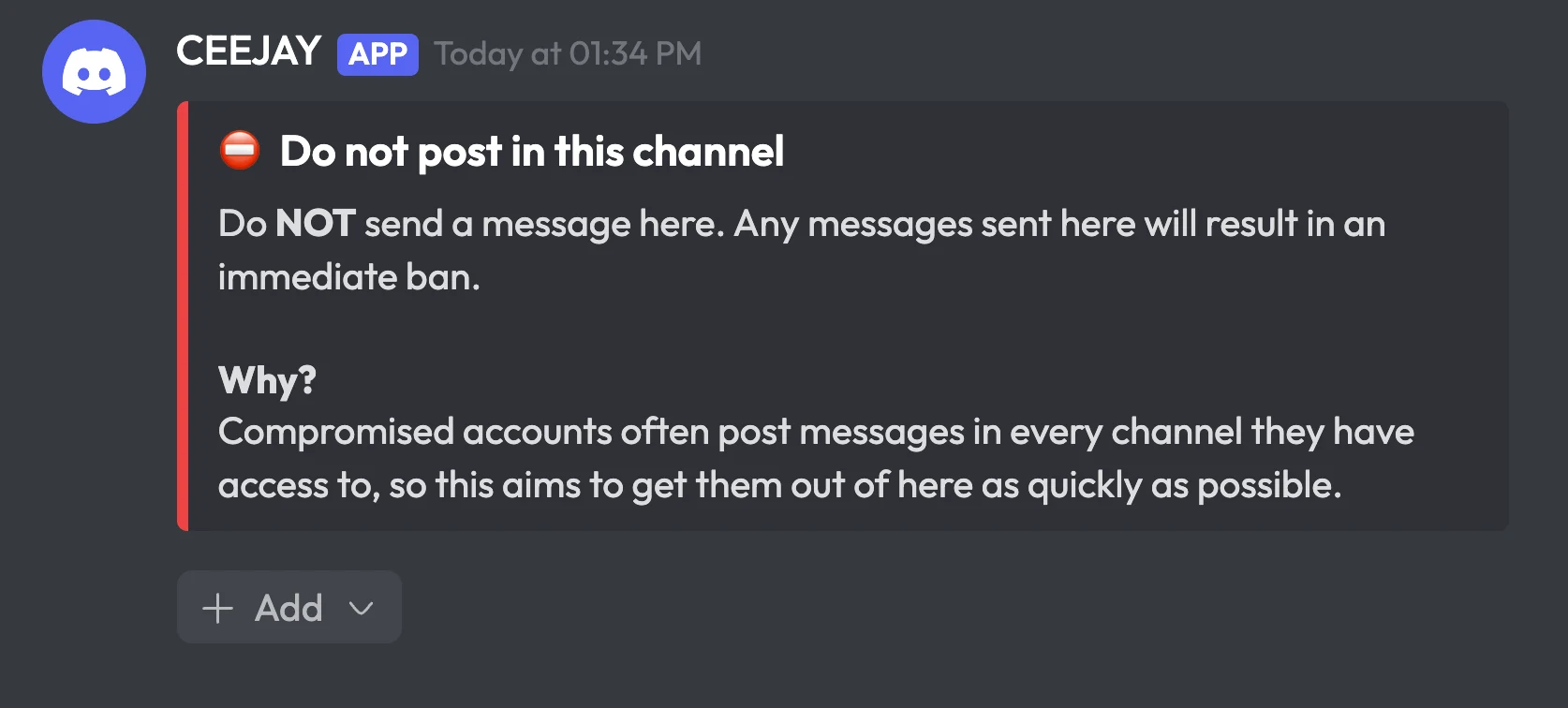
Create a channel no real member has a reason to post in. Any account that does is banned, kicked or timed out at once, and a warning message tells real members to stay out.

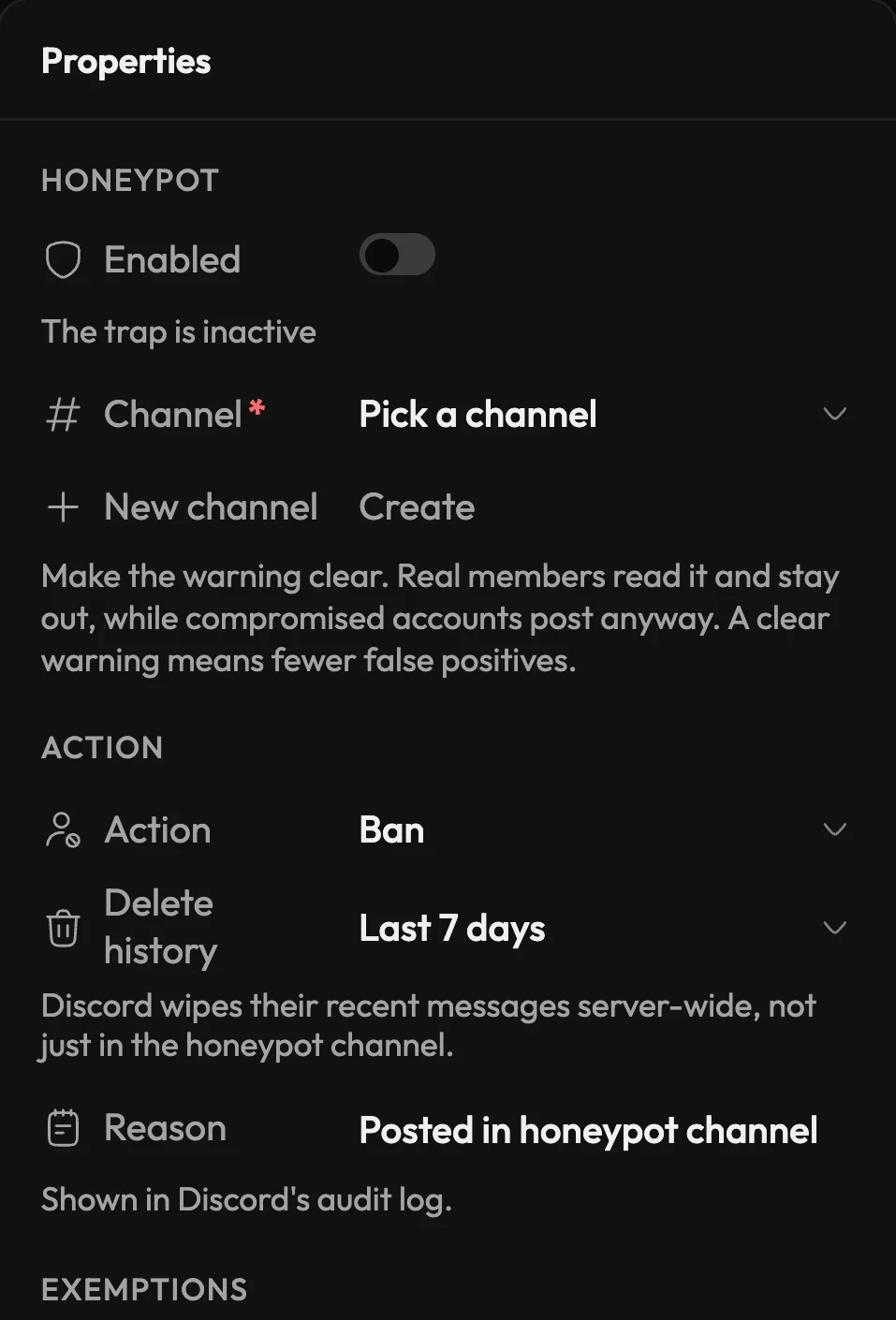
Exempt your team and undo mistakes
Choose the action, exempt roles such as your moderators and message the account before acting. Every detection is logged with the account's age and join date, and each ban has an Unban button for a false positive.


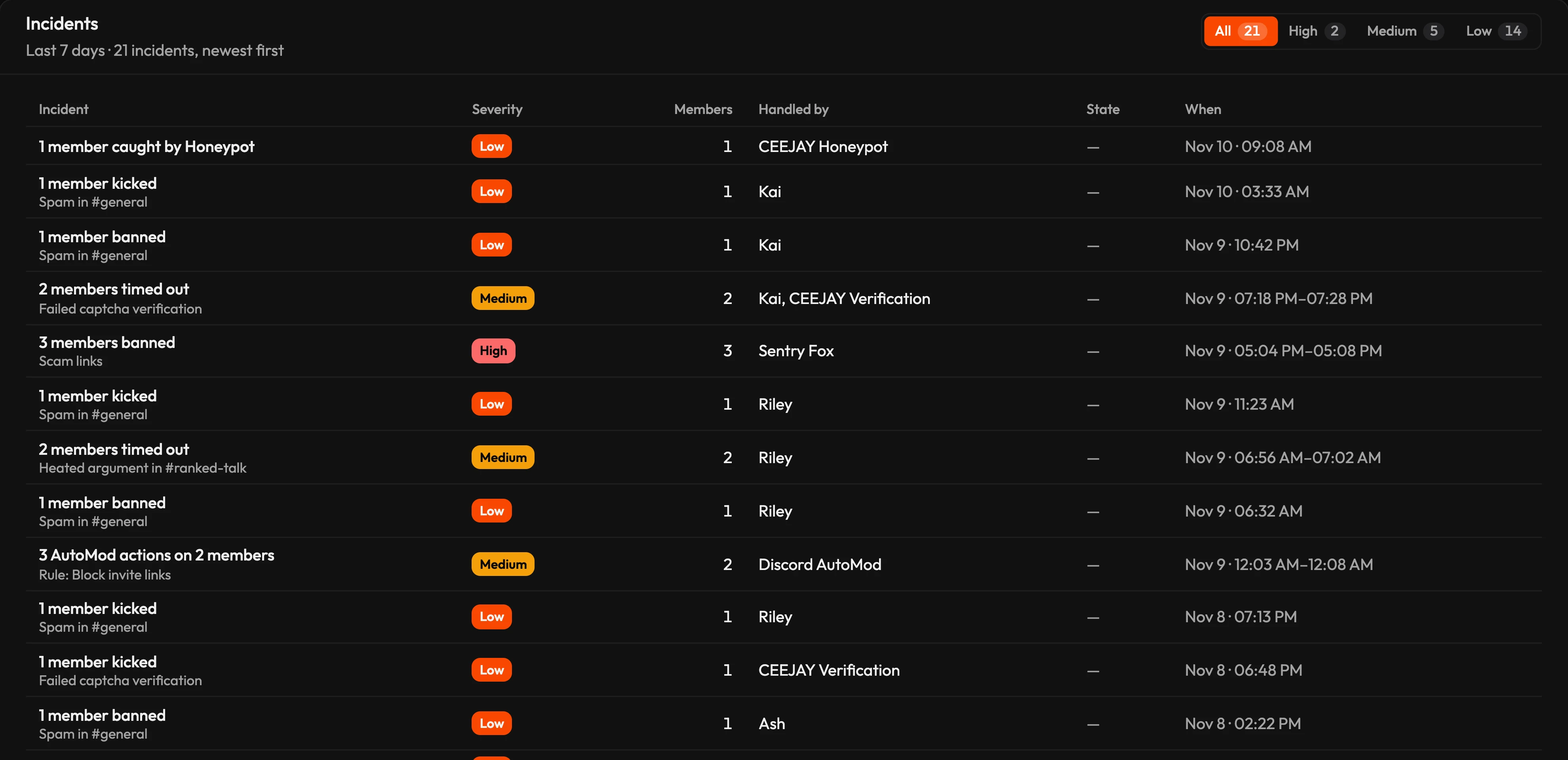
See every account it caught
Honeypot detections appear in Safety's incident list as soon as they happen, next to bans from your moderators and AutoMod.
More in Operations
Audit Log
See every change in your server and in CEEJAY, and who made it.

Safety
See every ban, kick and timeout, and who made it.

Community Mods
See how your moderators are doing, and reward the ones who carry the server.

Automations
Automate routine tasks so they get done even when nobody on the team is online.

Exempt roles, such as your team, are left alone. You can warn an account before acting, and each ban has an Unban button.
Ban, kick or time it out, and on a ban it can also delete the account's recent messages.
Yes. Each honeypot channel has its own settings, so you can add as many as you need.
Yes. Every plan includes every app. Plans differ by community size, editor seats and AI use.




Get started with CEEJAY
Book a demo of CEEJAY, or get a free launch plan for your server from our team.