Discord moderation log
See every ban, kick and timeout, and who made it.
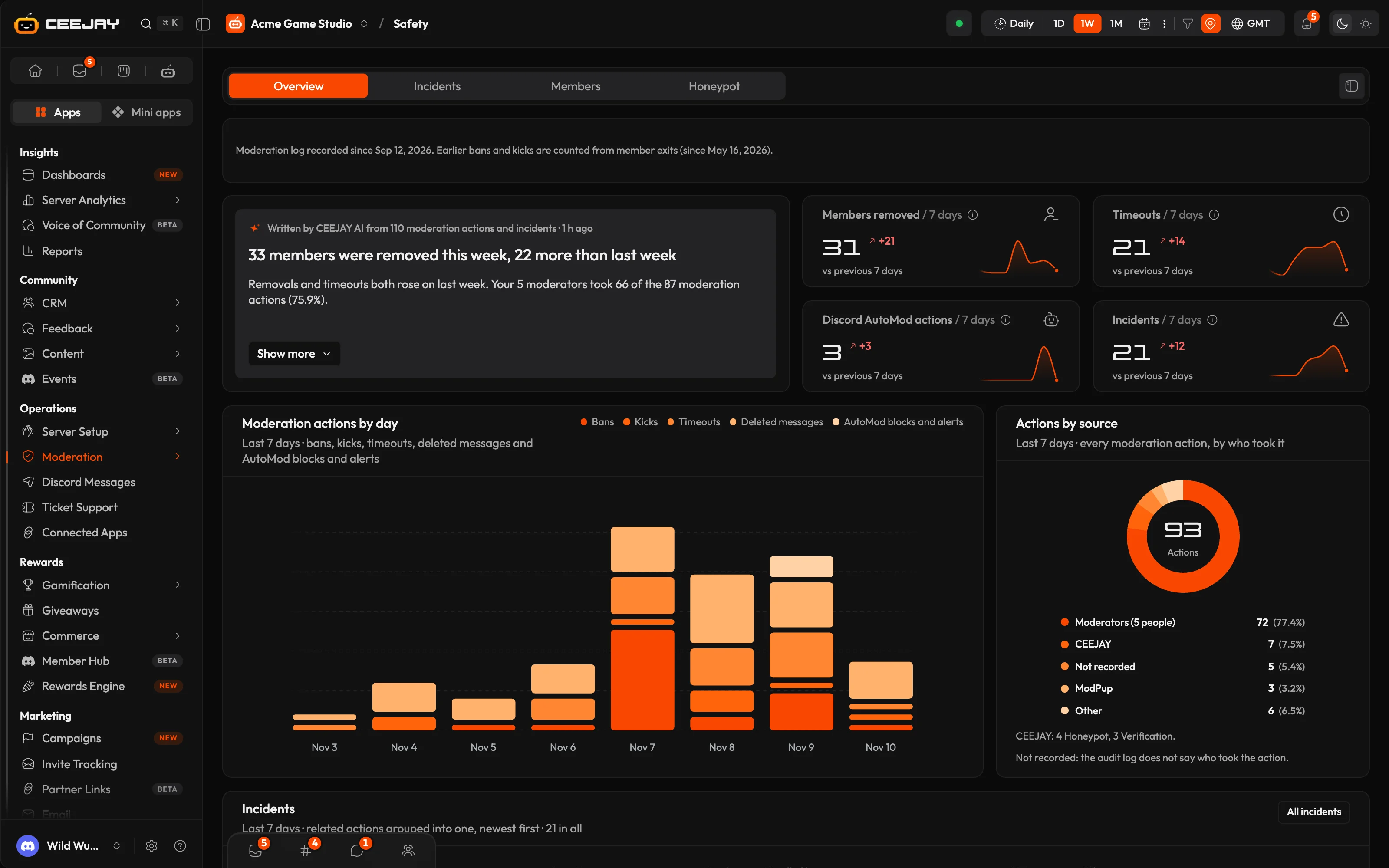


What studios get from the moderation log
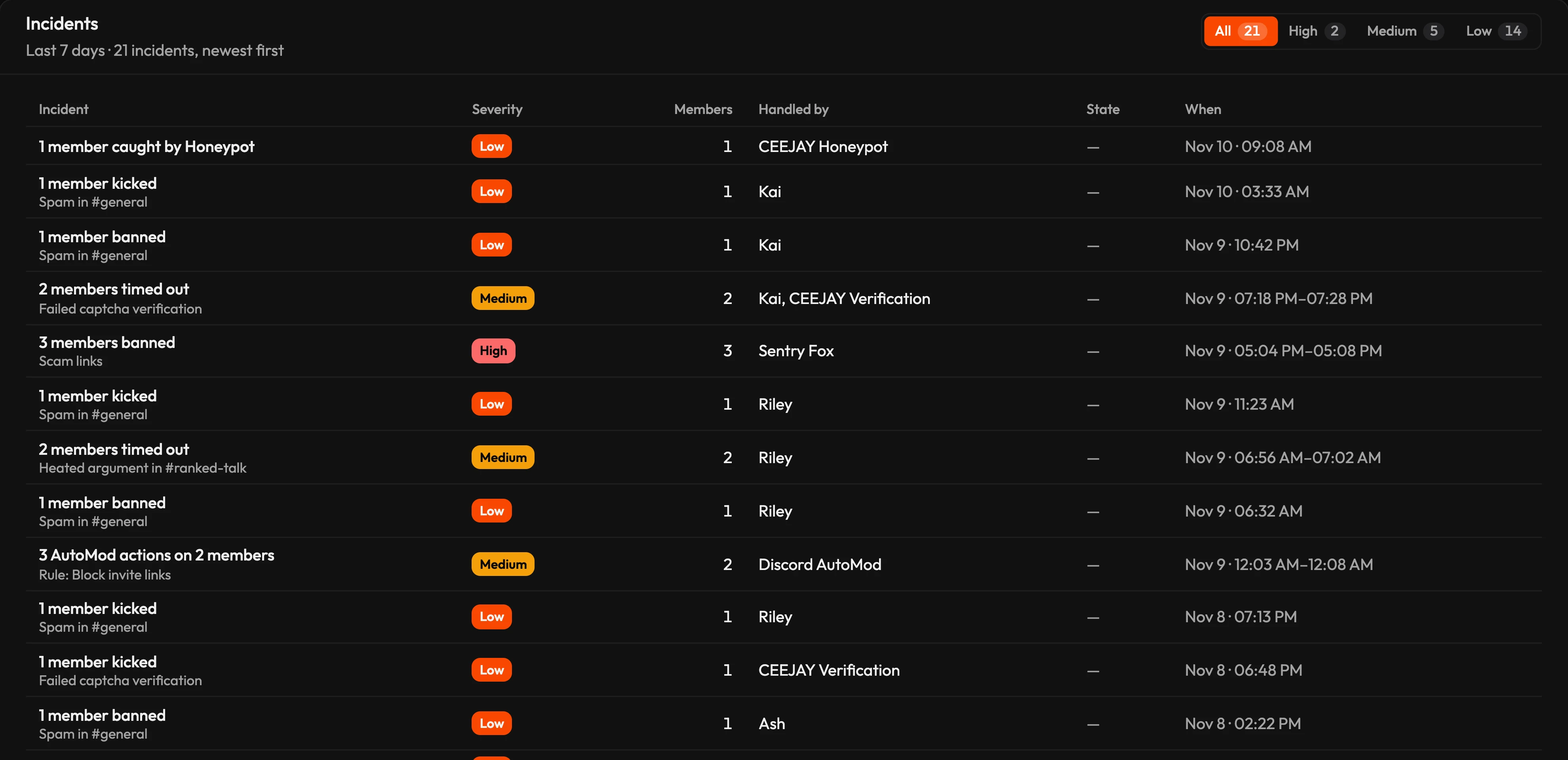
Review a raid as one incident
A burst of bans, timeouts and deleted messages is grouped into one incident with its severity, who handled it and whether the bans were later lifted.

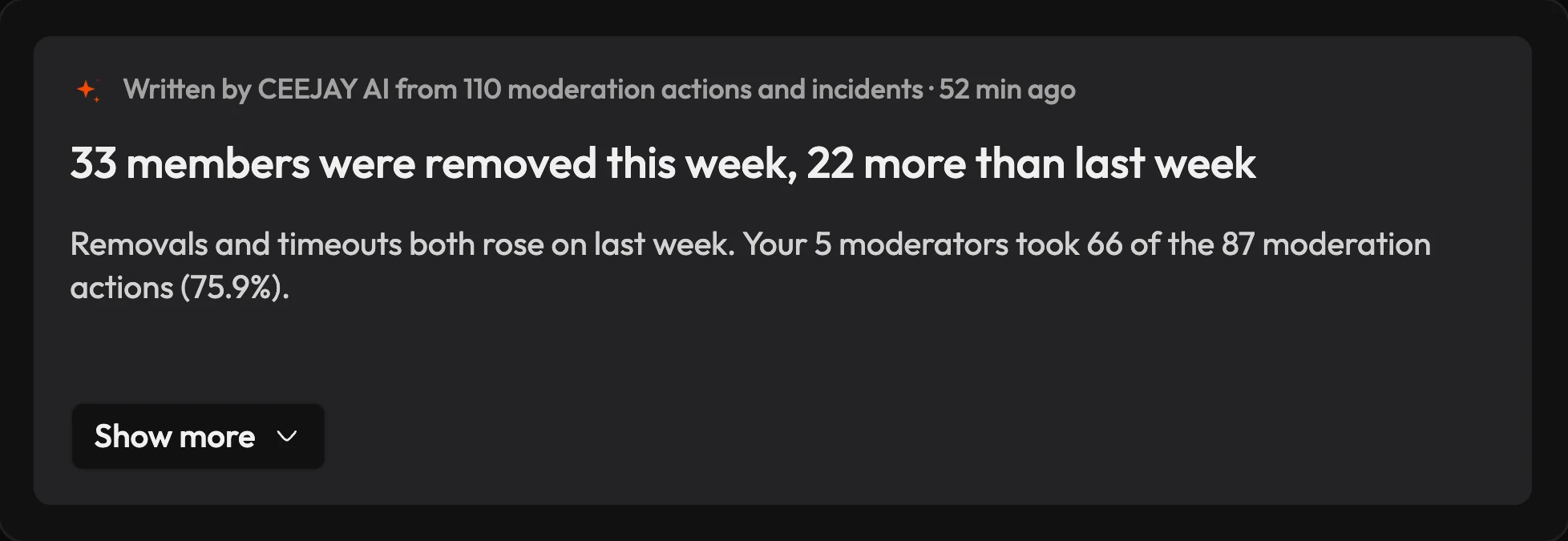
Know what changed this week
CEEJAY AI summarises the week's removals, timeouts and incidents against the week before, and tells you what to review first.


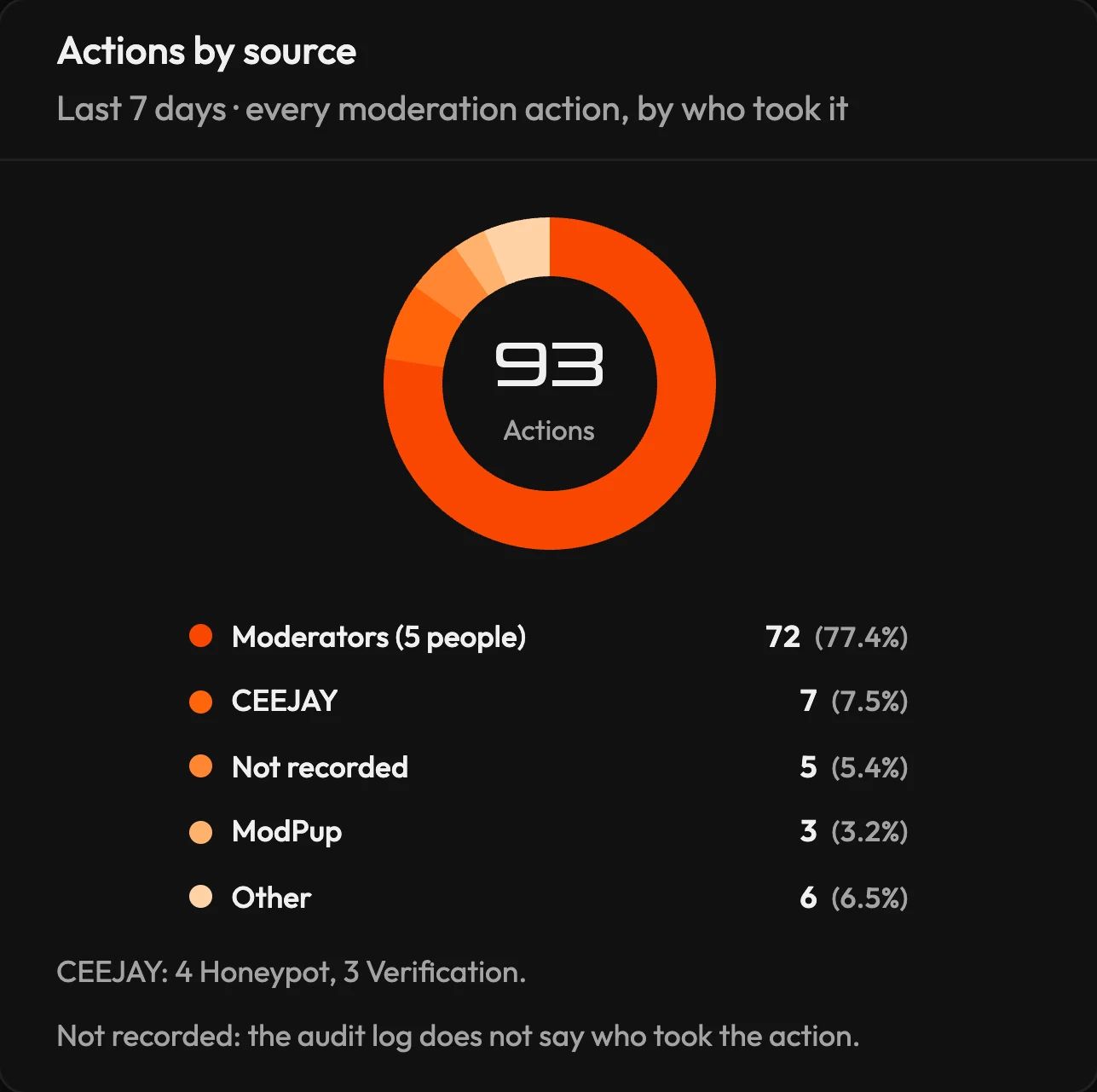
See which moderators carry the load
Check how many actions came from each moderator, other bots, Discord AutoMod and CEEJAY. CEEJAY only reads and reports, so every ban and kick still happens in Discord.
Check what AutoMod blocks and flags
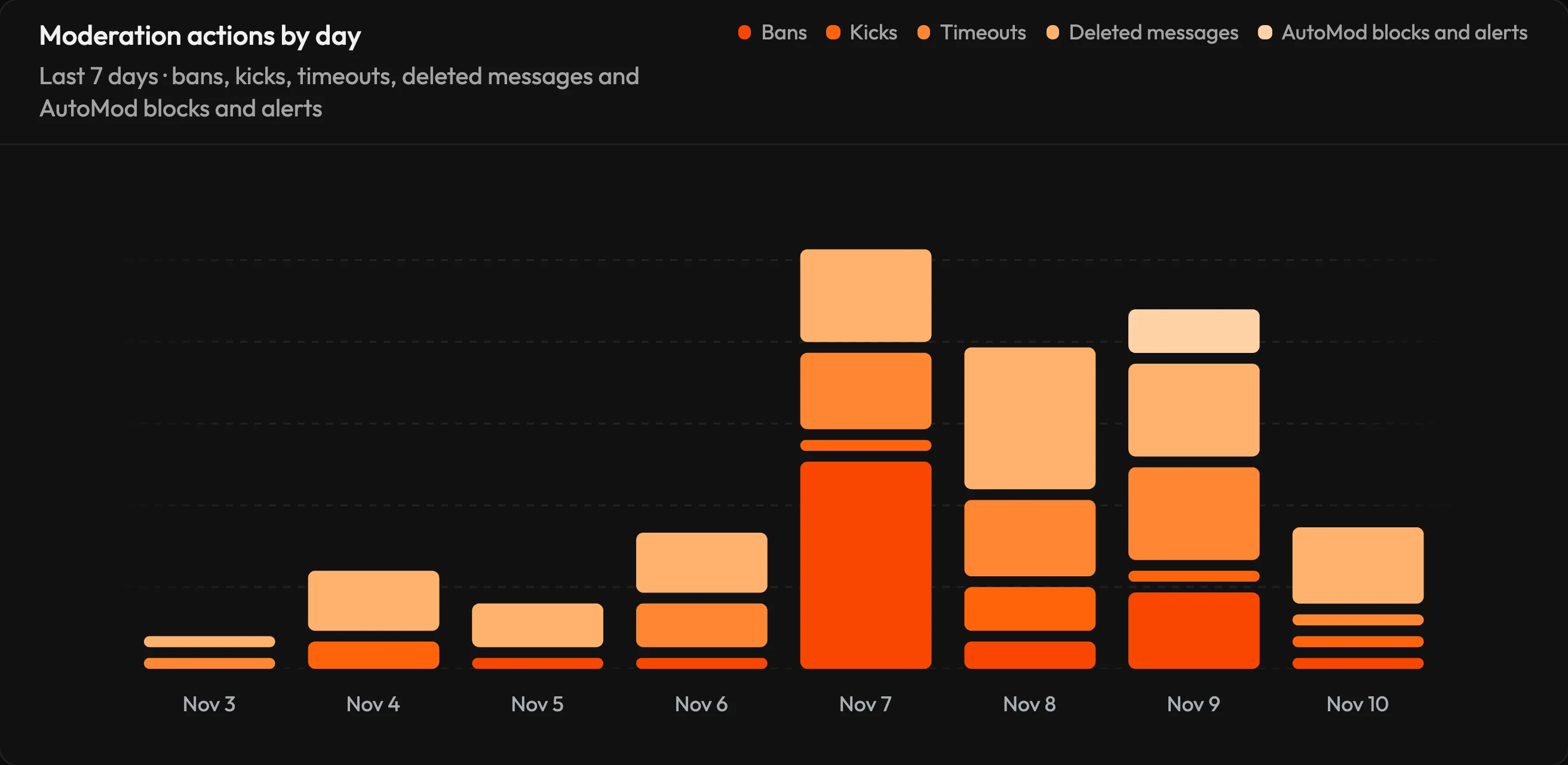
Follow bans, kicks, timeouts, deleted messages and AutoMod actions day by day, and see how many AutoMod blocked or flagged.

More in Operations
Audit Log
See every change in your server and in CEEJAY, and who made it.

Community Mods
See how your moderators are doing, and reward the ones who carry the server.

Automations
Automate routine tasks so they get done even when nobody on the team is online.

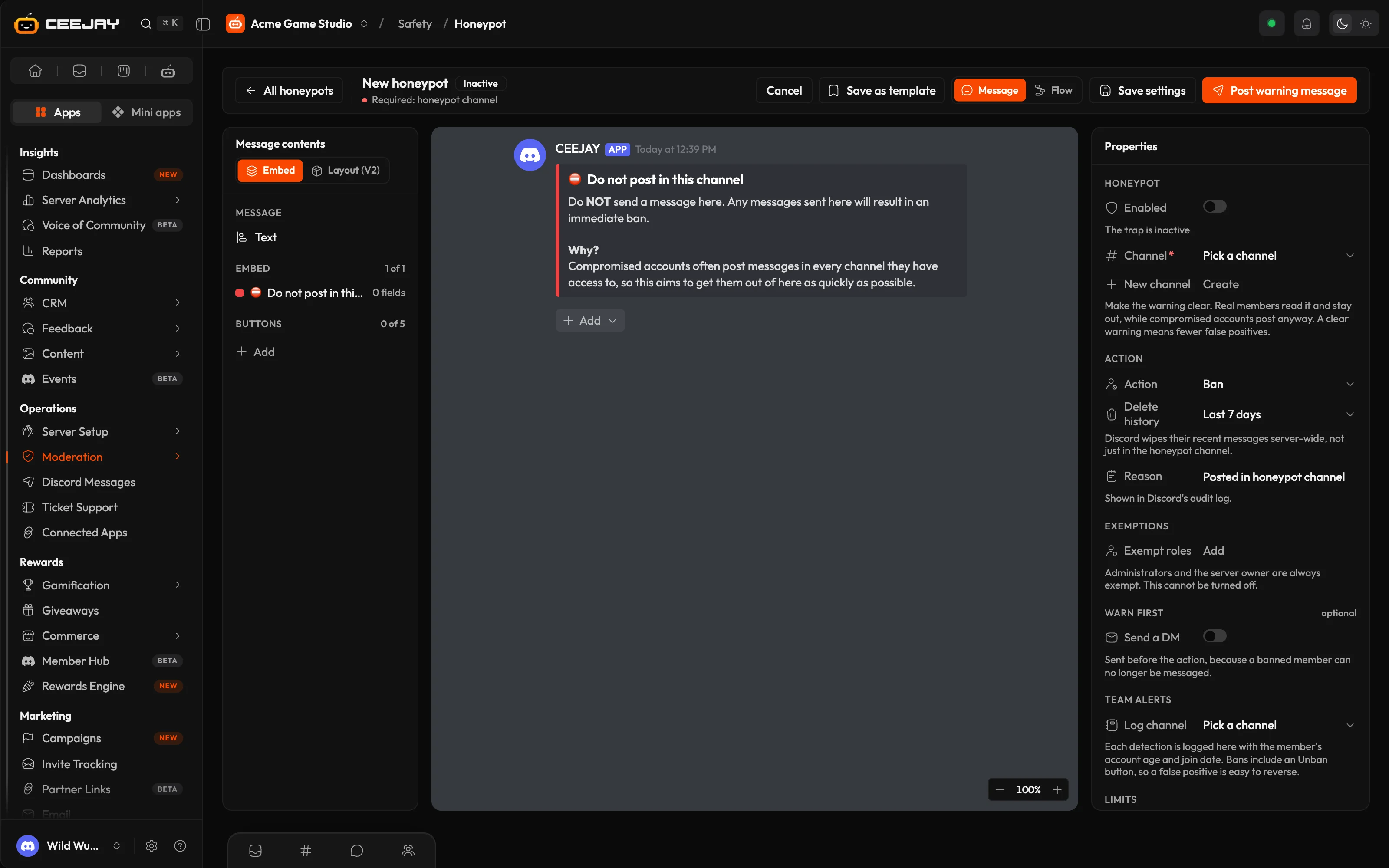
Honeypot
Catch spammers before they reach your members.
No. The page is read-only, so you moderate in Discord and Safety reports what happened.
Yes. It lists actions from moderators, other bots, Discord AutoMod and CEEJAY, and shows who carried out each one wherever Discord says so.
The moderation log starts from the day CEEJAY began recording, and earlier bans and kicks are counted from member exits.
Yes. Every plan includes every app. Plans differ by community size, editor seats and AI use.




Get started with CEEJAY
Book a demo of CEEJAY, or get a free launch plan for your server from our team.