Community overview
See how your community is doing this week and what your team should focus on today.
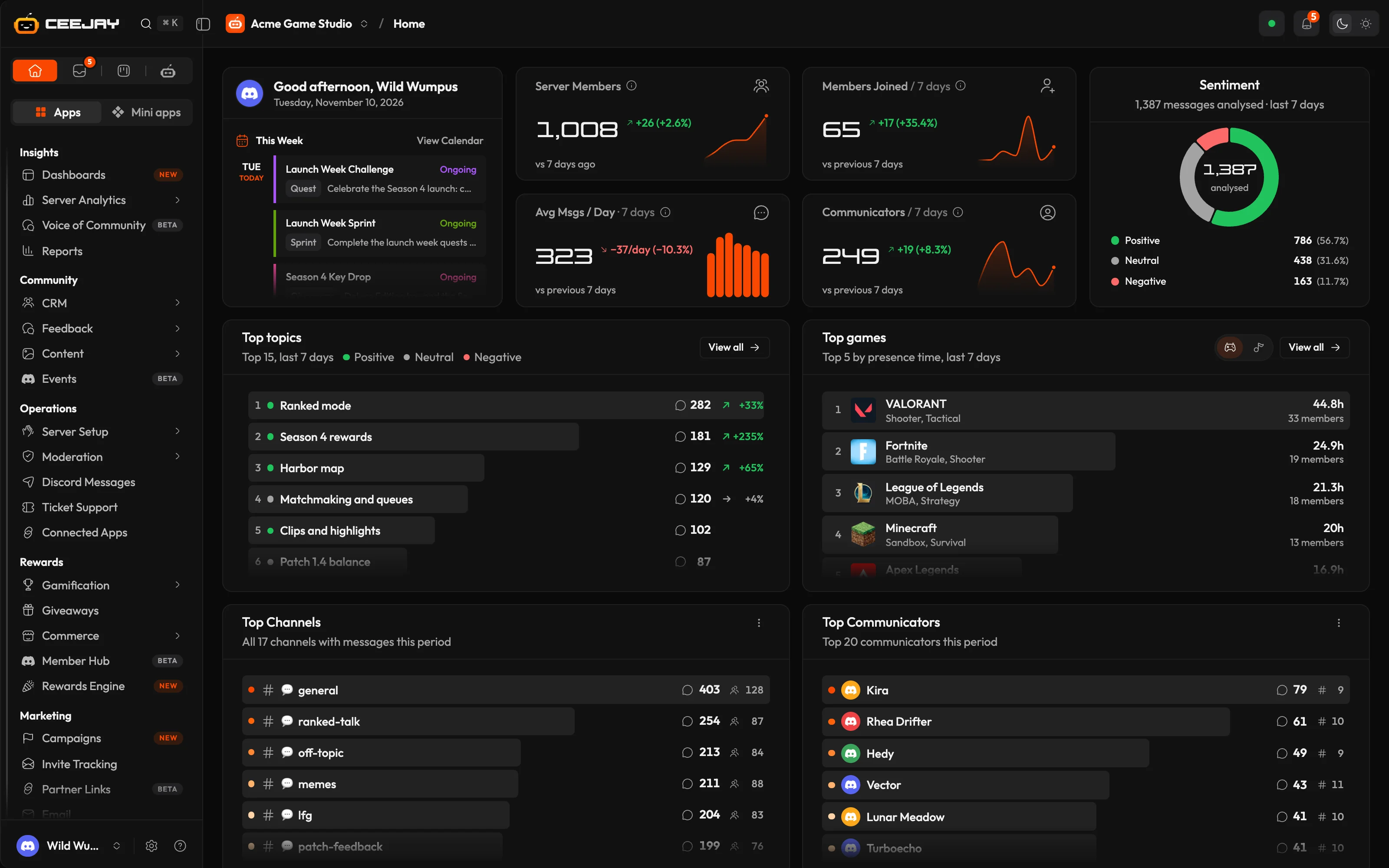


Start every week knowing where you stand
Know how your community did before your first meeting
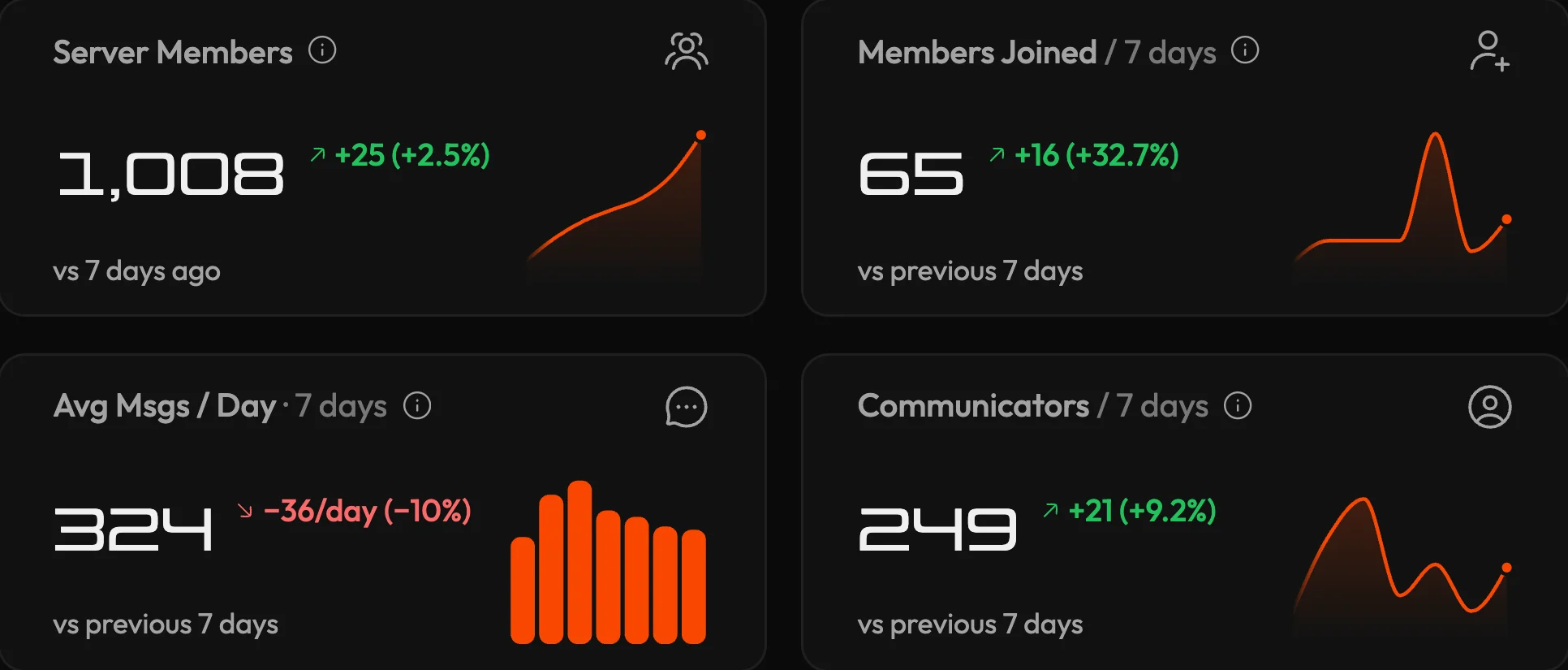
See how your community did this week against last week: members, new joins, messages per day and members who posted, each with how much it moved.

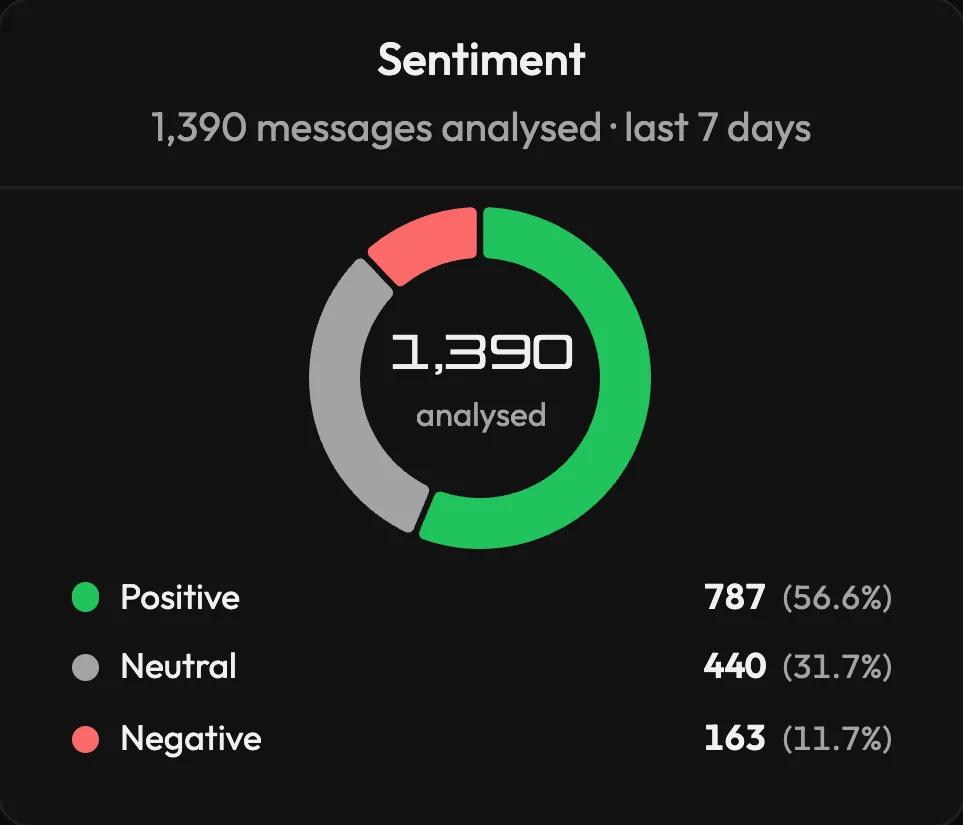
Hear how members feel about your game
CEEJAY reads the messages in the channels you choose and shows how many were positive, neutral or negative this week. A drop after a patch is visible as soon as your team opens Home.


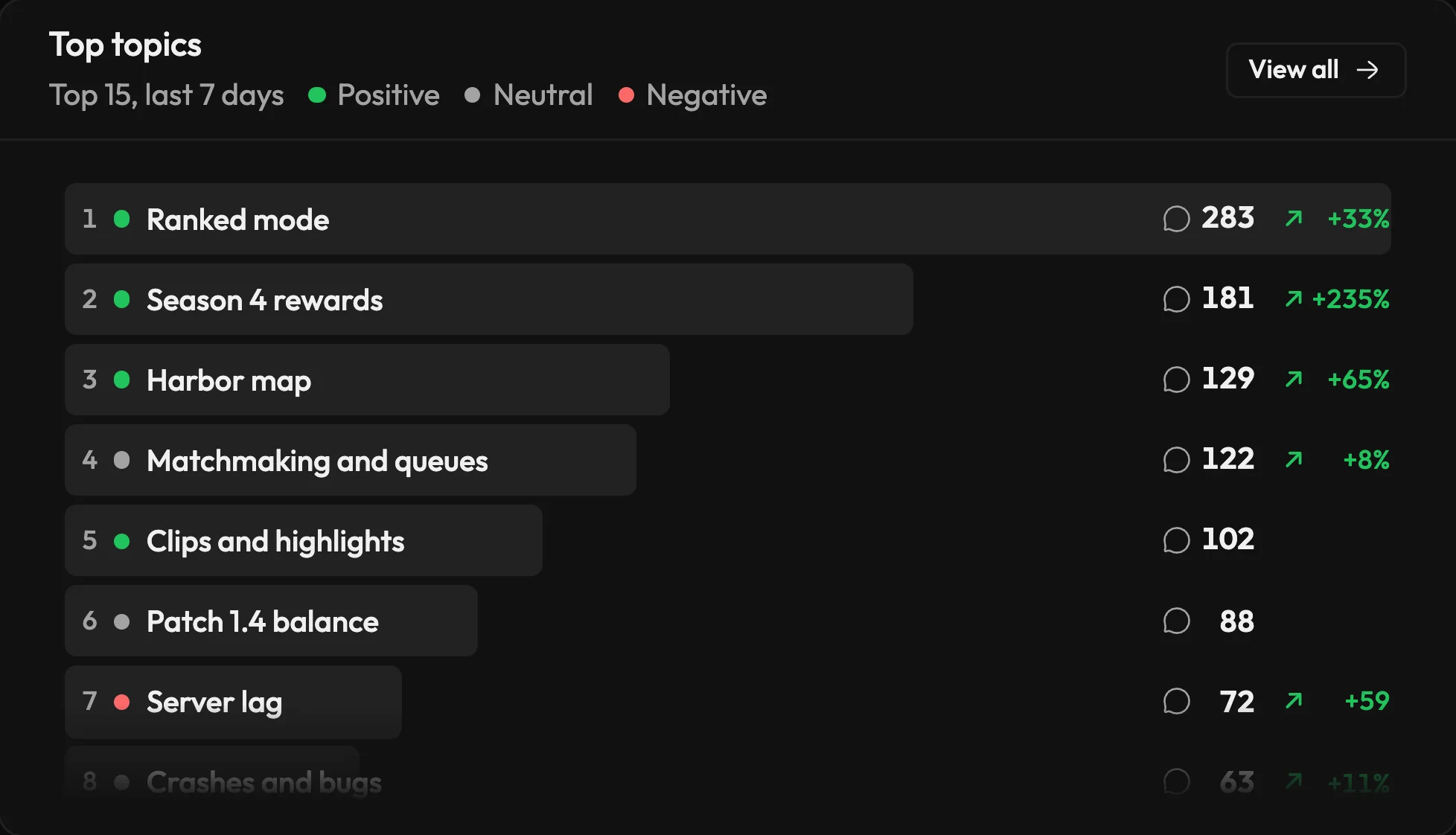
Spot the topics growing fastest
See which topics members talked about most this week, how they feel about each and how fast each is growing. Open one to read what members are saying.
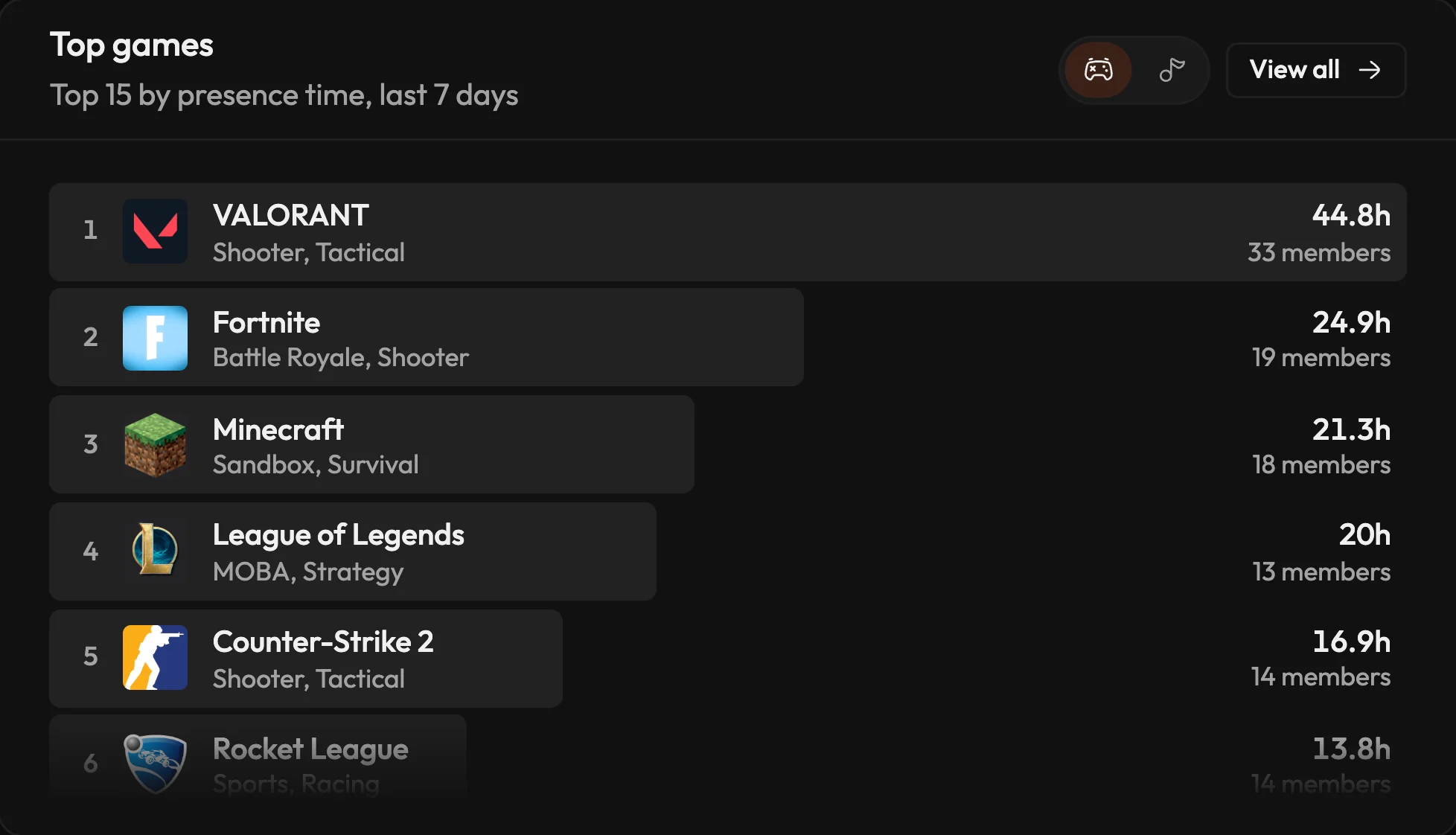
Find the games your members play outside yours
See which games your members play the most, by hours and number of players. Switch to music for the artists they listen to, and open a game for its busiest hours.

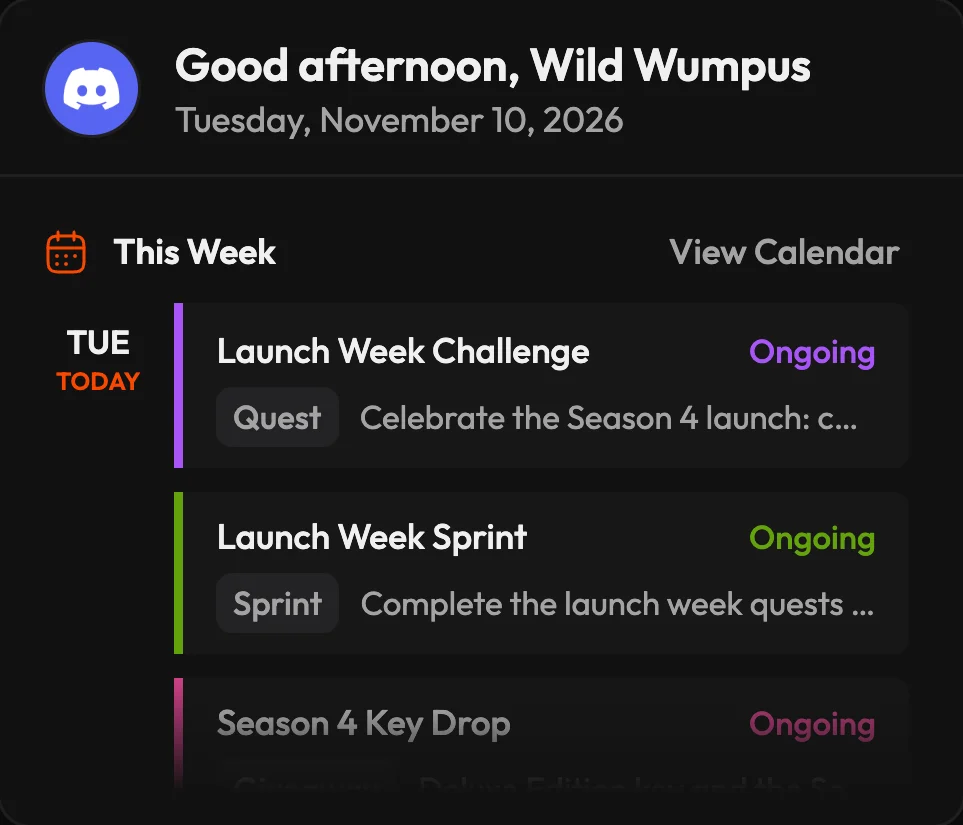
Keep your team on the same week
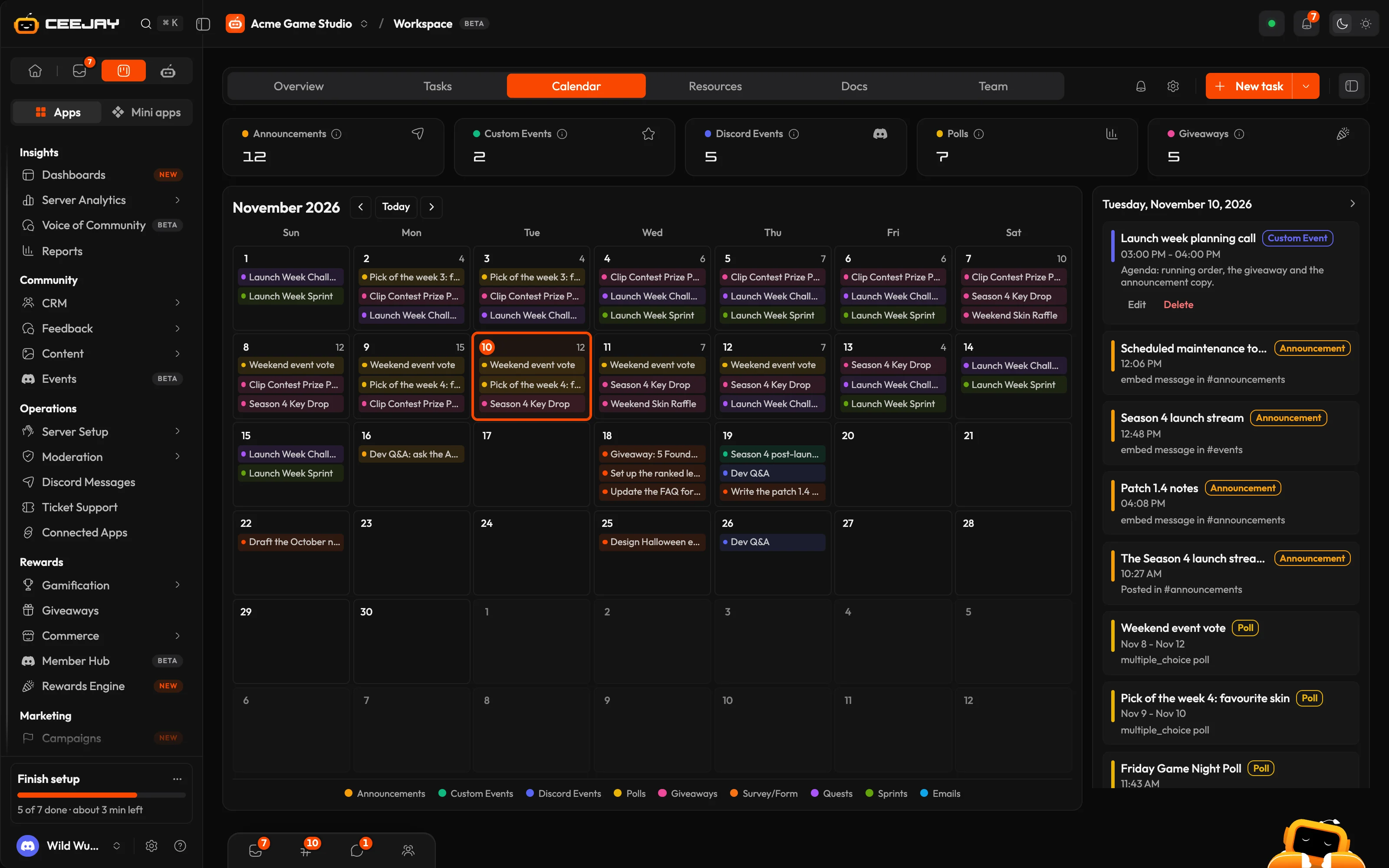
See the events, polls, giveaways, announcements and quests planned for the next seven days, next to your numbers.

Home always shows the last 7 days against the 7 days before. For any other period, open the page that holds the number, such as Engagement or Growth.
It is read from the channels you choose in the Voice of Community settings. Until messages have been analysed, the card says what is needed.
Home shows Discord's own member count for the whole server, bots included. The Members page counts only the members CEEJAY tracks, so it can be lower.
Yes. Every plan includes every app. Plans differ by community size, editor seats and AI use.




Get started with CEEJAY
Book a demo of CEEJAY, or get a free launch plan for your server from our team.