Growing a Discord server takes two things: a reason to join and a reason to stay. Promotion brings members in, but a server that new members find quiet or confusing loses them in the first week. Fix onboarding before you spend on promotion.
Make the server worth joining
- Give it one clear purpose. "The official community for [game]" tells a new member why they're there.
- Set up onboarding, so new members pick their roles and see the channels they care about. Our guide on how to set up Discord onboarding covers the steps.
- Reply to first messages. A new member who gets an answer on day one has a reason to come back.
- Post something every day, even if it's a question, a screenshot or a poll.
Link it everywhere your audience already is
- Your website, store page and game's main menu
- Your social profiles, videos and stream panels
- Patch notes, newsletters and press kits
- The signature of every support email
Use a separate invite link for each place, so you know which ones bring members who stay.
Get a plan for your Discord server
Tell us about your community and our team will send you a free plan.
Work with creators and partner servers
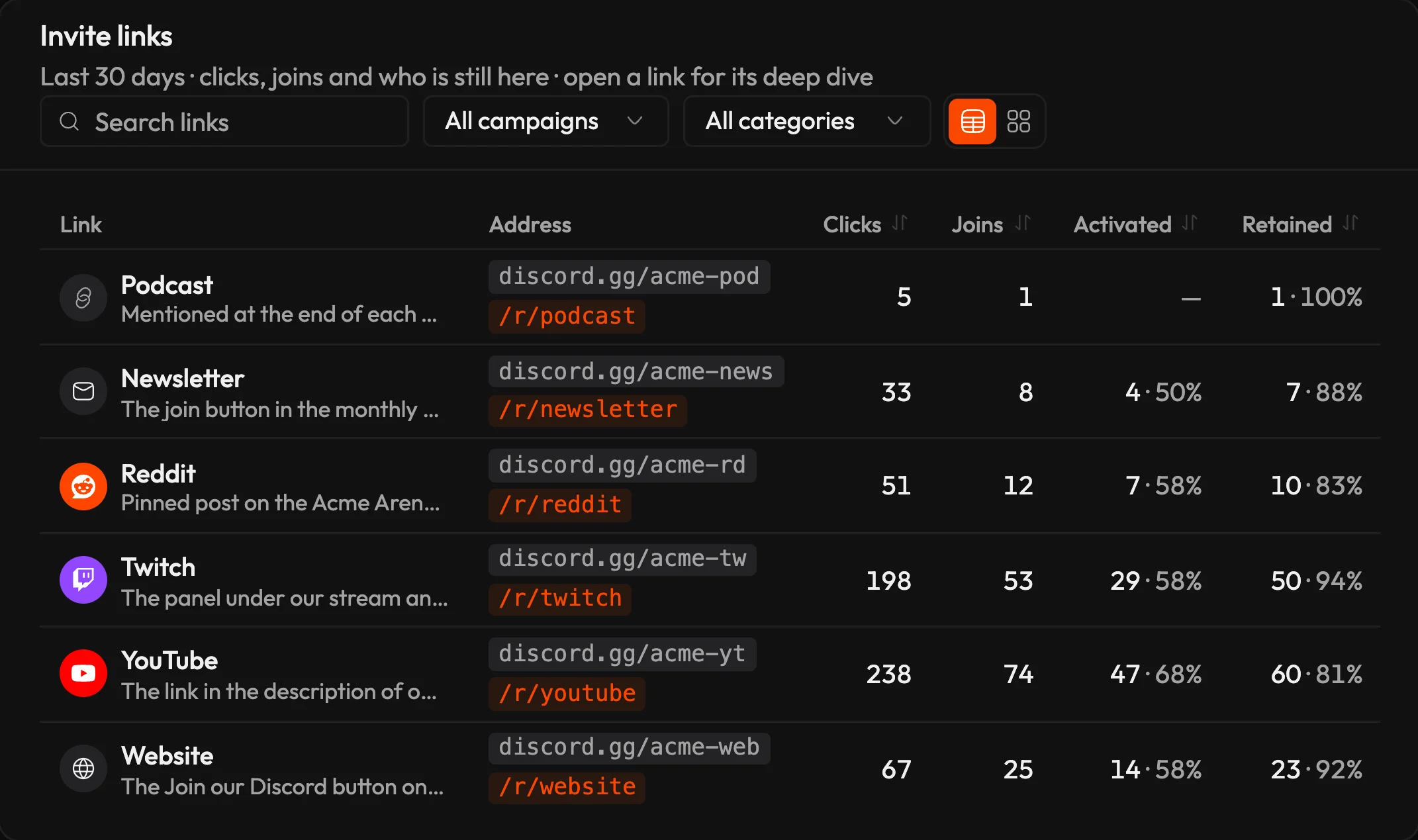
Give each creator who plays your game or uses your product their own invite link, a role in your server and a channel to share their content. Partner servers with an audience close to yours, such as a creator's server or a fan community, can share your events and giveaways with their members.
Run events and giveaways
Events give members a reason to show up at the same time: an AMA with your team, a watch party for a trailer, a tournament or a playtest. Giveaways bring a spike of new members, so pair them with a requirement such as a minimum account age, to keep out alt accounts. Our guide on how to run a giveaway on Discord covers the rules.
Get listed in Server Discovery
Server Discovery lists public servers inside Discord, where members browse by interest. To be eligible, Discord's requirements include being a Community server with at least 1,000 members, being at least 8 weeks old, meeting Discord's activity requirements and requiring two-factor authentication for moderators.
Discord is also making discoverable servers easier to find on the web. Since 16 November 2026, every discoverable server has a Server Web Page, so your public channels should read well to someone who hasn't joined yet.
What not to do
- Don't send unsolicited invites in other servers or by DM. It breaks most servers' rules and puts members off.
- Don't buy members. Inactive accounts make your server look quiet and lower every engagement number you track.
Growth in CEEJAY
Invite tracking in CEEJAY helps you spend on the creators and campaigns that bring members who stay, and partner invite links run giveaways in partner and creator servers to bring their members into yours. Our community marketing service plans and runs campaigns that grow your Discord server.



