Voice of customer tool for Discord communities
Catch problems as the first complaints come in, and know what to fix first.


What studios learn from Voice of Community
Catch problems while they're small
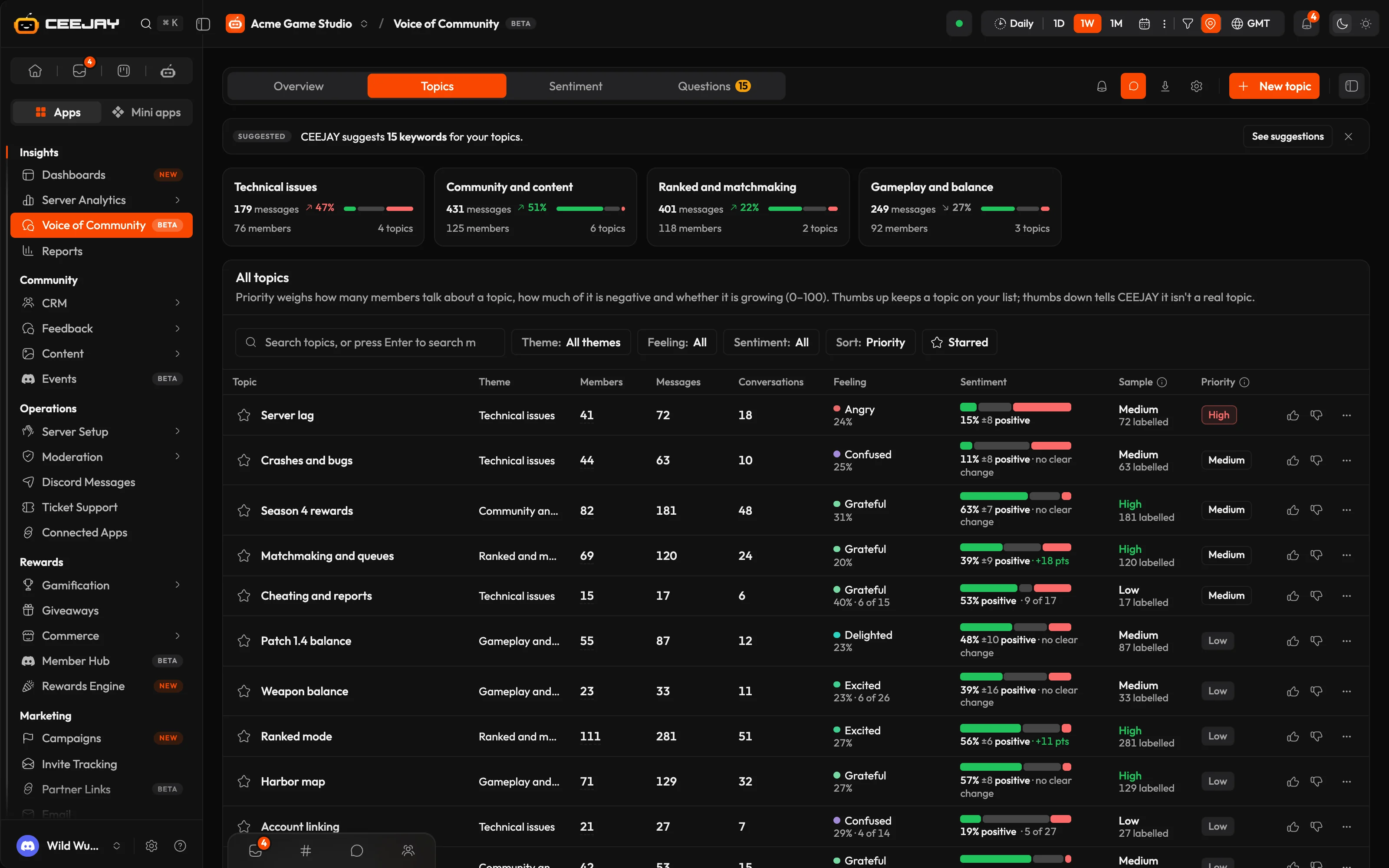
CEEJAY groups your members' messages into topics, such as server lag or ranked matchmaking, and shows how many members are talking, how they feel and whether the topic is growing. The topics that need attention first are listed first.

Hear about a surge on the day it starts
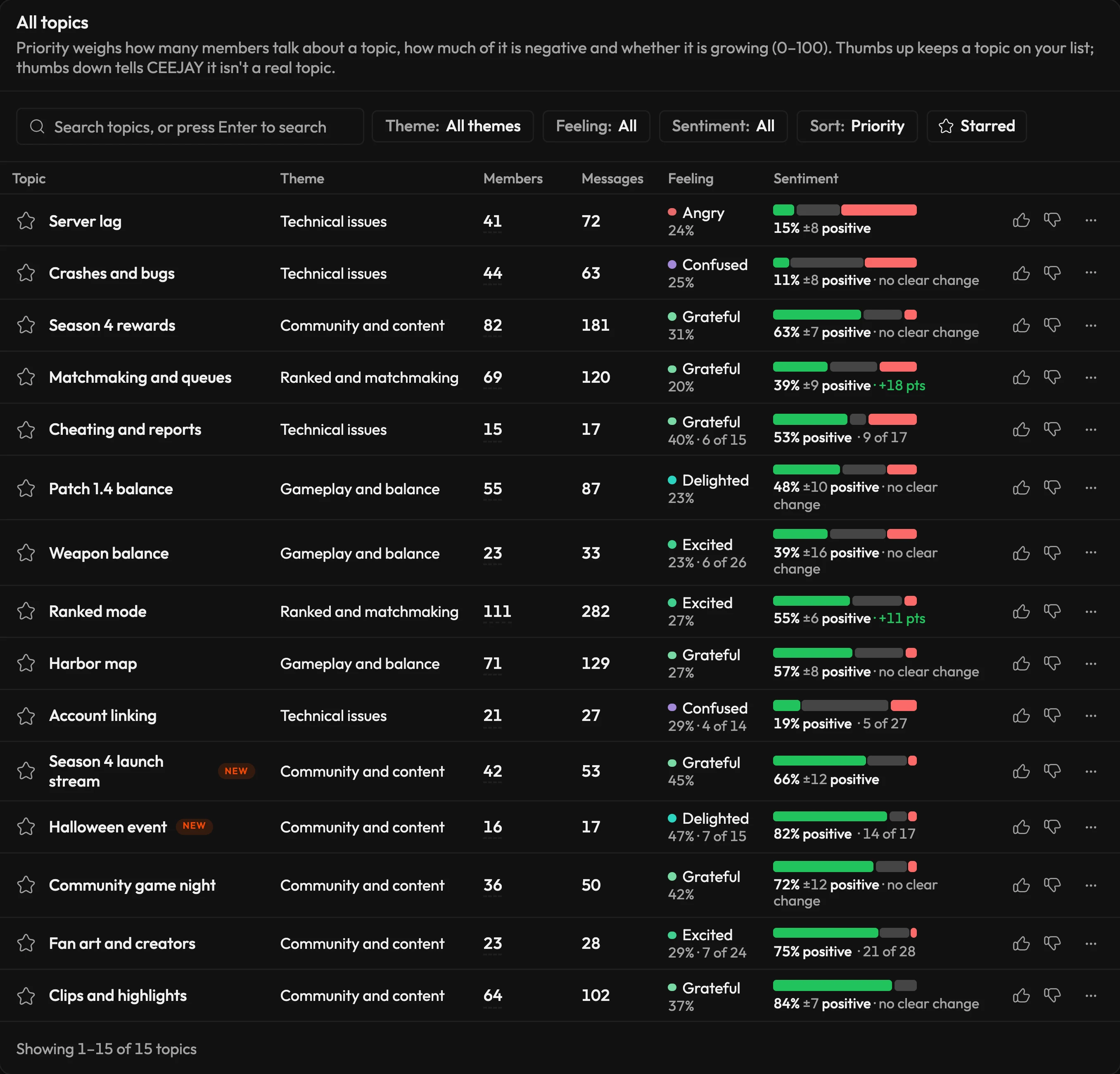
When mentions of a topic jump, CEEJAY raises an alert with the size of the increase and a link to the messages behind it. Your team can read what members are saying and reply before the topic spreads.


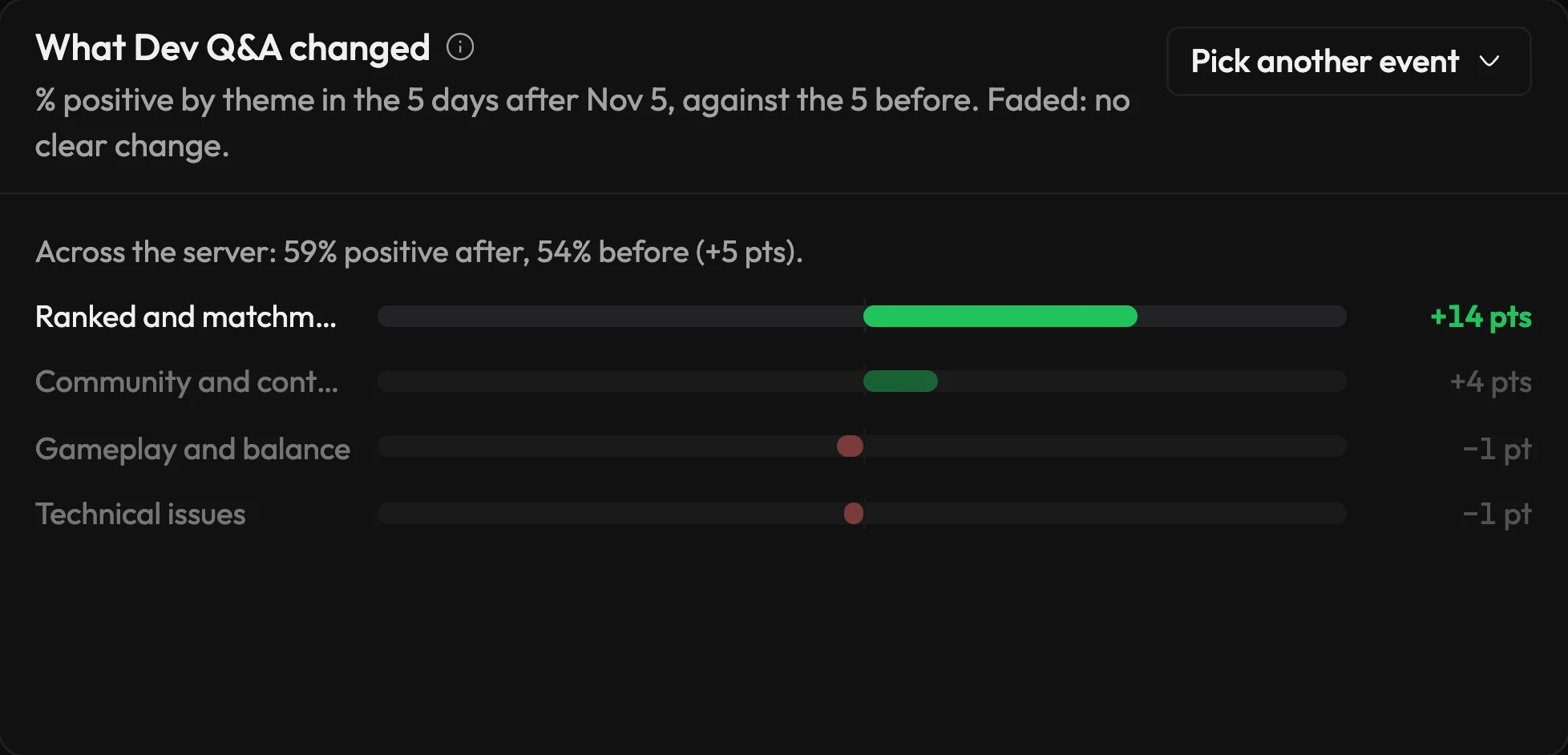
See how members took a patch or an event
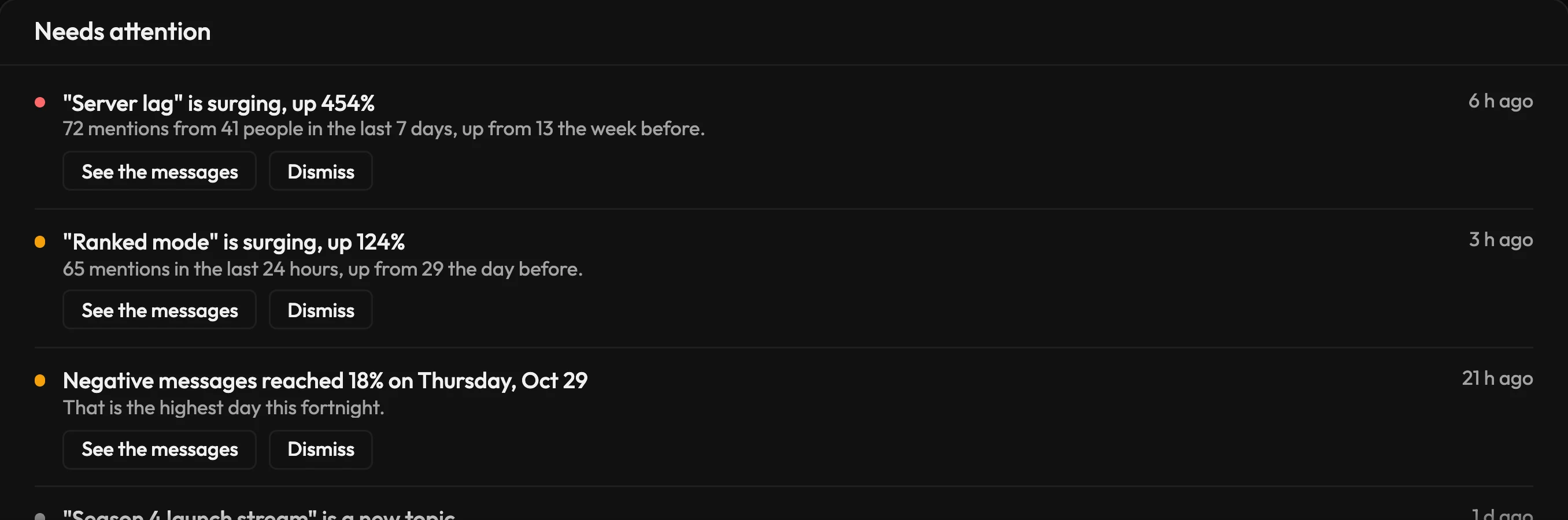
Your events, announcements and giveaways are marked on the sentiment chart, and CEEJAY compares how members felt in the days before and after each one. Sentiment is also split by channel, so you can see where the frustration sits.
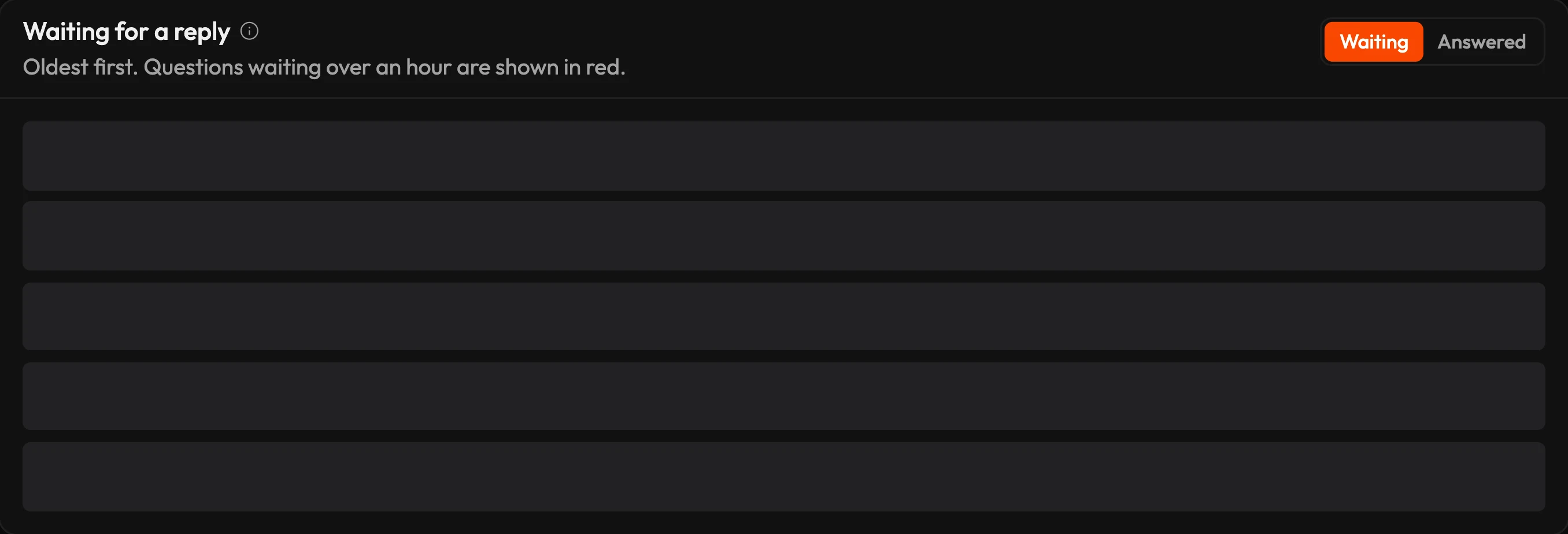
Answer the questions members are still waiting on
CEEJAY finds the questions asked in your server and lists the ones nobody has answered, urgent first. Reply in Discord or assign the question to a teammate as a task.

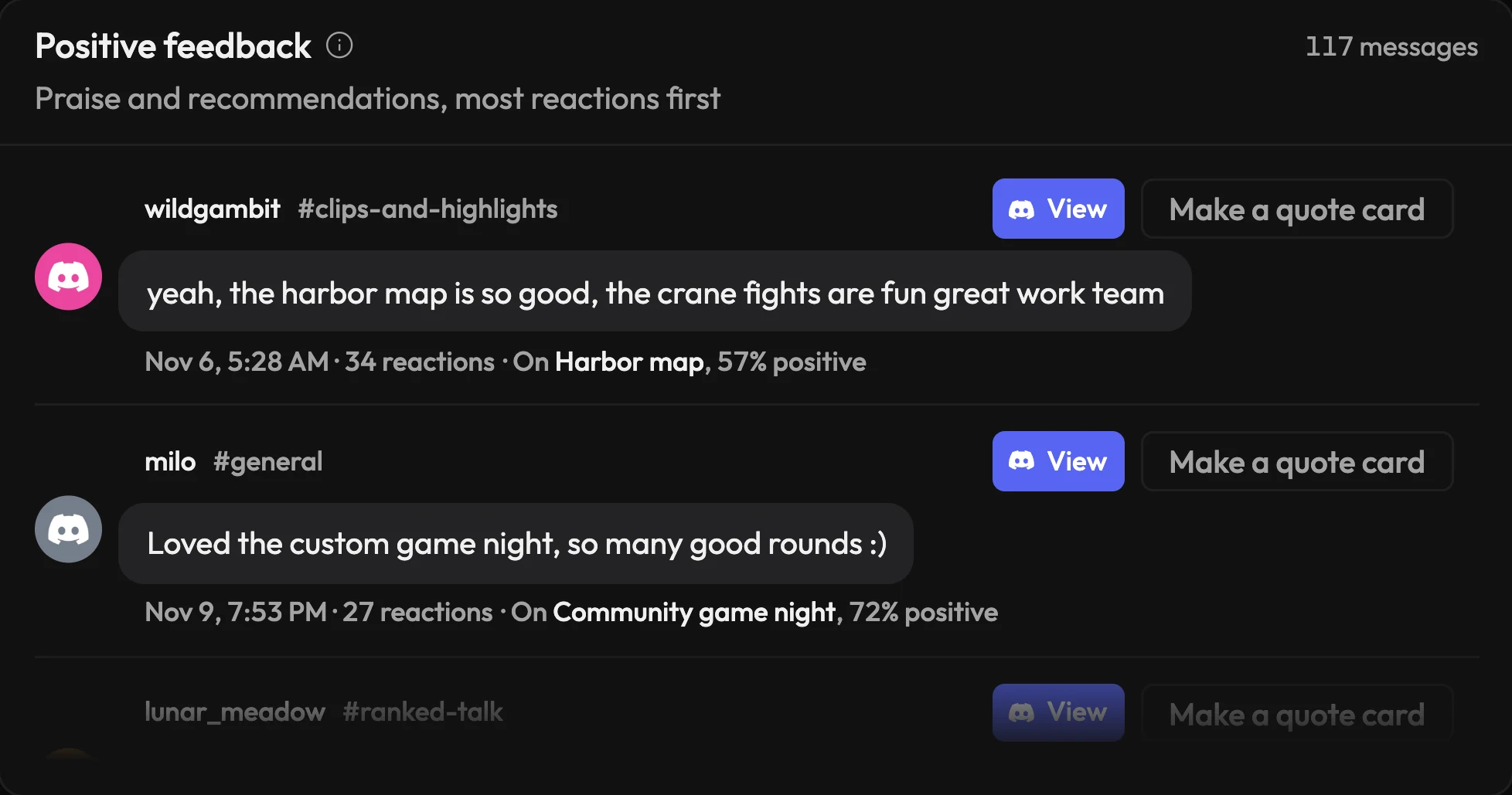
Find the praise worth sharing
See your members' most positive messages with their reactions and topic, and turn any of them into a quote card sized for social media.
More in Insights
Dashboards
Give every team its own view of the community, from support to leadership.

Growth & Activation
See where new members come from and whether they stay past their first week.

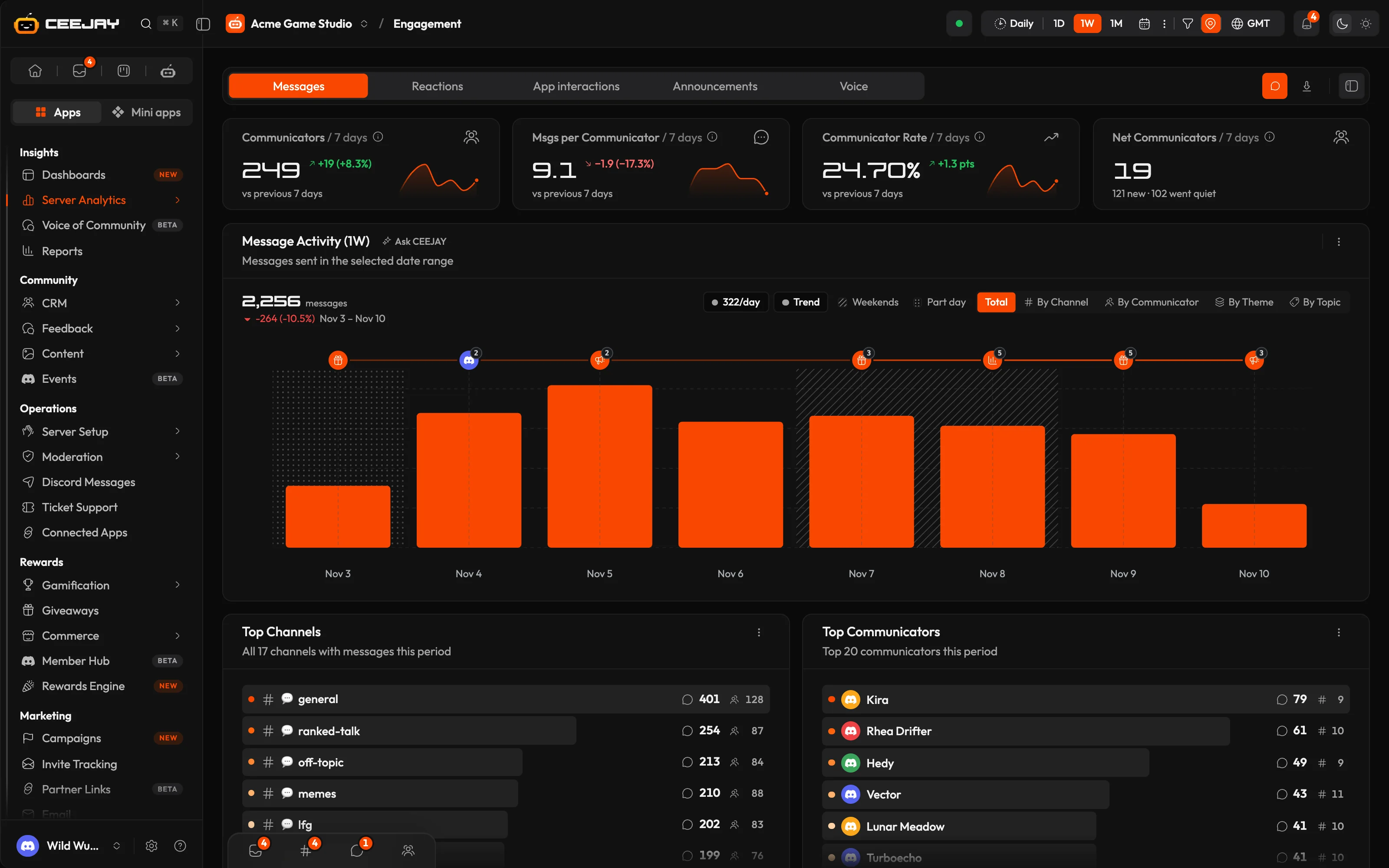
Engagement
See which channels and moments get members talking.
Announcements
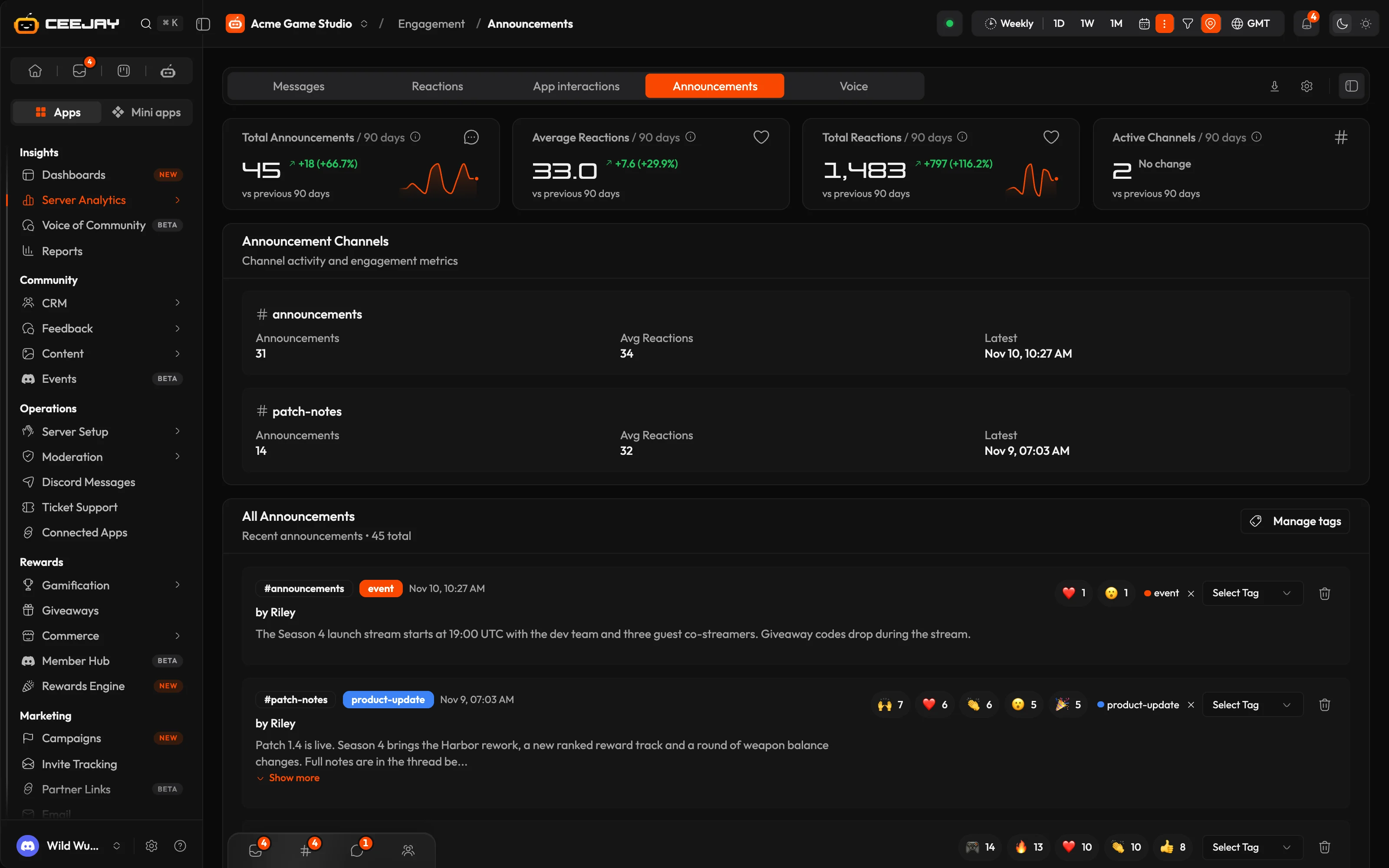
See which announcements get the most response, and post more of what works.
CEEJAY reads the channels you choose in Settings. Channels you hide from analytics are left out.
Yes. A thumbs up keeps a topic on your list and a thumbs down tells CEEJAY it is not a real topic. You can also rename and merge topics in Settings.
When a share is based on few messages, CEEJAY marks it as a low sample and shows the message counts beside it.
Yes. The Overview opens with a summary written by CEEJAY AI of what members talked about this week, how they felt and what needs attention. It shows how many messages it read and when it was written.
Yes. Every plan includes every app. Plans differ by community size, editor seats and AI use.




Get started with CEEJAY
Book a demo of CEEJAY, or get a free launch plan for your server from our team.