Discord support tickets
Answer every ticket, and see which issues keep coming back.


What studios get from ticket support
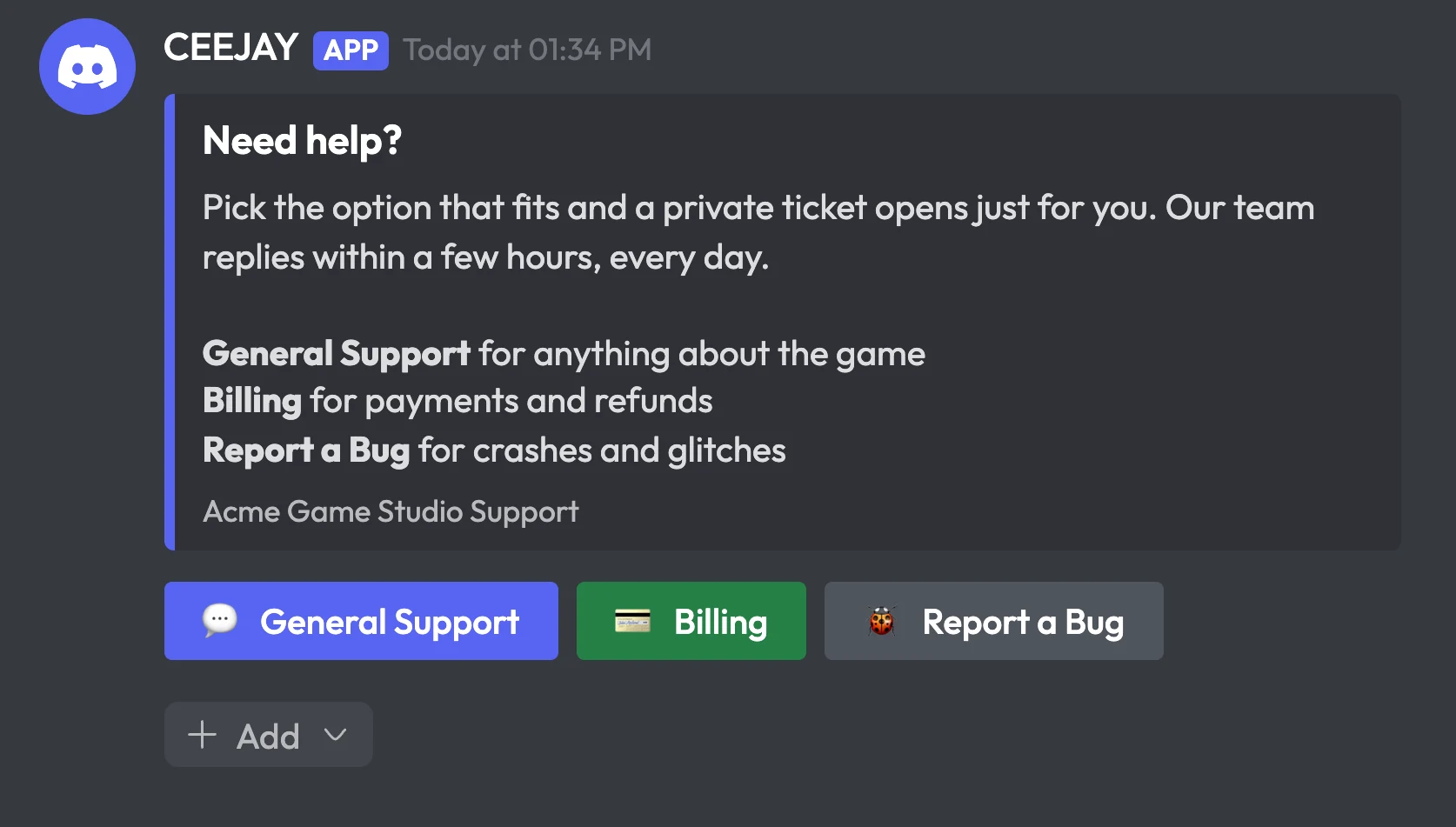
Keep bug reports private
Give members a private ticket for each kind of question, from bug reports to billing help. Each panel posts buttons in Discord, so members pick the right topic and your team has the context before anyone replies.

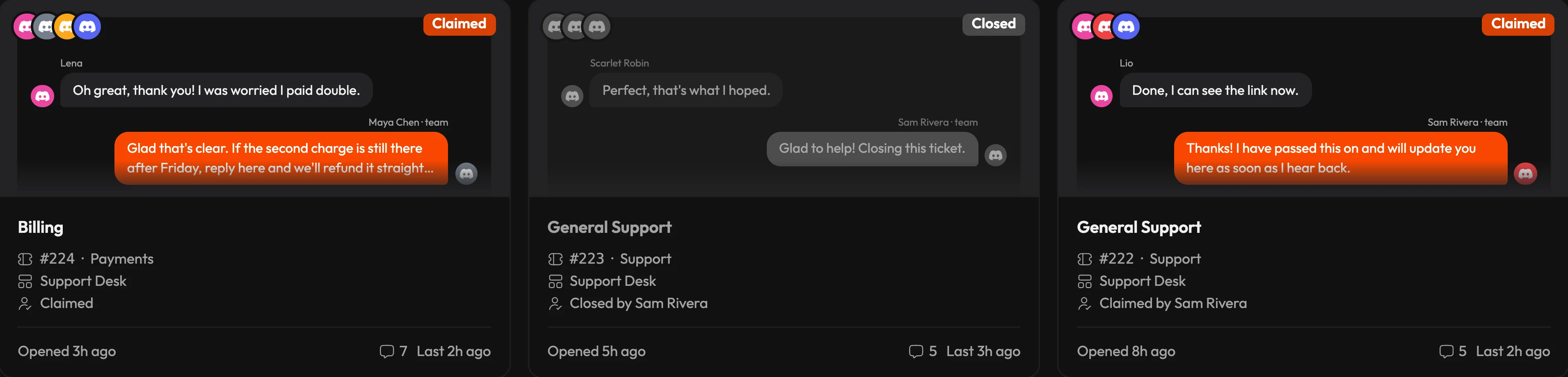
Make sure every ticket has an owner
A teammate claims a ticket from the button in Discord, so two moderators never answer the same member. Your team can reply from Discord or from the dashboard, and tickets that go quiet close on their own after the time you set.


See how fast your team replies
Check first response time, time to close and open tickets for any date range, and compare opened and closed tickets day by day.
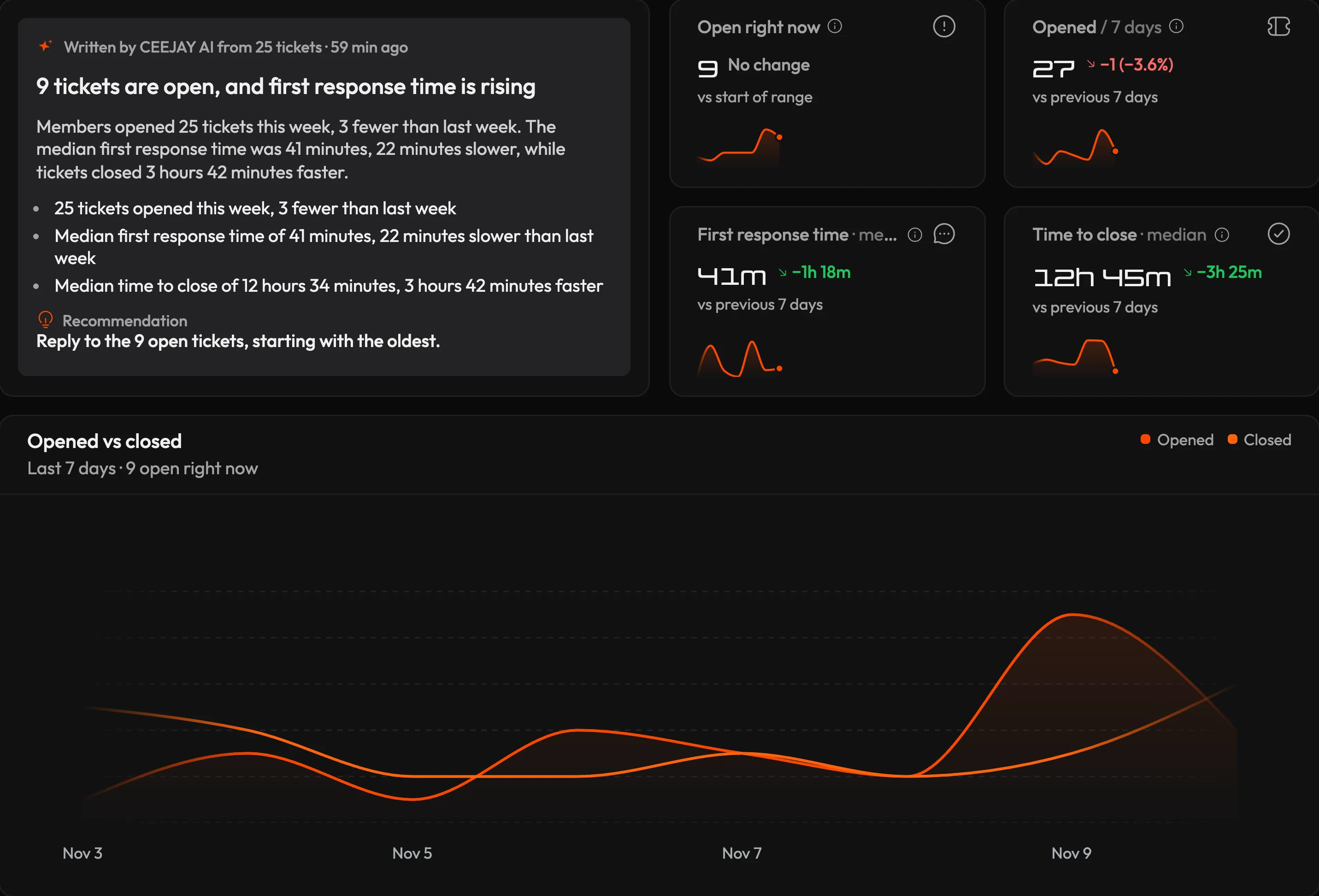
Start each week knowing where support stands
CEEJAY AI writes a summary of your tickets for the dates you pick. It covers tickets opened, first response time and open tickets, compared with the previous period.
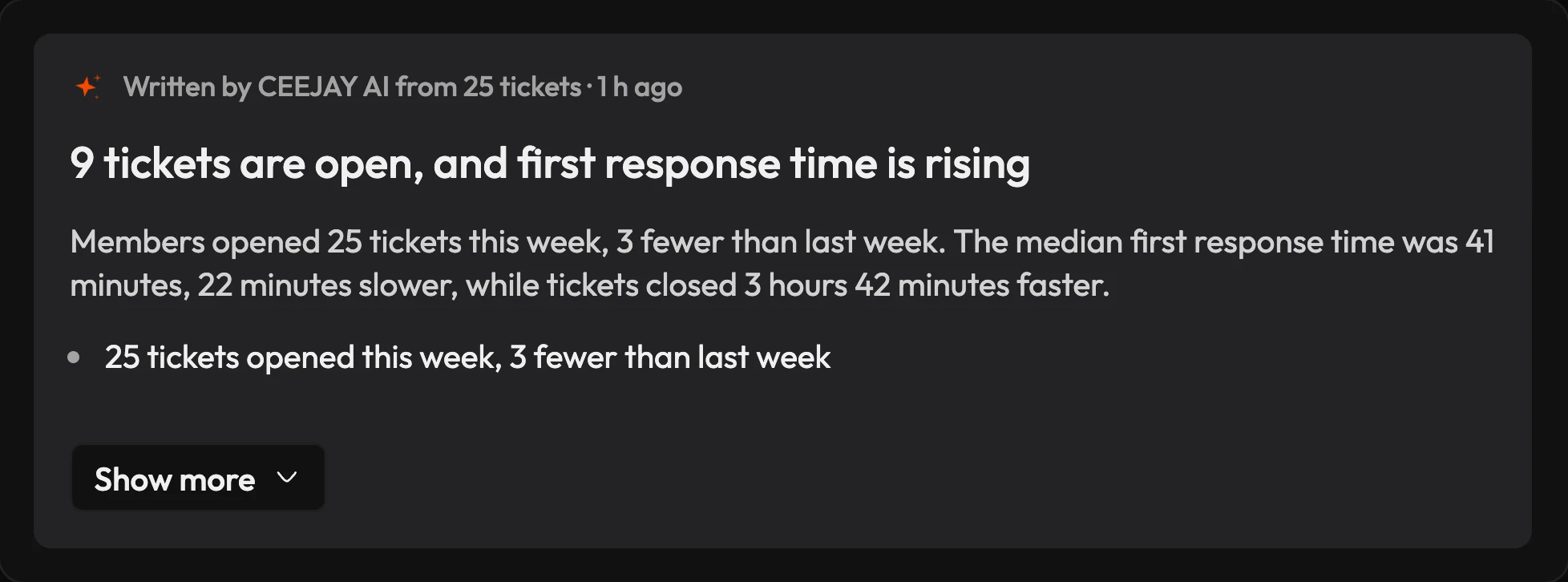
Find the issues that keep coming back
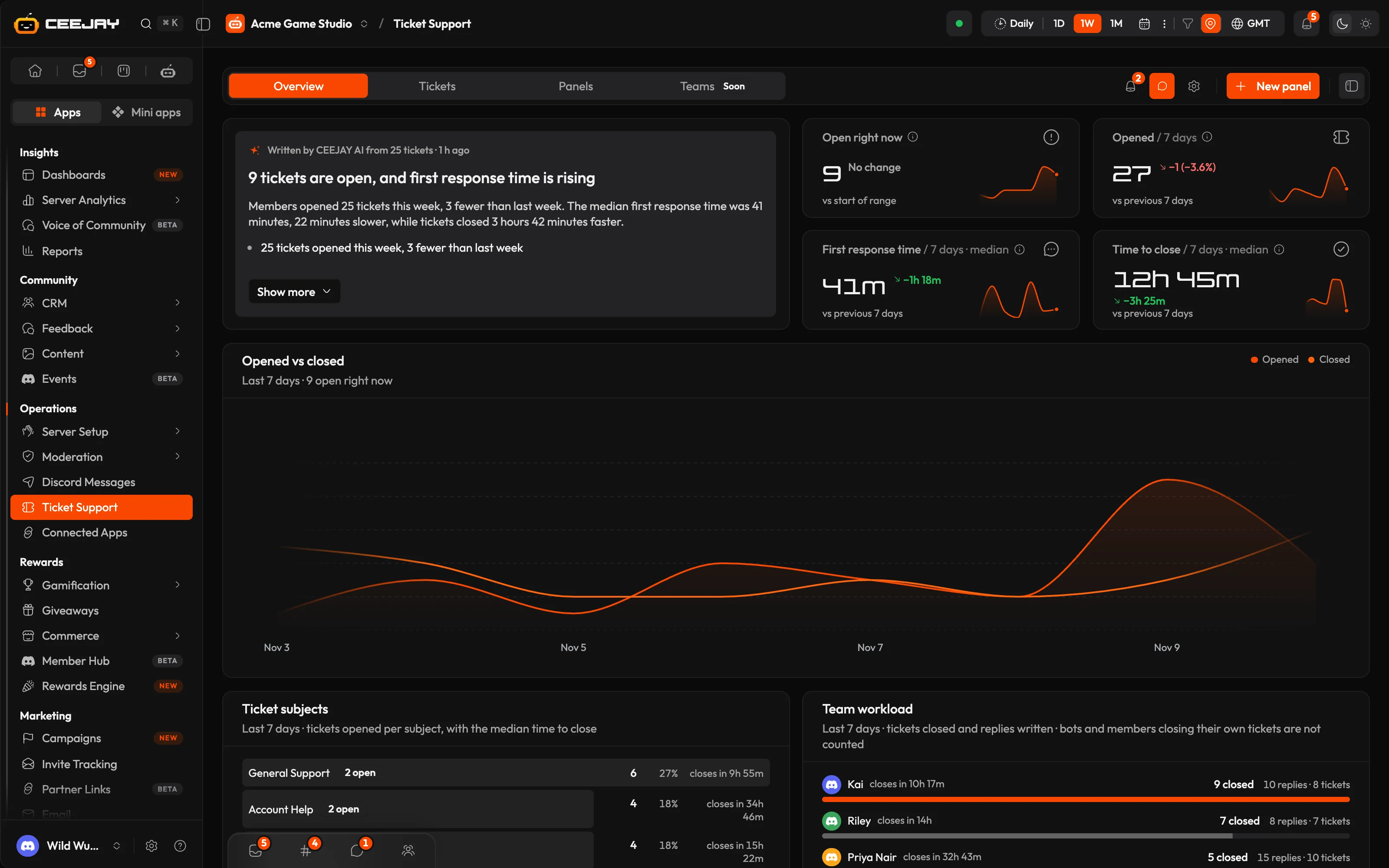
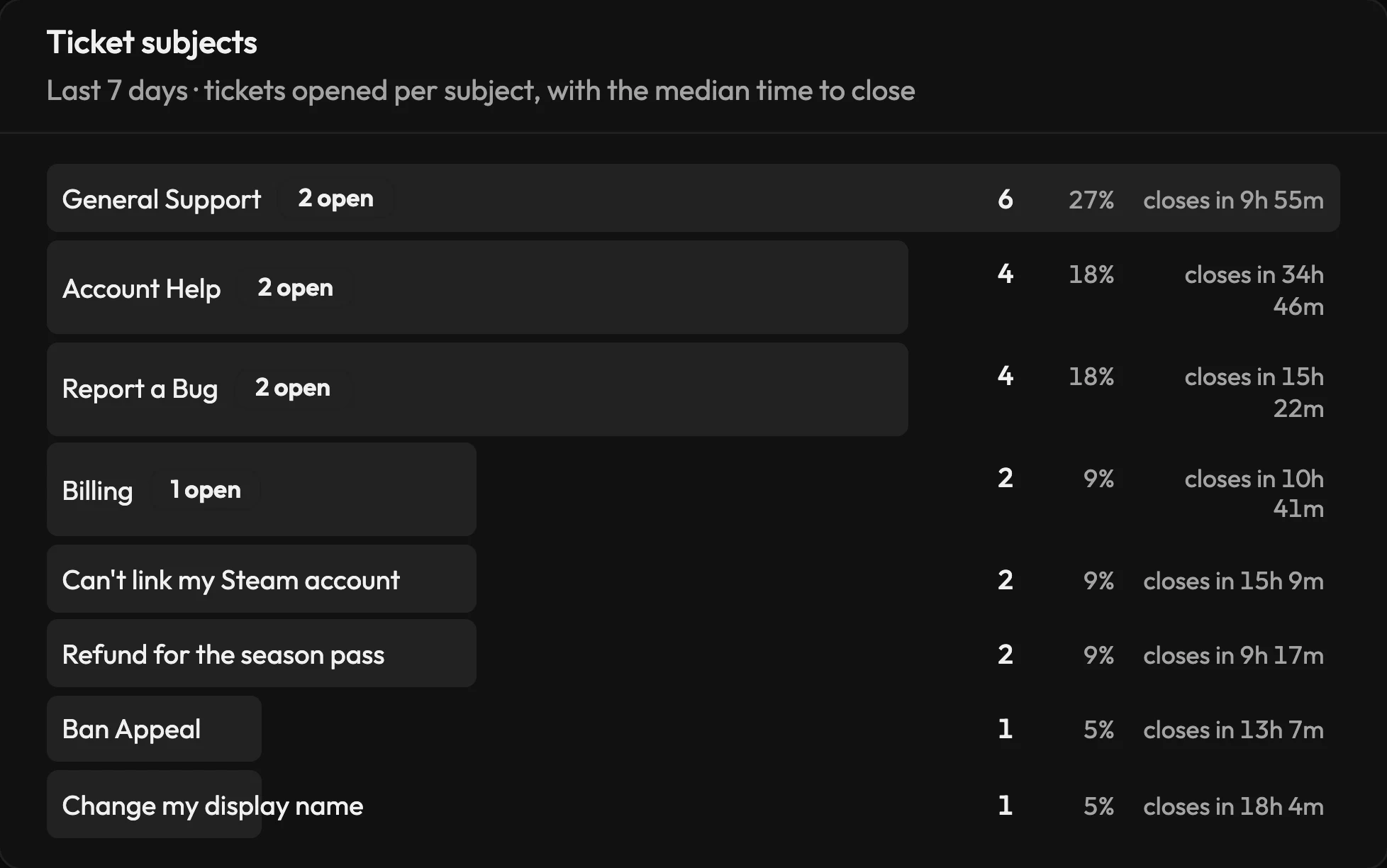
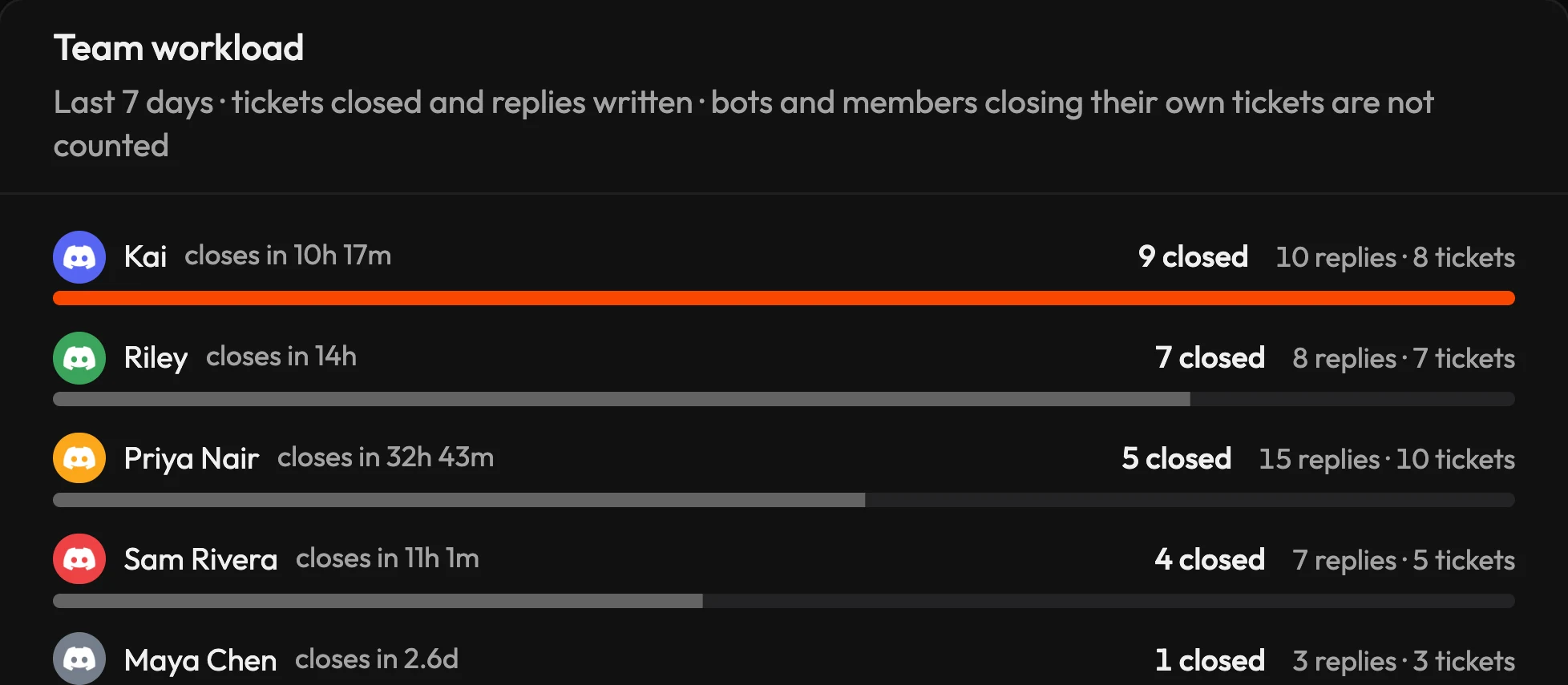
See which ticket subjects members raise most and how long each takes to close, and which teammates closed the most tickets and wrote the most replies.


No. Members press a button on your ticket panel and a private ticket opens in Discord, as a channel or a thread, depending on how you set the panel up.
Yes. Your team can reply from Discord or from the Ticket Support page, and every closed ticket is saved as a transcript.
Yes. Each panel has a limit on open tickets per member, and tickets can close on their own after the number of hours you set.
Yes. CEEJAY can send a webhook to your own tools when a member opens a ticket, and CEEJAY can create issues in Jira, GitHub or ClickUp when a ticket closes.
Yes. Every plan includes every app. Plans differ by community size, editor seats and AI use.




Get started with CEEJAY
Book a demo of CEEJAY, or get a free launch plan for your server from our team.